Mobile Application Testing Services: A Buyer's Guide
Learn what mobile application testing services cover, how device and OS coverage works, and how to choose a provider that proves its results.
In this article
- What Mobile Application Testing Services Include
- The Main Service Types
- Why Device and OS Coverage Decides Results
- Android Splits Further by Version
- How to Build a Device and OS Matrix
- Accessibility Checks That Reach Real User Journeys
- A Journey Checklist, Not a Scan
- How to Verify Coverage Reports and AI-Generated Cases
- Follow One Evidence Trail from Intake
- Read the Report in Order
- Choose a Provider and Confirm Your Device Matrix
- Our Plans Side by Side
In 2024, 90% of 1,028 senior IT professionals and application developers surveyed across the United States, United Kingdom, Germany, and Singapore estimated that poor mobile-application quality costs their business up to $2.49 million in lost revenue annually, according to the Tricentis survey conducted by Censuswide. That figure changes how you should judge mobile application testing services. You're not buying a pile of test cases or access to hundreds of phones. You're buying evidence for a release decision: which cases ran, on which exact device, operating system, browser, and network, and which cases never ran at all. If a report can't answer those questions, it's a summary, not proof. The most useful report also explains every gap in plain language, so you don't mistake untested areas for passing areas.
What Mobile Application Testing Services Include
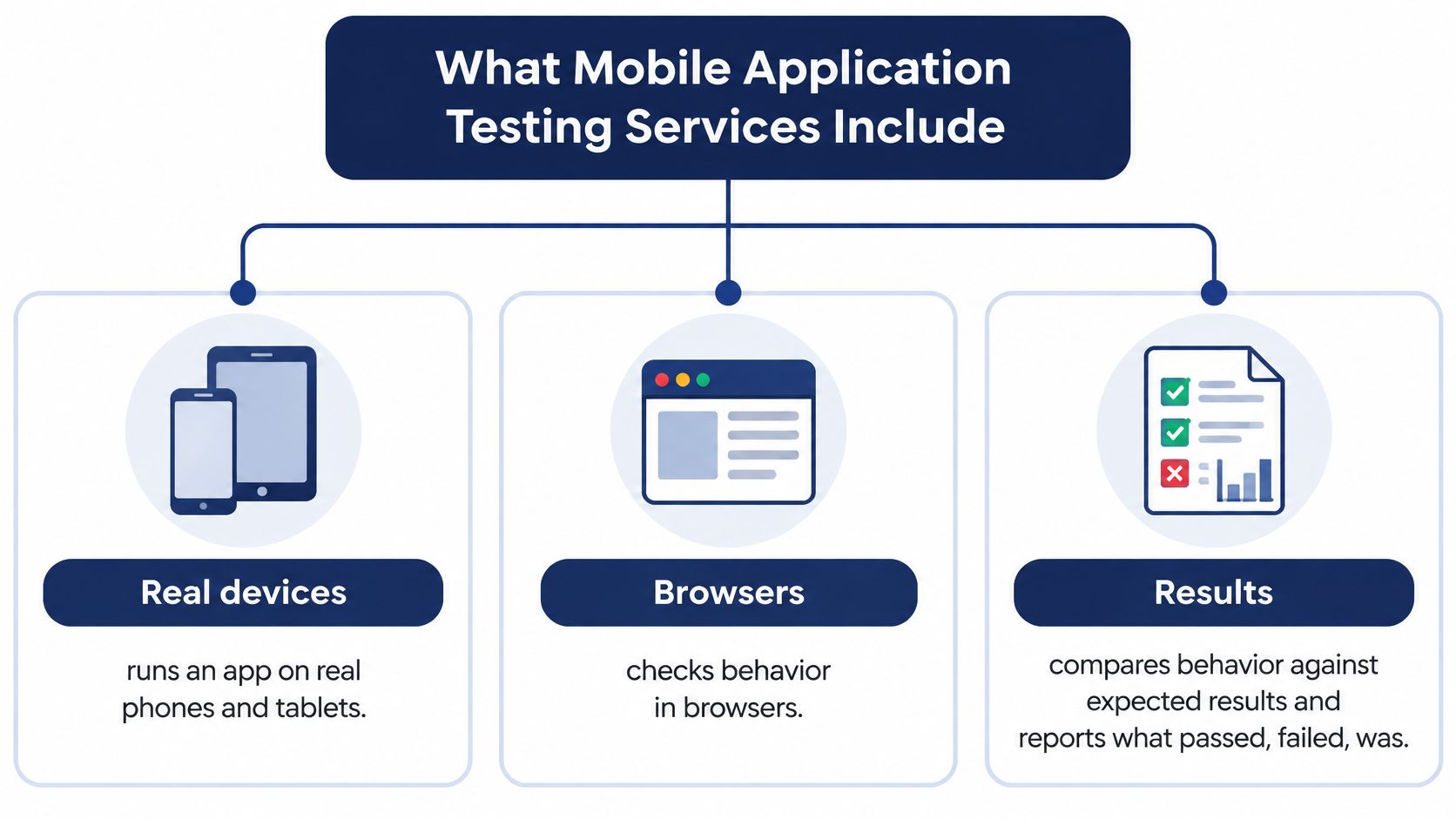
A mobile application testing service runs your app on real phones, tablets, and browsers, checks behavior against expected results, and reports what passed, failed, was blocked, or never ran. It works as a home inspection that checks every room, not just the front door. The test plan must therefore list each important screen, user flow, and device combination, so skipped rooms are visible.
At 99tests, we're a crowd test automation platform for testing mobile and web apps. We offer real-device testing in India, mobile app testing in India, cross-browser testing, exploratory testing, and testing of AI-generated test cases.
The Main Service Types
| Service type | What it checks | Typical trigger |
|---|---|---|
| Functional test execution | Test cases run step by step on target devices | Every release candidate |
| Exploratory testing | Unscripted sessions around risky user flows | Before a major launch |
| Compatibility testing | Behavior across OS versions, manufacturers and screen sizes | A new device or OS rollout |
| Network condition testing | Performance on 3G, 4G and Wi-Fi speeds | Apps used on weak or unstable networks |
| Accessibility testing | Full journeys with screen readers, captions and large text | Before a compliance review |
| Localization testing | Language, currency and region-specific behavior | Entering a new market |
| Usability testing | Task completion and user experience on real devices | A redesign or new onboarding flow |
A provider may cover one type or several, and scope matters. A release check confirms your critical paths still work on the new build, while a full regression reruns a much wider set of cases, including older features that didn't change. Confusing those two scopes is a common buying mistake.
For background on separating feature behavior from qualities like speed and ease of use, see our guide to functional and non-functional testing. You can also compare your plan against established software testing best practices before you commit budget.
Before your next release, you should be able to name which service types you need now and which you can postpone. If you can't, the scope is too vague to price fairly.
Why Device and OS Coverage Decides Results
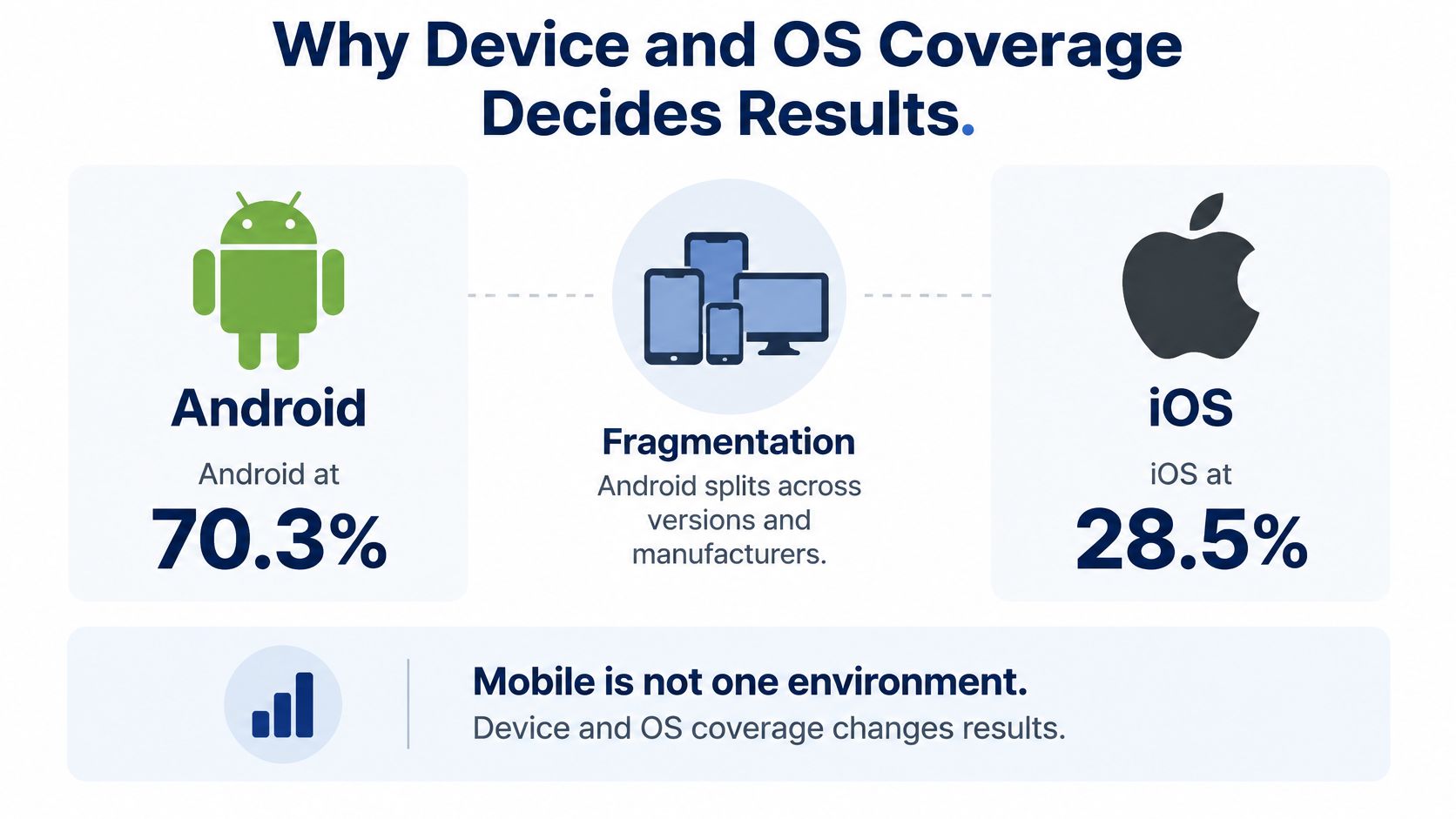
Mobile is not one environment. StatCounter's worldwide mobile operating-system data shows Android carrying roughly seven in ten mobile sessions and iOS just over one in four, according to StatCounter's mobile operating-system market share. Android needs broad coverage because it represents most global use. iOS still needs its own coverage because it has distinct hardware, permissions, rendering behavior, and release rules.
If you're still weighing the platforms themselves, the Used Mobiles 4 U platform comparison is a useful plain-language overview of how they differ. For testing, those differences mean a pass on one platform tells you nothing reliable about the other.
A device matrix functions like a route map created from where your users travel. Global share shows the highways. Your analytics show the local streets, including the older phones and budget models that never appear in flagship reviews.
Android Splits Further by Version
Android version diversity is where many plans fall apart. A StatCounter-derived breakdown of Android page views, cited in Quashbugs' mobile app testing service statistics, shows six versions each above 8%: Android 16 at 26.01%, Android 15 at 17.15%, Android 13 at 14.88%, Android 14 at 12.96%, Android 12 at 10.12%, and Android 11 at 8.17%. Together they reach about 89.3% of Android page views, but the largest holds only about one-quarter.
| Segment | Share | Testing implication |
|---|---|---|
| Android, worldwide mobile OS | About 70% | Needs broad device and version coverage |
| iOS, worldwide mobile OS | About 28% | Separate hardware, permission and release checks |
| Android 16 | 26.01% | Largest single version, still only about one-quarter |
| Android 15 | 17.15% | Core version for almost every matrix |
| Android 13 | 14.88% | Material share, keep in the matrix |
| Android 14 | 12.96% | Core version for almost every matrix |
| Android 12 | 10.12% | Keep for budget-device and emerging markets |
| Android 11 | 8.17% | Retain if your users still run older phones |
Say your release passes on a current flagship but fails on Android 11 because an older background-process rule stops a job your app depends on. That is not a strange edge case. API-level differences, permission changes, notification behavior, graphics drivers, and manufacturer customizations can all produce version-specific failures.
A single-device smoke test proves the app starts on that device. It doesn't prove compatibility anywhere else.
A credible service records the exact device and OS combination behind every result and names every combination it did not run. When you compare providers, ask for the report format before you ask for a device count. Ten executed cases tied to exact models your users own tell you more than a hundred cases spread across unnamed phones. The skipped combinations matter too. A provider that explains why it did not run a low-share or unsupported combination is giving you a plan you can audit, not a headline number you have to trust.
How to Build a Device and OS Matrix
You can't test every phone, and you shouldn't try. A device and OS matrix is a deliberate shortlist built from your users, your supported range, and your known risks. The steps below keep that shortlist honest.
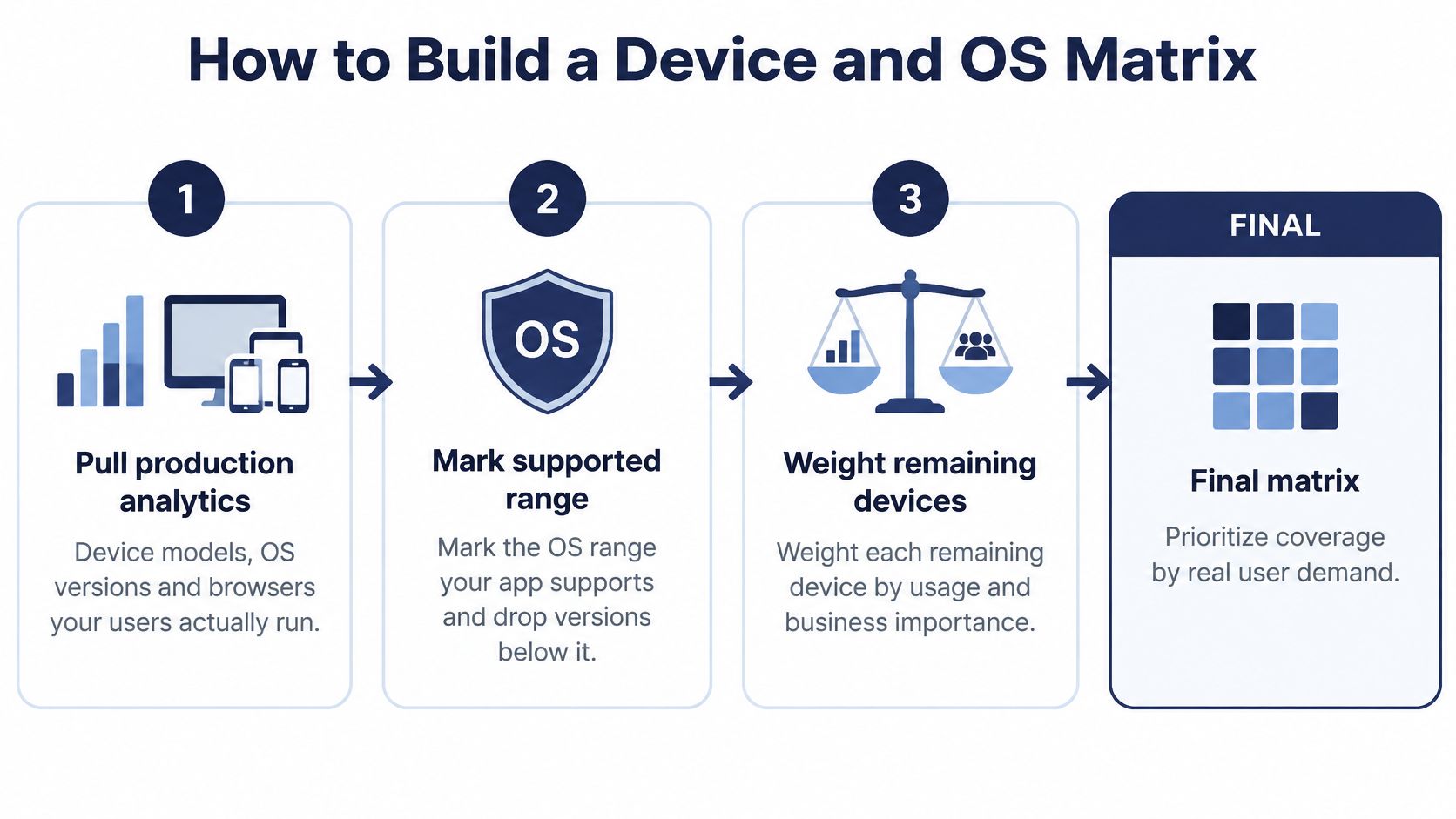
- Pull production analytics. List the device models, OS versions, and browsers your users run, because global averages may not match your audience.
- Mark your supported OS range. Drop versions below your minimum, so you don't spend sessions on combinations you won't fix.
- Weight what remains by share. Prioritize high-usage versions, then add older versions your users still depend on, especially in budget-device markets.
- Add regional budget phones and networks. Low memory and weak signal expose timeouts, crashes, and data loss that flagship phones on office Wi-Fi hide.
- Add known defect hotspots. Include combinations tied to camera, sensors, background-process rules, and vendor-customized behavior where you've been hurt before.
- Trim to budget and timeline. Cut low-risk duplicates, such as near-identical models from the same manufacturer, but keep every high-risk combination.
- Validate on physical devices. Record the exact model, OS version, and network condition that ran each case, because that's the evidence you'll audit later.
Trimming works when it's selective. A peer-reviewed study evaluated 46 benchmark applications across 14 Android SDK versions and found that a subset of no more than seven versions reached 33.13% code coverage versus 34.65% for all 14 in 36 of the 46 applications, according to the Monash University study on taming Android fragmentation. That's reassuring, but code coverage alone misses vendor APIs, touch behavior, and memory pressure, which is why step 7 insists on physical hardware.
The short video below shows how real-device execution differs from office testing.
Our testers run your cases on their own Android phones, iPhones, and laptops on Jio, Airtel, and Vi. We support Redmi, Samsung, and iPhone phones plus Chrome and Safari browsers across Android, iOS, and Windows, which helps fill gaps an internal lab doesn't own. If iOS is your weak spot, our walkthrough on how to test iOS apps on real devices covers build access and device setup.
Accessibility Checks That Reach Real User Journeys
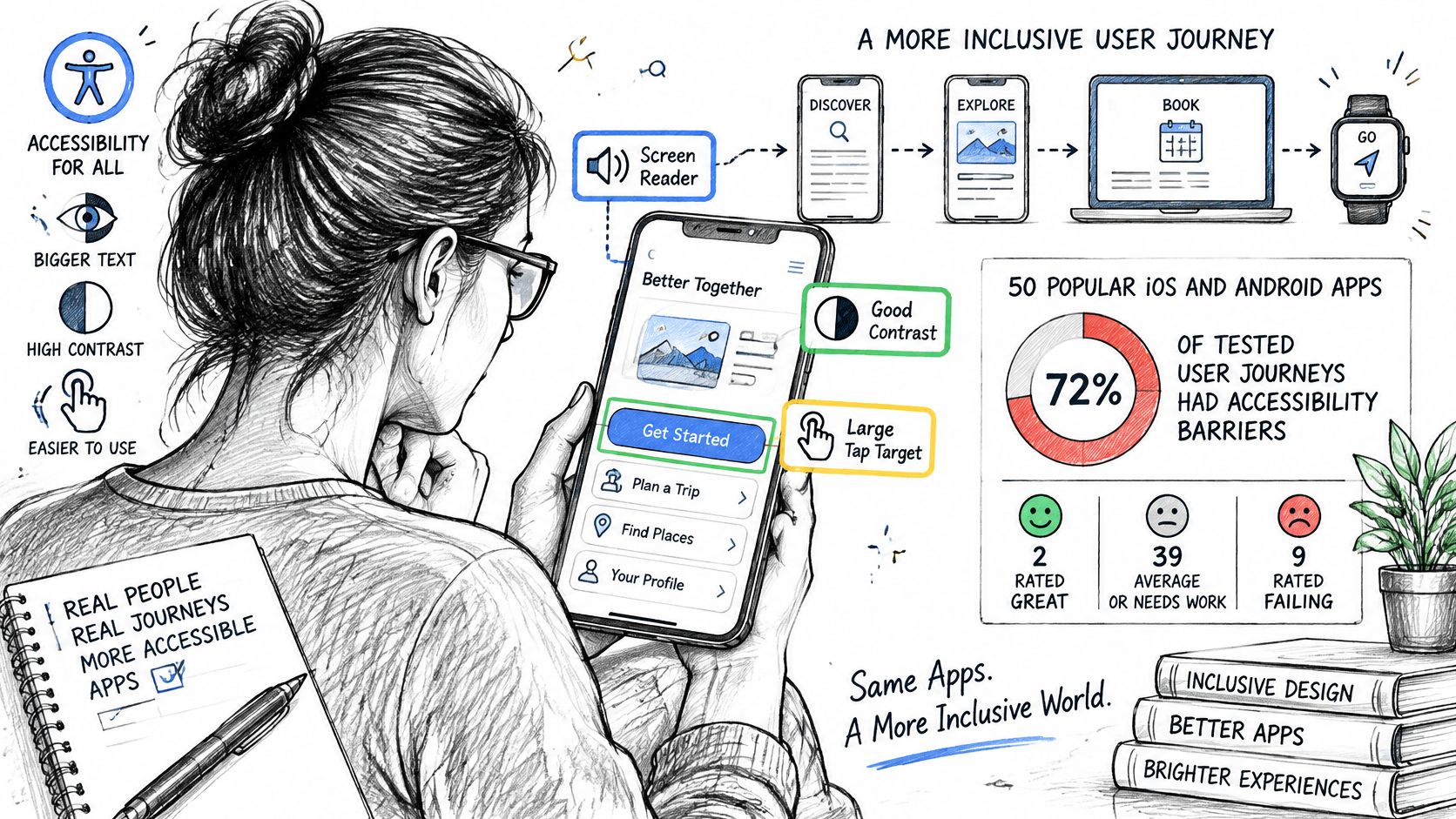
A clean automated scan doesn't mean a disabled user can finish a task. A 2025 evaluation of 50 popular iOS and Android apps found accessibility barriers in 72% of tested user journeys, with only two apps rated “Great” and nine rated “Failing”, according to the 2025 ACM evaluation of mobile app accessibility. Scans miss screen-reader order, voice navigation, font scaling, orientation changes, captions, and interactive-state feedback across several screens. A scan checks that every door has a handle. A journey check asks whether someone can walk from the street to the room they need.
A Journey Checklist, Not a Scan
Run these checks across onboarding, search, and checkout or form submission:
- Screen reader labels: Every control is read with a useful name, in a sensible order.
- Switch control: Every action is reachable without touch gestures.
- Magnification: Buttons stay visible and tappable when zoomed.
- Voice control: The main action on each screen can be triggered by name.
- Captions: Video and audio content carries captions or transcripts.
- Enlarged text: Larger fonts don't hide content, truncate labels, or push actions off screen.
Take a food delivery app whose checkout button has no label. A screen reader user can browse the menu but cannot place an order. Your report should record that journey as blocked, not file it as a minor label issue, because the user outcome is complete failure. Tie that result to the exact handset, OS version, and assistive setting used, or the finding is hard to reproduce and easy to dismiss.
Separate platform defaults from app defects by testing the same journey in a known-good app on the same device. If magnification works there but breaks your layout, it's your bug.
Teams designing web portals face the same gap between checklist compliance and usable journeys, and Kogifi's guidance on how to design more accessible SharePoint portals shows similar journey-first thinking.
Timing is the other trap. Accessibility checks often begin in mid-to-late development, when navigation and layout are already set. Few testing teams involve users with disabilities in the work at all. Start these checks earlier, on real devices, while fixes are still cheap. A report that says 40 checks passed but omits the device behind each result gives you little to audit. The evidence you want is a list of executed journeys tied to exact devices and assistive settings, plus any journey that did not run and the reason it was skipped.
How to Verify Coverage Reports and AI-Generated Cases
A coverage report works like a flight manifest. It should name every passenger, every seat, and every person who did not board, with a reason. A headline pass rate is just a headcount at the gate. It cannot tell you whether the right cases ran on the right devices, or why some never ran at all.
Global App Testing's mobile app testing statistics report that 76% of surveyed respondents use AI-powered testing tools, 56% still struggle to keep up with testing demand, and AI is used for test creation by 69.6% but for risk identification by only 19.9%. Generation is now cheap. Auditable execution is the scarce part. The useful question is how many generated cases ran on a named device and what happened when they did.
Follow One Evidence Trail from Intake
Intake should accept what you already have: test cases as spreadsheets, documents, plain text, Markdown, or TestRail and Jira exports. Builds arrive as APK links, Google Play internal testing, TestFlight builds, or web URLs. 99tests tests builds by Android and iOS app link, and web apps by URL on Chrome, Safari, Edge, and Firefox.
Review is where inflated inventories shrink. Reviewers remove duplicate cases, flag cases that assume hardware the target lacks, such as a camera API or sensor absent on budget phones, and map each remaining case to named target environments. Say 400 generated cases become 180 after deduplication and feasibility review, mapped to twelve device targets. That smaller number is more trustworthy because every case has a named target and a reason to exist.
Execution runs on testers' own phones, laptops, and networks, including Jio, Airtel, and Vi connections. The in-scope work covers execution on real tester-owned phones, laptops, and desktops, exploratory testing around those cases, findings with steps and media, and reruns of the same plan on a new build.
More generated tests can increase release uncertainty if nobody can prove which ones ran.
Plan for reruns, because flaky results are common in mobile testing. Network handoffs, background OS limits, and device memory can make the same case behave differently, so a case that passes once and fails once has not told you the truth yet.
Read the Report in Order
Read cases by status first, then the device and browser matrix, then individual findings. Starting with the headline pass rate hides exactly what you need to see.
| Status | Meaning | What to ask the provider |
|---|---|---|
| Passed | The case ran and matched expected behavior | Which exact model, OS and browser ran it? |
| Failed | The case ran and behavior differed from expected | Are reproduction steps, screenshots or a recording attached? |
| Blocked | The case could not run because a prerequisite failed | What blocked it, and what is needed to unblock it? |
| Unrun | The case was not executed on a target device | Why was it skipped, and will it run on the next build? |
An unrun case needs a stated reason, such as no tester owned the requested model or the build expired. Silence is not acceptable, because an unexplained gap looks identical to coverage.
For each finding, check the reproduction steps, expected and actual behavior, environment details, and a screenshot or recording. Confirm duplicates were merged, so five reports of one crash do not inflate your defect count. Check severity against a published rubric, because one tester's critical can be another's minor.
Verification should run separately from execution. A different person confirms the finding reproduces and assigns a confidence score or reproducibility check before it reaches you. This explainer on how to test AI-generated test cases walks through that validation in more detail. 99tests validates AI-generated cases by having human testers manually execute them on real mobile devices, laptops, and browsers, and delivers detailed, human-verified pass/fail reports within three business days.
Honest reporting looks like this. A checkout case passes on a current Pixel but is blocked on a low-memory budget phone because the payment screen will not finish loading. The report shows both results and the blocking reason instead of averaging them into a pass.
Close with two questions for any provider. Does the report list the exact device for every result? Will the same plan rerun on a new build with results compared against the last run? If either answer is vague, the evidence will not support a confident release call.
Choose a Provider and Confirm Your Device Matrix
The right provider is the one whose report you can audit. Device counts and test-case volume are easy to quote and hard to check. What you can check is whether the report names the exact phone and browser behind every executed case and explains every case that never ran. Settle that question first, then compare prices.
Use this checklist before you look at plan tiers:
- Device and browser matrix: the target list reproduces your own risky combinations, with exact models and OS versions named rather than summarized as a device count.
- Report contents: unrun explanations, session evidence, screenshots, and recordings are included by default.
- Separate verification: someone other than the executing tester confirms findings before delivery.
- Pricing model: fixed pricing is stated, with no hourly overages if sessions run long.
- Reruns: a new build can run against the same plan, with the two result sets compared side by side.
- Turnaround time: reporting deadlines are committed in business days.
- Submission routes: builds and cases can arrive by app link, URL, spreadsheet, document, or tracker export.
- Accessibility journeys: complete tasks with assistive technology are covered, not just automated scans.
Crowd testing suits teams that need device coverage without buying devices or hiring full-time staff. On 99tests, professional testers from the community are assigned to a project based on their skill set and the project requirements, and the platform has helped more than 200 clients worldwide test their software, including P&G, Intuit, and Security Scorecard.
Our Plans Side by Side
Starter costs ₹9,999 plus GST for five 45-minute sessions across two targets. Standard costs ₹18,999 plus GST for ten 45-minute sessions across four targets. Both report in three business days. Deep costs ₹34,999 plus GST for twenty 90-minute sessions across six targets, with five-business-day reporting. Unfilled sessions become credits for later jobs, so a target that can't be matched doesn't cost you the paid capacity.
| Plan | Sessions | Targets and reporting |
|---|---|---|
| Starter | Five 45-minute sessions | Two device or browser targets, three business days |
| Standard | Ten 45-minute sessions | Four device or browser targets, three business days |
| Deep | Twenty 90-minute sessions | Six device or browser targets, five business days |
Pick by matrix breadth first, session count second. If the combinations you are most worried about span six targets, a two-target plan cannot cover them however carefully you prioritize. You would be guessing which four to leave untested, and those four are the ones that reach users unexamined.
Before you commit, send your test case list and device matrix to 99tests so the target list can be confirmed against what you need to prove. Two details are worth pinning down in that exchange: the exact models and OS versions behind each target, and which plan tier holds them all. If a target you need falls outside the tier, you learn it before you pay rather than in the coverage table afterwards.
Send your test cases and device matrix, and 99tests will execute them on real tester-owned Android phones, iPhones, laptops, and browsers, then return a verified report showing passed, failed, blocked, and unrun results per exact target. You get release evidence you can audit instead of a headline pass rate. Visit 99tests to confirm your matrix before you choose a plan.