How to Test AI Generated Test Cases Before Release
Learn how to test AI generated test cases with a practical workflow for checking executability, assertions, coverage, and results on real devices.
In this article
- Why AI Generated Test Cases Deserve a Second Pass
- Four Questions Every Generated Case Must Answer
- A Step-by-Step Validation Workflow for Generated Cases
- Step 1 Normalize and Compile in a Clean Environment
- Step 2 Execute Against the Reference Implementation
- Step 3 Measure Statement and Branch Coverage Separately
- Step 4 Challenge the Suite With Seeded Faults
- Step 5 Record the Outcome Per Environment
- Verifying Assertions Against Requirements
- Build the Oracle Before You Read the Code
- Failure Modes to Reject on Sight
- Flows That Always Need Human Review
- Choosing Where to Execute Generated Test Cases
- What Crowdsourced Execution Looks Like in Practice
- Common Validation Mistakes and How to Avoid Them
- Mistakes That Create False Confidence
- A Pre-Release Review You Can Run Quickly
- Putting Your Test Validation Plan Into Practice
- One Concrete Next Step for This Week
A generated test can run perfectly and still prove nothing. In one evaluation, 87.5% of AI-generated Selenium tests were executable, while only 51.5% satisfied the intended behavior of the manual task, with the gap widest on modals, dynamic controls, carousels, and context-dependent buttons. That single gap is why learning how to test AI generated test cases matters more than learning how to prompt for more of them.
If your suite is green in CI, you don't yet know whether it's correct. You know it didn't crash. The work below separates those claims, checks assertions against what the product should do, and forces every case to earn a documented outcome on the devices and browsers your customers use.
Why AI Generated Test Cases Deserve a Second Pass
Teams often conflate three different states. A case compiles, a case executes, and a case verifies required behavior. AI tools are good at producing the first two. They produce plausible steps, plausible selectors, and plausible assertions at speed. None of that tells you whether the expected result matches the requirement, whether the test would fail if the feature broke, or whether it only passes because it copied the current, possibly wrong, behavior.
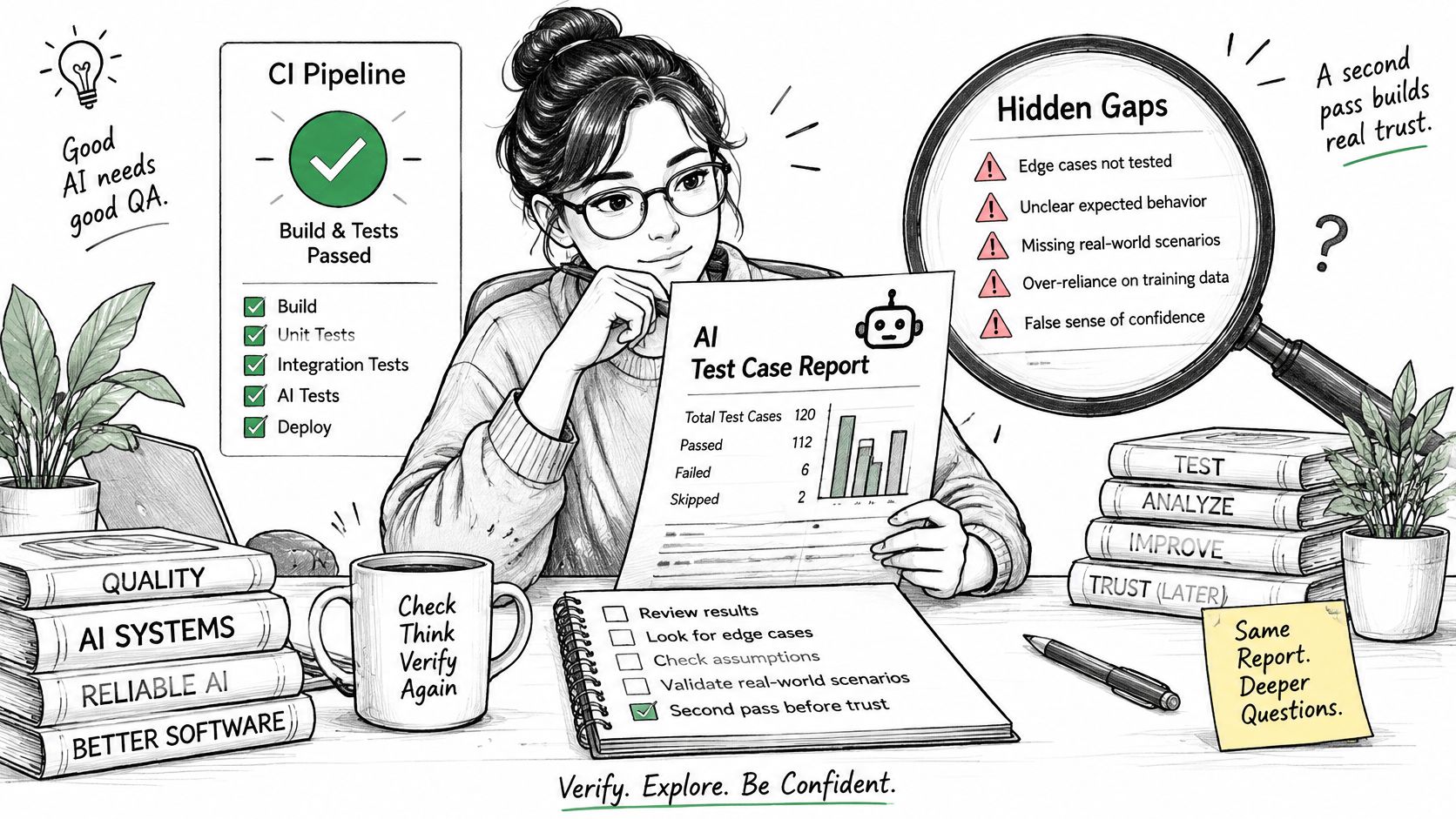
That distinction changes where your time goes. Authoring gets faster, but validation doesn't shrink with it. One human-in-the-loop workflow put initial generation at roughly five seconds and quality validation at approximately ten minutes per case. That's not a failure of the tool. It's the honest cost of turning a draft into evidence. Teams that budget only for generation end up with a larger suite and the same, or worse, release confidence.
Four Questions Every Generated Case Must Answer
Before a generated case counts toward coverage, it should answer four questions clearly enough that another tester could rerun it without guessing.
- Does it run: The steps, data, and dependencies work in a clean environment without manual fixes or undocumented setup.
- Is it correct: The expected result comes from the requirement, not from whatever the build happens to do today.
- Does it cover the right risk: It exercises a decision, boundary, error path, or state transition that matters, rather than repeating a happy path you already have.
- Can it be reproduced: Someone else gets the same result on the specified build, device, operating system, and browser, with artifacts to prove it.
If a case can't answer all four, it isn't coverage yet. It's inventory.
A passing AI-generated test is a hypothesis about behavior. Validation is what turns that hypothesis into something you can defend in a release review.
Unvalidated cases are worse than missing cases in one specific way. A missing case is an honest gap a release manager can see and accept or reject. A wrong case that passes hides the gap. It reports coverage of a checkout flow, a permission rule, or a modal interaction that was never verified against the intended behavior. You ship believing the risk was retired when it was only renamed.
The second pass isn't bureaucracy. It's the step that keeps AI speed from converting into false confidence at exactly the moment, close to release, when false confidence is most expensive to discover.
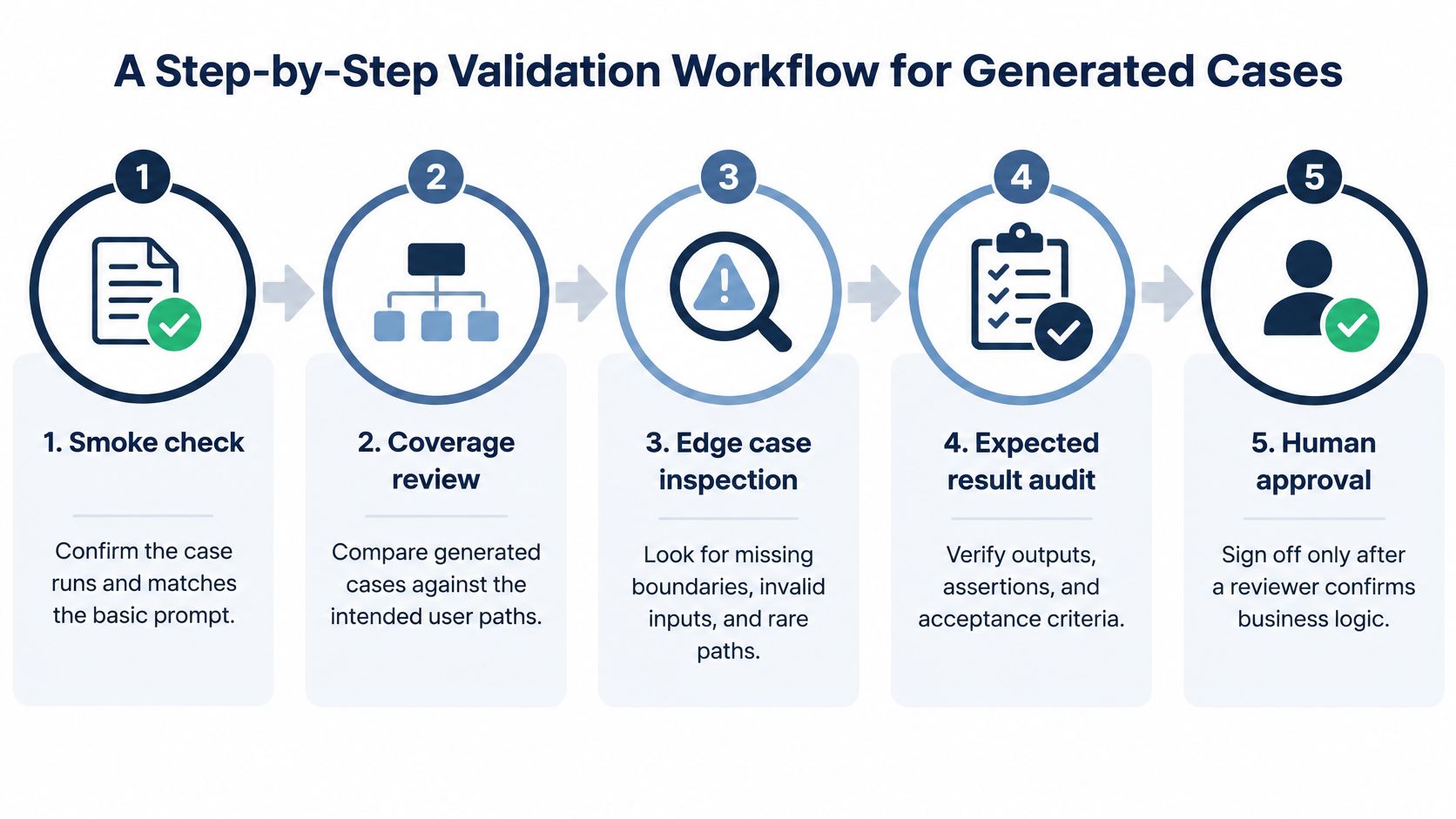
A Step-by-Step Validation Workflow for Generated Cases
Run validation in order, cheapest checks first. There's no value in debating an assertion in a case that won't compile, and no value in measuring coverage for a suite you haven't proven can detect a fault.
Step 1 Normalize and Compile in a Clean Environment
Strip formatting inconsistencies, resolve imports, and attempt to compile or run each case without local state, cached data, or a developer's machine propping it up. Record which cases needed manual intervention and why. This step alone removes a surprising share of generated output. In an evaluation of 216,300 class-level test cases generated by GPT-3.5, GPT-4, Mistral 7B, and Mixtral 8x7B, approximately 21% of generated test suites containing code failed syntactic-correctness checks, and hallucinated dependencies appeared in approximately 83 to 94% of failures for larger models. Reject or quarantine anything that depends on a method, library, or fixture that doesn't exist. Don't fix it and keep the original case ID, because you'll lose the signal about which prompts and contexts produce broken output.
Step 2 Execute Against the Reference Implementation
Run the surviving cases and log more than pass or fail. Your outcome vocabulary should include pass, fail, error, timeout, and flaky, plus the exact build version for every run. A timeout on a payment confirmation and a clean assertion failure are different problems, and collapsing them into "failed" slows triage. Rerun anything flaky before you trust it. A case that passes on the second attempt without a code change hasn't passed. It's undecided, and it should be labeled that way.
Step 3 Measure Statement and Branch Coverage Separately
Record coverage per case and per target, not as one rolled-up number for the suite. Statement coverage tells you lines were touched. Branch coverage tells you decisions were taken both ways, which is where generated suites usually thin out. One empirical evaluation reported median statement coverage of 70.2% and branch coverage of 52.8%, and a separate benchmark found statement coverage above 99.16% alongside branch coverage of only 74.39%, showing how high line coverage can conceal weak decision coverage. Prompting strategy also swings results sharply, so a strong number from one configuration doesn't transfer automatically to your codebase or device matrix. Treat coverage as a map of where you've looked, not proof that what you saw was correct.
Step 4 Challenge the Suite With Seeded Faults
Now inject controlled defects and see whether the cases notice. Useful mutations include boundary changes, operator replacements, suppressed exceptions, and altered return values. Calculate the mutation score as killed mutants divided by non-equivalent mutants, and investigate every survivor. A surviving mutant means your suite executed the code and still couldn't tell right behavior from wrong behavior. That's the most actionable finding in the whole workflow, because it points at a weak or missing assertion rather than a missing line.
Step 5 Record the Outcome Per Environment
Repeat execution on the required device, operating system, and browser matrix. Classify each case as passed, failed, blocked, or unrun, and retain environment identifiers, screenshots or recordings, and build versions with the result. Blocked and unrun need reasons. A case blocked by a broken test account is recoverable. A case unrun because nobody owned it is a process gap. Both look identical if you only report a pass rate.
By the end of these five steps, every case has either earned its place or been sent back with a specific reason. That rejection record is as valuable as the passing suite, because it tells you how much of the AI output was usable without repair.
Verifying Assertions Against Requirements
A test with a weak assertion is worse than a test with no assertion, because it looks finished. The most common failure in generated suites isn't broken syntax. It's an expected result that faithfully describes what the code does today, including the bug you're trying to catch.
Build the Oracle Before You Read the Code
Start from the requirement and write down the oracle, the independent source of truth for what should happen. For each case, that means expected state transitions, API responses, invariants that must hold throughout, accessibility conditions, and boundary behavior. Do this before exposing the model, or yourself, to implementation details. Then generate or review cases against that oracle and compare them with cases derived from the code. Where the two disagree, the requirement wins until a product decision says otherwise.
This ordering isn't pedantic. When generation had access to both task description and implementation, fault detection dropped by 13.2% on average versus using the task description alone, and implementation-only generation reduced it by 15.1%. Code-aware generation tends to ratify existing behavior. It sees a discount calculated incorrectly and writes an assertion expecting the incorrect total, neatly converting a defect into a regression test that will defend the defect in future releases.
Failure Modes to Reject on Sight
Reviewers get faster once they know the recurring shapes of bad generated cases.
- Hallucinated APIs and fabricated dependencies: The case calls endpoints, methods, or test data that don't exist in your system.
- Assertion roulette: Multiple unrelated assertions are bundled so a failure doesn't tell you which behavior broke.
- Magic-number expectations: An expected value appears with no traceable link to a requirement, pricing rule, or fixture.
- Duplicated happy paths: Five cases walk the same successful route with cosmetic data changes and no new risk covered.
- Defect-encoding tests: The case passes precisely because it expects the wrong output the build currently produces.
Reject cases that don't compile, lack a meaningful oracle, depend on undocumented timing, or can't be reproduced on the target environment. Don't soften that to "fix later." A case waiting for an oracle is not partial coverage.
Review standard: If you can't point to the sentence in the requirement that justifies an expected result, the assertion isn't verified yet, no matter how confidently it's written.
Flows That Always Need Human Review
Some areas shouldn't be cleared by automated checks and a quick skim. Require deliberate human review for security, payments, authentication, localization, and destructive workflows such as account deletion or data export. These are the flows where a plausible but wrong expected result does real damage, and where context, regulation, and locale shape what correct even means. A generated case might assert that a refund succeeds without checking currency, tax handling, or the state of the original transaction. It'll pass. It just won't have tested the refund.
For everything else, automated reruns help detect flakiness, and sampled human review keeps quality honest. But sample with intent. Weight your review toward cases whose assertions were derived from code, cases covering new logic, and cases where the expected result is a calculated value rather than a simple visible state. That's where plausible-but-wrong hides most often.
Choosing Where to Execute Generated Test Cases
A case that behaves on your workstation can still fail on a budget Android phone on a congested network, under a permission prompt, or in a browser that renders a modal differently. Logical coverage and environment coverage are separate claims, and you need evidence for both.
Passing results can coexist with serious gaps. An analysis of 18 real open-source repository tasks found inadequate coverage of major task components in 91% of runs that failed tests and in 100% of the reported passing runs, which underlines how little a green result alone says about what was actually covered. Choosing an execution environment is really choosing which class of failure you're willing to miss.
Execution Options for Validating AI Generated Test Cases
| Approach | What It Catches | Typical Blind Spots | Best Suited For |
|---|---|---|---|
| Emulators and simulators | Logic errors, layout basics, fast regression during development | Hardware quirks, real network behavior, true OS permission and interruption handling | Early validation and high-frequency CI runs |
| In-house device lab | Real hardware behavior on devices you control | Narrow matrix, maintenance cost, devices that drift from what customers own | Teams with a small, stable target device set |
| Cloud device farms | Broad automated coverage across many device and OS combinations | Manual exploratory nuance, local network conditions, human judgment on ambiguous expected results | Automated suites that need scale across configurations |
| Crowdsourced real-device execution | Human execution on customer-selected phones, laptops, and browsers under real conditions | Requires clear case writing and independent verification to keep reports consistent | Release validation where per-case evidence matters |
What Crowdsourced Execution Looks Like in Practice
In a crowdsourced model, you supply the cases, including AI-generated ones, in whatever form you already have them, such as spreadsheets, documents, Markdown, or exports from TestRail or Jira. Testers then run device-specific sessions on their own Android phones, iPhones, and desktop browsers, matched to the brands, minimum operating systems, and browser targets you specify. 99tests works this way, converting customer-supplied cases into sessions on real equipment and returning verified reports that classify every case as passed, failed, blocked, or unrun with reasons attached. Testing and verification are handled as separate responsibilities there, so findings go through duplicate merging, completeness checks, and severity grading against a defined rubric before delivery.
That separation matters for generated suites specifically. When a case fails on a real device, you need to know whether the app broke, the case was wrong, or the environment blocked execution. A verified report with reproduction steps, expected and actual behavior, environment details, and screenshots or recordings lets you make that call without rerunning everything yourself.
Match the option to release risk rather than habit. Emulators are the right place to burn down syntax and logic failures cheaply. They're the wrong place to sign off on a release that will live on hardware you've never touched. Many teams end up layering, with fast automated environments for the early workflow steps and real-device human execution for the final evidence.
Common Validation Mistakes and How to Avoid Them
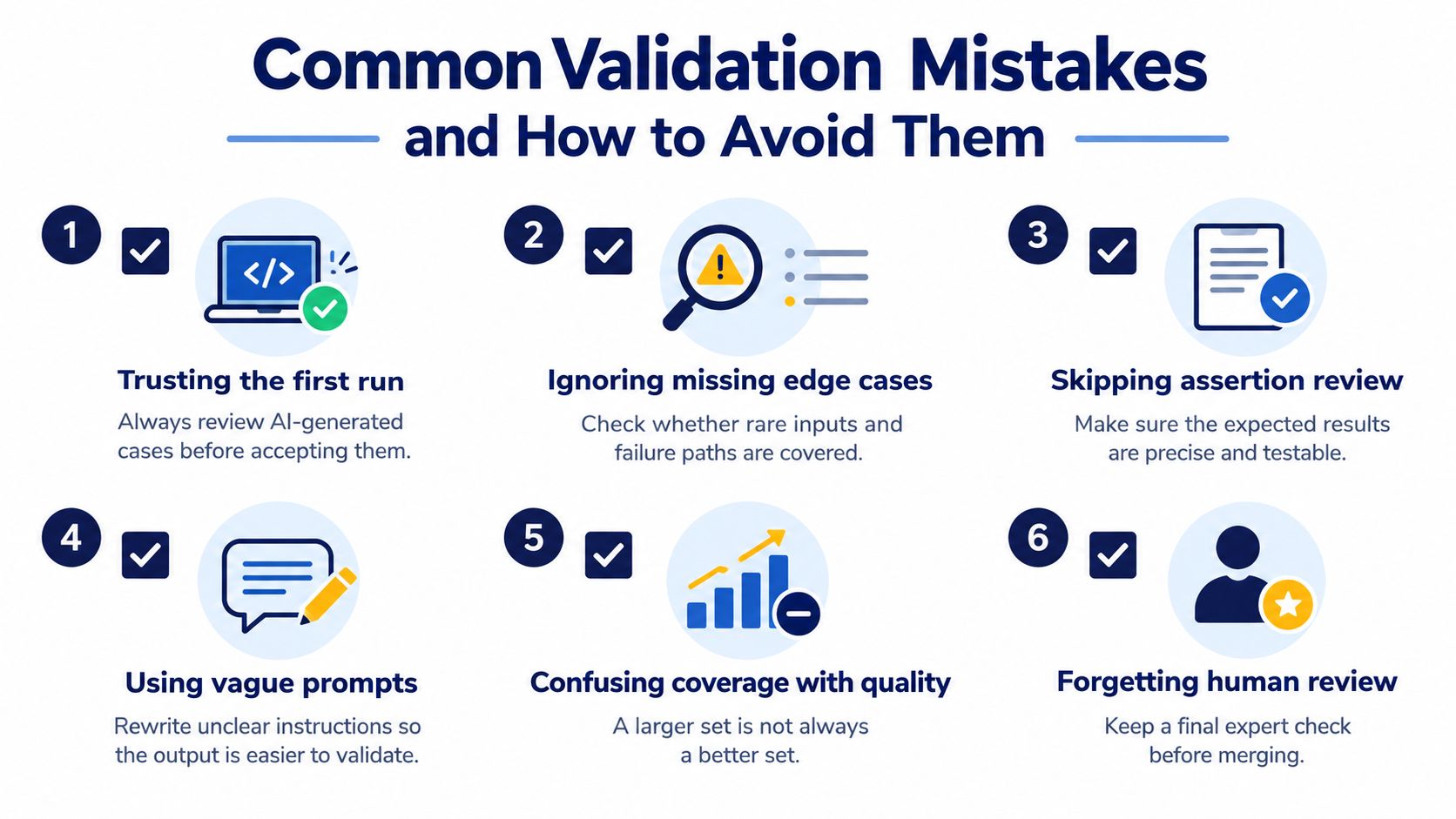
Most validation failures trace back to ordinary habits rather than exotic edge cases. Six of them show up repeatedly: five in how cases get reviewed, and one in how the review process itself gets measured. Scan your current process against this list before your next release.
Mistakes That Create False Confidence
- Treating execution as correctness: A case ran, so it gets counted as validated. The fix is an assertion review against a requirement-derived oracle before any case is marked verified.
- Counting unexecuted cases as coverage: Suites report the number generated rather than the number run to a conclusion. Report passed, failed, blocked, and unrun separately, with a reason for every incomplete case, so omissions stay explicit instead of buried in a pass rate.
- Skipping fault-injection checks: The suite never gets proven against wrong behavior. Mutation evidence shows why this matters. A peer-reviewed evaluation of mutation-based test generation found LLM-generated tests reaching lower mutation scores than human-written tests, leaving faults undetected that the human suite caught. If you never seed a fault, you'll never learn which of your cases are decorative.
- Ignoring flakiness: A case that passes on rerun gets waved through. Quarantine it instead, rerun it deliberately, and don't let it gate a release until its result is stable and explicable.
- Letting duplicates and inconsistent severity muddy triage: Ten reports of one defect, graded five different ways, stall prioritization. Merge duplicates and grade severity against a fixed rubric so the release conversation stays focused on risk.
The most useful output of validation is often a defensible map of uncertainty, what wasn't tested, where execution was blocked, and which cases still lack a trustworthy expected result.
A Pre-Release Review You Can Run Quickly
You don't need a new process to catch most of this. Before sign-off, pull the generated suite and ask five questions. How many cases were rejected at compile time, and why. How many have an expected result traced to a requirement. What's the mutation score, and which mutants survived. How many cases are blocked or unrun, with reasons. And how many results were flaky on rerun.
If those answers aren't in your records, the gap sits with record keeping. That calls for a process fix that individual reviewer effort can't substitute for. Individual fixes patch one case. Process fixes, like mandatory outcome classification and a rejection log, stop the same class of error from re-entering every sprint.
The sixth mistake is organizational, and it deserves naming on its own. Teams often measure an AI rollout by how many cases were generated, which rewards volume and penalizes the reviewers who reject bad cases. Measure the acceptance rate instead. A suite where reviewers reject a third of generated cases with clear reasons is healthier than one where everything is accepted, because the rejection rate tells you the review is real.
Putting Your Test Validation Plan Into Practice
Combine the checks into a single acceptance standard and stop negotiating case by case. A generated case counts toward release coverage only when it runs in a clean environment, asserts requirement-derived behavior, demonstrates it can detect a seeded fault, and carries a documented outcome on each target environment. Anything short of that is work in progress, and it should be labeled as such in your coverage reporting.
That standard changes what you hand a release manager. Instead of a case count and a pass rate, you hand over a per-case record of passed, failed, blocked, and unrun results with reasons, build versions, and environment identifiers attached. Failed cases link to reproducible findings. Blocked cases name the blocker and its owner. Unrun cases are visible as accepted risk rather than hidden inside a percentage. That's evidence a release decision can rest on.
One Concrete Next Step for This Week
Don't overhaul your whole suite. Pick one AI-generated suite from the current sprint, ideally one covering a flow you care about, and run it through the full sequence. Compile it clean, execute it, measure statement and branch coverage separately, seed a handful of faults, and review the assertions against the requirements rather than the build. You'll learn more about how to test AI generated test cases in your own codebase from that one honest pass than from generating another thousand cases.
Where your internal device access falls short of your customer matrix, hand the validated cases to a real-device execution round matched to the phones and browsers you need, so the final output is verified evidence instead of assumed coverage. Keep the rejection log from your pilot, too. It becomes your prompt feedback, your reviewer training material, and your baseline for whether generation quality is improving or just getting faster.
AI generation earns its place when it gives your team more tested behavior per release, not more test files. The validation plan is what makes the difference between those two outcomes.
If your AI-generated cases are written but not yet proven on the phones and browsers your customers use, 99tests can execute them on real Android devices, iPhones, and desktop browsers and return a verified report classifying every case as passed, failed, blocked, or unrun with reproducible evidence. Bring the suite you've validated for correctness and get the environment coverage to match it by visiting 99tests.