Functional and Non-Functional Testing: What Each Covers
Learn how functional and non-functional testing differ, which test areas each covers, and how both prove release quality before users find the gaps.
In this article
- Functional and Non-Functional Testing at a Glance
- Functional vs non-functional testing compared
- Why a Passing Test Suite Can Still Fail Users
- What the emulator could not show
- Functional Test Areas and What Each One Proves
- Functional test areas, examples and edge cases
- Non-Functional Quality Attributes and Their Metrics
- Non-functional attributes, metrics and example targets
- How to Map Both Test Types to One Release Plan
- Seven steps before sign-off
- Checkout on a Budget Android Phone
- Illustrative checkout results across test types and devices
- Misconceptions That Hide Gaps in Test Coverage
- Map Both Test Types Before Your Next Release
- What to do this week
Your dashboard is green. Every login, search and checkout case passed this morning, and the release looks ready. Then the first real users arrive on older phones, slower networks and different browsers, and support tickets start describing timeouts your suite never saw. That gap is exactly what functional and non-functional testing explains, and why a pass in one environment is only partial evidence of release readiness.
Functional and Non-Functional Testing at a Glance
Functional testing checks whether the product does what it's supposed to do. Non-functional testing checks how well, how consistently and under which conditions it does it.
Think of a restaurant. The kitchen sends out exactly the dish you ordered, so the order check passes. If it arrives cold after forty minutes, you still leave unhappy. Software fails the same way when a correct result is slow, unstable or unusable.
The ISTQB glossary defines functional testing as testing whether a component or system satisfies functional requirements such as authentication, checkout, search or data processing, while non-functional testing evaluates qualities such as reliability, efficiency, usability, maintainability, portability and security. Adding an item to a cart and completing payment is a functional check. That same flow staying usable on a low-end phone within a latency target is a non-functional check.
Functional vs non-functional testing compared
| Aspect | Functional testing | Non-functional testing |
|---|---|---|
| Core question | Does the feature do what it should? | How well, how consistently, and under what conditions? |
| Typical checks | Login, checkout, search, data calculations | Response time, crash rate, accessibility, device compatibility |
| Pass signal | Actual output matches the expected result | Metric stays within a defined threshold for a stated environment |
| Typical evidence | Result per test case per requirement | Metrics per environment: device, OS, browser, network |
| Common failure | Missing feature or wrong result | Slow, unstable or inaccessible behavior on some devices |
Use this sorting test. If you're asking whether the result is right, it's functional. If you're asking how fast, stable or accessible it is, it's non-functional.
Why a Passing Test Suite Can Still Fail Users
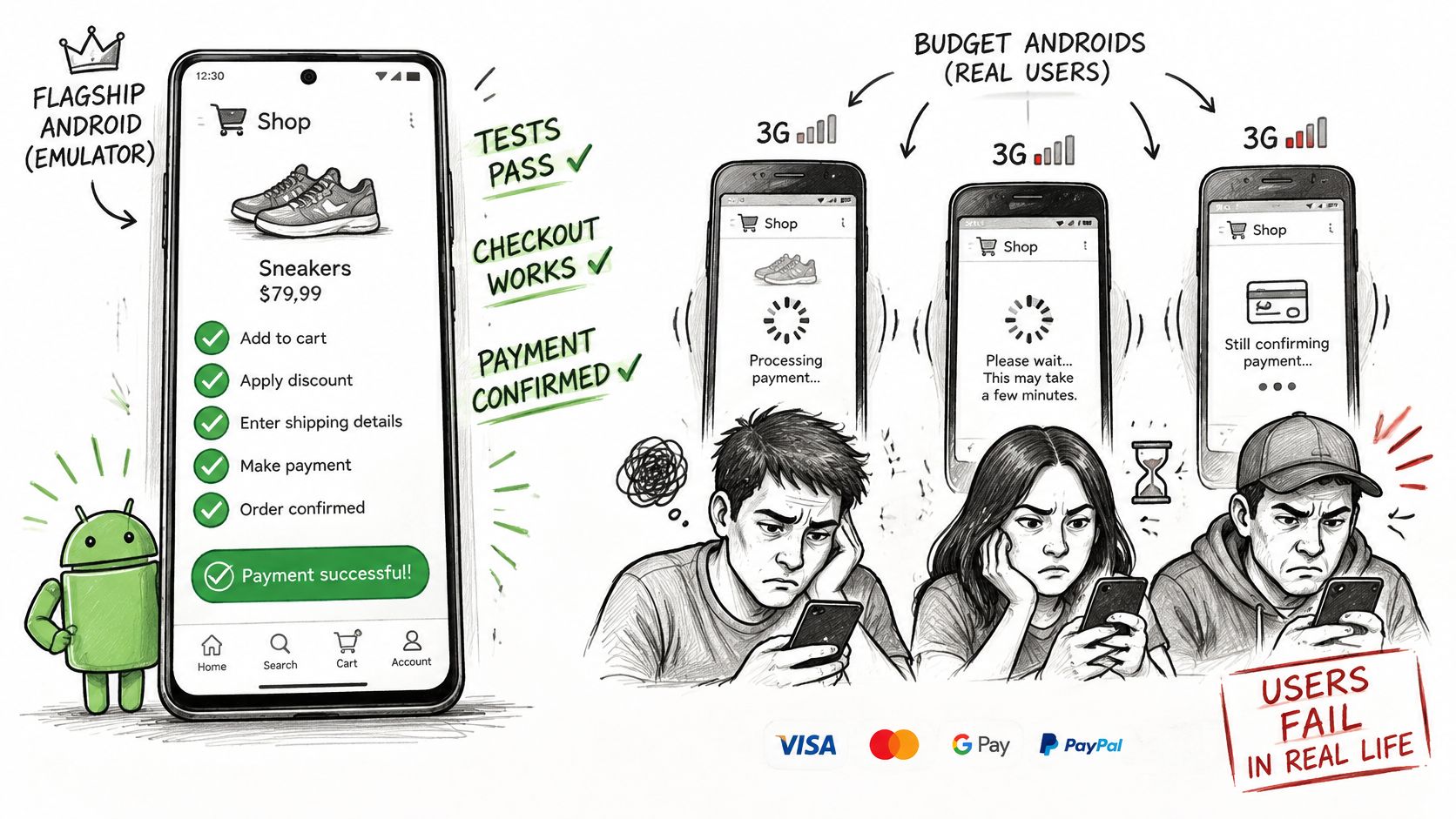
Say a shopping app passes every functional case on a flagship emulator and ships on Friday. By Monday, budget Android users on patchy connections report checkout timing out after they've entered payment details. Nobody lied about the results. The suite never ran under those conditions.
What the emulator could not show
The cases ran on one fast device, on office WiFi, with clean test data. Slowness, memory pressure, interrupted sessions and browser rendering differences never appeared because the environment never produced them. That's why non-functional quality isn't a separate phase bolted on at the end. It's the environment in which functional behavior is judged.
Late discovery is expensive. The U.S. National Institute of Standards and Technology study on inadequate software-testing infrastructure estimated that more than half of software bugs were not discovered until downstream stages of development, where correction is more expensive, and that identifying and correcting defects represented approximately 80% of development costs. It also estimated annual costs to the U.S. economy at approximately $59.5 billion.
The video below walks through how a payment timeout can hide from happy-path cases.
A feature that works is not the same as a feature that works for the user.
Plan both dimensions from the first sprint. Then the first timeout shows up in a test session you control, not in a one-star review you don't.
Functional Test Areas and What Each One Proves
A passing functional test works like a photograph: it captures one device, one OS and one network at a single moment. Change the surroundings and the pass has to be earned again. Keep that in mind, and functional testing becomes a design exercise built around defect classes and behavioral risk, not a checklist you rush through before sign-off.
A controlled comparison described in research published through the ACM Digital Library, involving 32 professional programmers and 42 advanced students, found functional testing based on equivalence partitioning and boundary-value analysis detected more faults than structural testing based on 100% statement coverage, particularly for control-flow faults, while code reading caught more interface faults. Executing every line of code doesn't mean you tried the inputs that break behavior.
Functional test areas, examples and edge cases
| Test area | What it verifies | Example | Edge case to add |
|---|---|---|---|
| Requirement-based checks | Each stated requirement works as written | Add an item to the cart and see the updated total | Requirements missing from the spec |
| Equivalence partitioning | One representative value per input group | Discount code valid, expired, malformed | Unclear group boundaries |
| Boundary-value analysis | Behavior at and just beyond limits | Cart quantity at 0, 1, maximum, and maximum plus 1 | Off-by-one errors at limits |
| Negative and error paths | System rejects bad input with a clear message | Declined card, empty form submission | Error messages exposing internal details |
| Workflow and integration | Steps across screens and services work together | Sign-up, email verification, first login | Timeouts between services |
| Regression | Existing features still work after a change | Re-run login and checkout after each release | Unstable or shared test data |
| Exploratory probing | Unscripted behavior outside written cases | Interrupt checkout with a phone call mid-payment | Sessions without a clear charter |
For workflow checks that cross service boundaries, compare integration and functional testing so your team doesn't expect one layer to prove what the other should.
Don't drop exploratory work because it looks informal. A session with a clear charter can surface defects that scripted cases miss, so keep it alongside your written cases. Give the tester a goal and a time limit, then fold whatever it finds back into the written suite for the next cycle.
If an AI tool generated your cases, review them before anyone runs them. Look for missing partitions, unsupported assumptions, duplicate scenarios and absent negative paths. A detailed case that never runs proves nothing, so record each one as passed, failed, blocked or unrun, with the device and OS beside the result. That environment column is what turns a page of green checks into evidence you can read.
Non-Functional Quality Attributes and Their Metrics
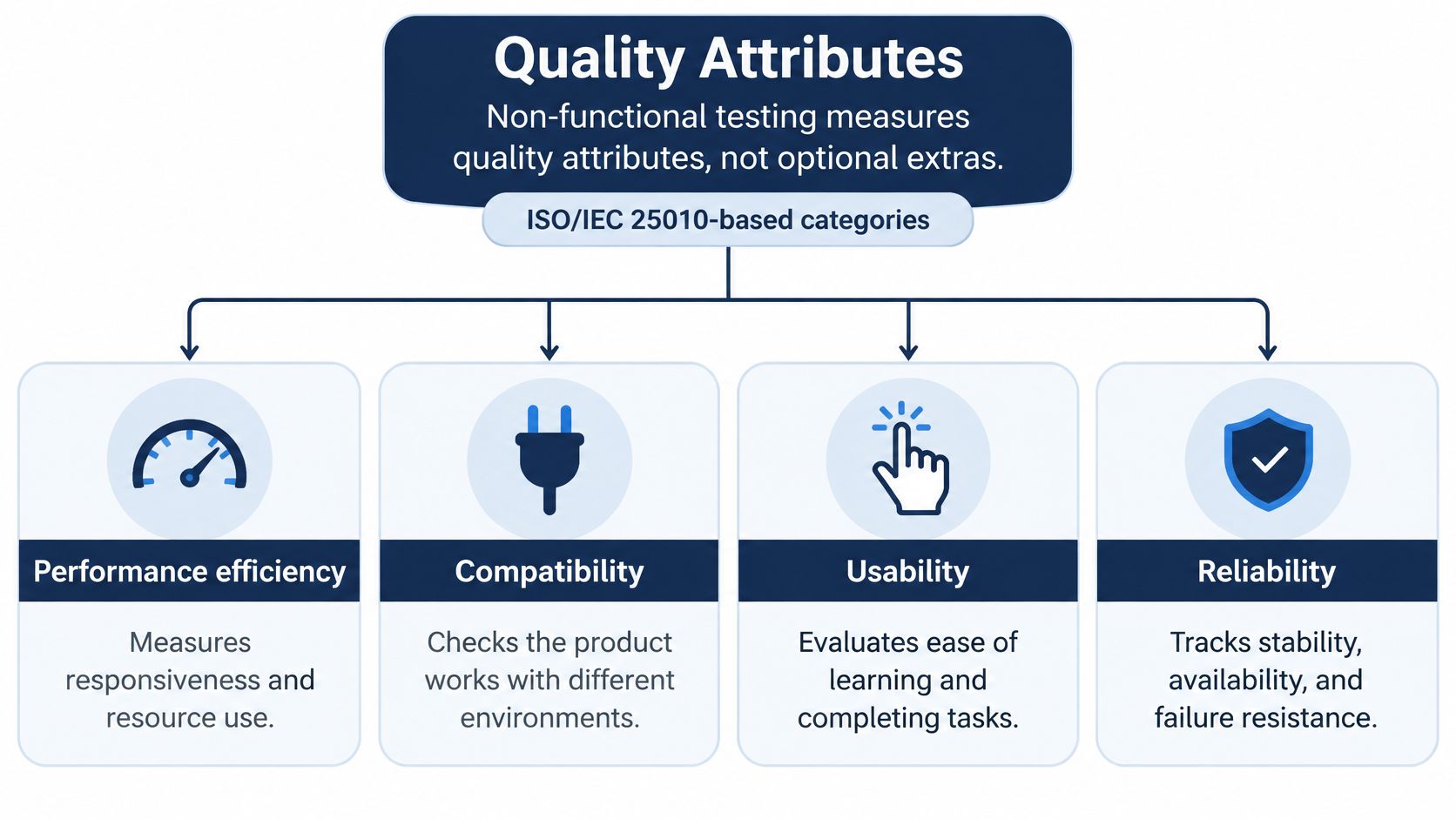
Non-functional testing measures quality attributes. It isn't a set of optional extras you add if there's time left in the sprint.
Evaluations based on ISO/IEC 25010, summarized in a university repository study applying that standard, distinguish functional suitability from performance efficiency, compatibility, usability, reliability, security, maintainability and portability. A product can complete the requested business function and still fail on a slow network, constrained hardware or an unsupported browser.
Non-functional attributes, metrics and example targets
| Quality attribute | Metric to record | Example starting target | Test context |
|---|---|---|---|
| Performance efficiency | 95th-percentile response time | Under 2 seconds for key pages | Mid-range Android on 4G |
| Reliability | Crash-free sessions | 99% or higher over a 48-hour run | Real devices with interrupted network |
| Usability | Task success rate | 90% for representative checkout users | Five to eight users per task |
| Compatibility | Pass rate per device and browser | Every targeted combination has a recorded result | Named phone model, OS version, browser |
| Accessibility | Critical issues on core flows | No critical issues on core flows | Screen reader and keyboard-only navigation |
| Portability | Install, launch and removal success | All three succeed on each OS target | Store build and direct APK install |
| Security | Unauthenticated access attempts to protected pages | None succeed | Test accounts with different roles |
Treat those targets as starting points you set per product, not universal guarantees. For a store expecting seasonal spikes, testing ecommerce apps for peak traffic shows why your concurrency context matters as much as your response-time number.
Every claim needs a metric and a controlled context. Saying checkout is fast means little. Saying the 95th-percentile response time stayed under 2 seconds on a named device, network and build means a developer can reproduce it.
Recording rule: Log device model, OS version, browser, network condition, build identifier, timestamp and evidence artifact for every run.
Real devices matter here because installation, startup, interaction and removal behave differently on physical hardware than on emulators. When you present results, a clear software testing report template helps you keep those fields per environment instead of collapsing everything into one pass rate.
How to Map Both Test Types to One Release Plan
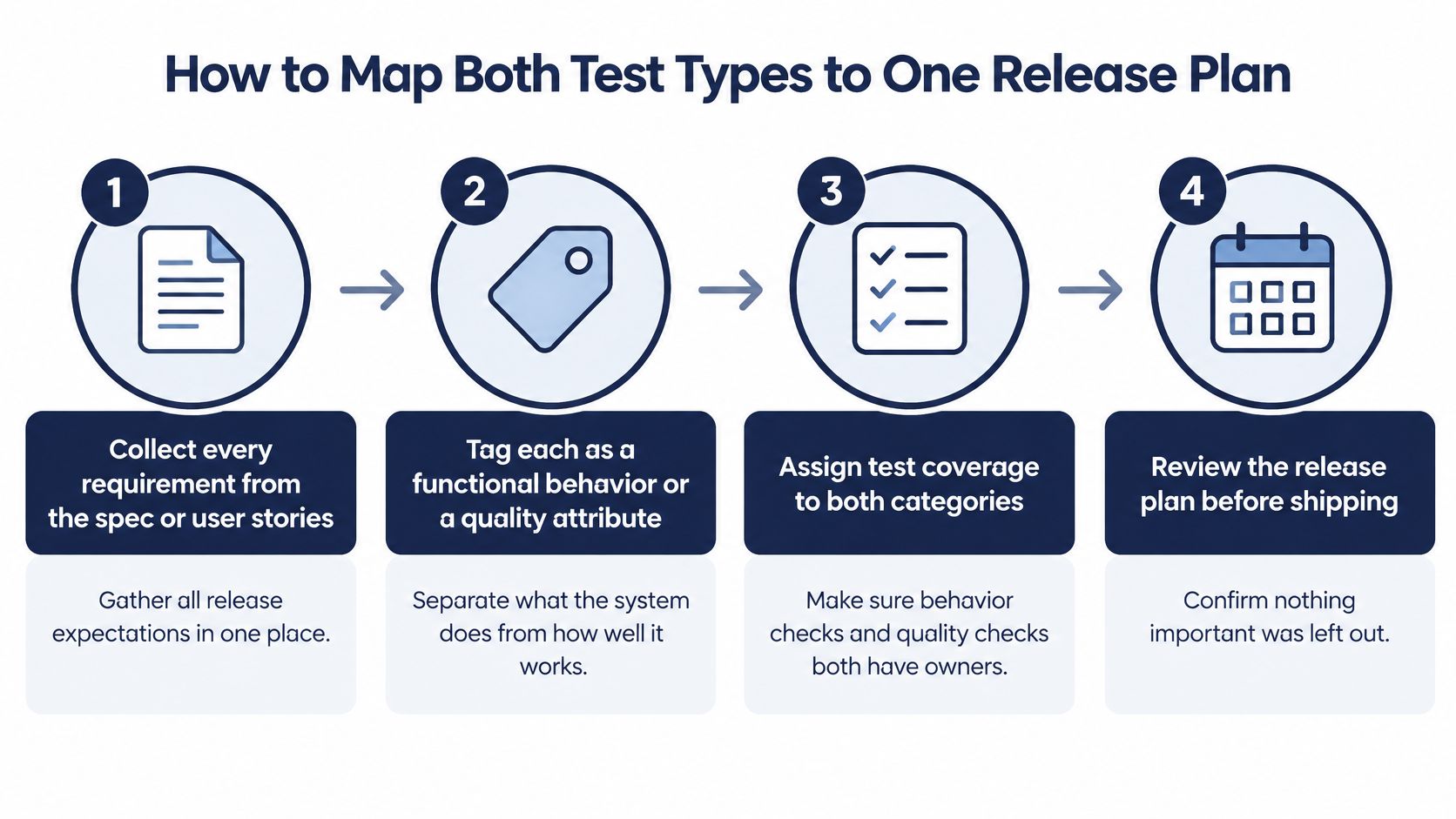
You don't need two separate plans. You need one release plan where each requirement carries the right kind of evidence.
Seven steps before sign-off
- Collect every requirement. Pull from the spec, user stories and support complaints. The common slip is testing only what's in the ticket title and missing acceptance criteria buried in comments.
- Tag each requirement. Mark it as a functional behavior or a quality attribute, because they need different evidence. Teams often skip this and write functional cases for everything.
- Add input variety to functional items. For each one, include valid, invalid, empty, boundary and transition-state inputs with expected outcomes. Skipping boundary inputs is where quantity limits and date cutoffs slip through.
- Set metrics for quality attributes. Define the metric, the threshold and the user impact that makes a miss a release blocker. Don't set thresholds after seeing results, or you'll rationalize whatever you measured.
- Build the environment matrix. List named phones with OS versions, browsers, desktop operating systems and at least one constrained network. Testing only on the team's own flagship phones is the usual failure. When a build is on a preview deployment, teams who review Vercel staging sites can attach feedback to the exact build under test.
- Execute and record every cell. Mark each case in each environment as passed, failed, blocked or not run, with evidence attached. If you need a structure, these test plan examples show how to lay out scope and environments.
- Review gaps before sign-off. Treat each not-run cell as an explicit release risk with a name next to it. A hidden gap becomes a surprise. A named gap becomes a decision.
A complete plan has a simple look. Every requirement appears in the matrix under at least one category, or it carries a written reason why it doesn't.
Checkout on a Budget Android Phone
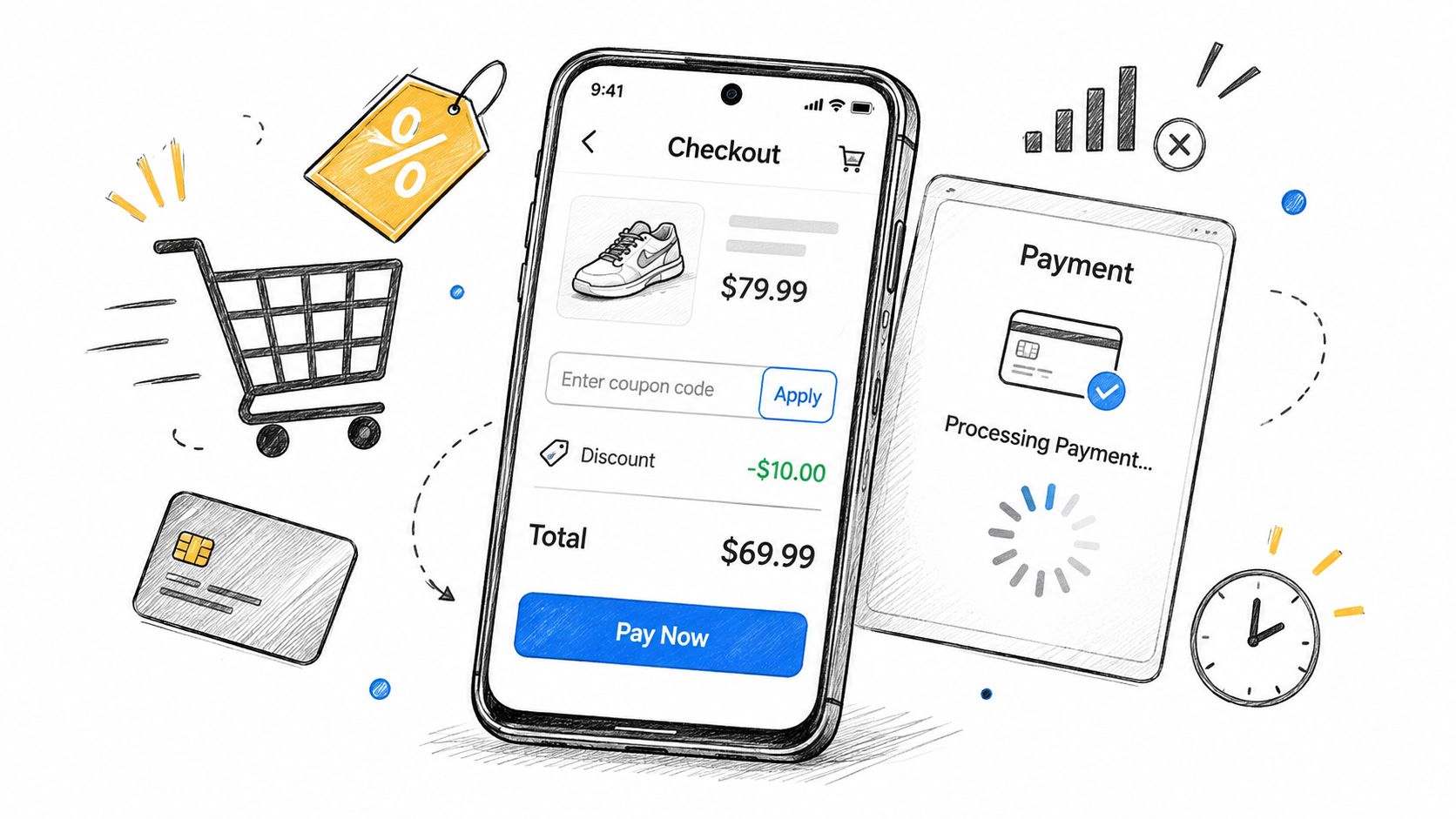
Say your next release adds a coupon feature and a redesigned payment screen. On the team's flagship phone, everything passes. The total updates, the coupon applies, payment completes. If you stopped there, you'd ship with confidence.
Then a tester runs the same flow on a budget Android phone, the kind many of your actual customers own. The story changes quickly.
Illustrative checkout results across test types and devices
| Check | Test type | Environment | Result |
|---|---|---|---|
| Add item and reach payment | Functional | Flagship Android | Pass |
| Total updates after coupon applied | Functional | Flagship Android | Pass |
| Payment page loads within 2 seconds | Non-functional, performance | Budget Android on 3G-speed network | Fail: 6.2 seconds |
| Checkout survives an incoming call | Non-functional, reliability | Budget Android with incoming call simulated | Fail: cart cleared |
| Card form usable with screen reader | Non-functional, accessibility | Desktop Chrome with NVDA | Blocked: field label missing |
| Coupon applied in Safari | Functional | macOS Safari | Not run: no matching device available |
Read the failures one by one. The 6.2-second payment page isn't a wrong-result bug. The page eventually loads correctly, but it misses your 2-second target on hardware your customers use.
The cleared cart is more serious. No functional case caught it because no functional case included an incoming call. That's a reliability defect hiding inside a flow that otherwise works perfectly.
The blocked accessibility check tells a different story. The tester couldn't even run it because a field label is missing, so the fix has to happen before the check itself can pass or fail. And the Safari row isn't a pass at all. It's an empty cell where coverage should be.
This is why teams need to test an app on real devices instead of trusting one emulator result. A functional pass rate alone would read as complete success. The matrix shows the release isn't ready for budget Android users, and it points to the exact fixes, retests and device gaps to close first.
Misconceptions That Hide Gaps in Test Coverage
Four beliefs come up in release meetings again and again. Each one sounds reasonable. Each one hides a gap.
- High code coverage means tests check behavior. A suite can execute every line while asserting almost nothing about the output. Check: review the assertions against each requirement and confirm the suite catches deliberately injected faults.
- Exploratory testing is unstructured guessing. It isn't, when testers work from a written charter with a clear goal and time limit. Check: require a charter and a time box for every exploratory session, and save the notes with the results.
- Non-functional testing is only for large products. A single checkout flow on one budget phone still needs a response-time target and a stability check, because your smallest flow can carry your revenue. Check: set a 2-second target for key pages and run the main flow on one budget device before release.
- Passing tests prove the requirements were right. Tests verify the specification you've written down, so a wrong requirement can pass cleanly and still disappoint users. Check: have the product owner sign off each requirement against the user story before testers write cases from it.
A test can only confirm what you asked it to look for.
That last point catches teams off guard most often. A green suite validates your assumptions. It doesn't validate whether those assumptions match what users needed in the first place.
Map Both Test Types Before Your Next Release
Make this your rule. No release goes out until every requirement carries a functional or non-functional mapping, every threshold is set in advance, and every cell of your environment matrix holds a recorded result.
What to do this week
- Audit the coverage table first. Give each not-run or blocked cell an owner and a decision before sign-off, not after launch.
- Fill device gaps with real owners. If your team doesn't own the phones, laptops and browsers your users have, ask human testers to run cases on their own hardware.
- Prepare the inputs early. Have your test cases, device targets and build link ready before the run starts, so sessions aren't wasted on setup confusion.
One option is 99tests, a crowdsourced manual testing service where real testers run every uploaded test case by hand on real hardware and mark each case pass or fail with a human-verified result. The report includes a coverage table showing every test case against every device with pass, fail, blocked or not run, and fails link directly to the finding.
Be clear about the limits. It's human testing on tester-owned devices per the package purchased. It is not test automation, not a security test, and not a certification, and it doesn't cover performance or load testing either.
Send your case list and device targets this week, run the matrix, then read the coverage table before you sign off. That's how a functional pass becomes actual release evidence.
Don't ship on emulator passes alone. With 99tests, real testers run your uploaded cases by hand on the phones, laptops and browsers your users own, and you get a coverage table showing every pass, fail, blocked and not-run result before sign-off.