Ad Hoc Software Testing: What It Is and How to Run It
Learn what ad hoc software testing is, when it works, its benefits and limits, and how to run sessions that leave evidence a release team can trust.
In this article
- What Ad Hoc Software Testing Means
- A Short History in Plain Terms
- When Ad Hoc Testing Earns Its Place
- Situations Where It Pays Off
- Challenging AI-Generated Cases
- Benefits Worth Measuring
- Where Ad Hoc Testing Falls Short
- The Limits, Stated Plainly
- Running an Ad Hoc Session With an Auditable Record
- Seven Steps From Charter to Record
- The Session Record
- A Mobile Checkout Session in Practice
- Deciding Whether Ad Hoc Testing Fits Your Next Release
- Three Next Steps
Your release candidate is ready, your scripted regression passed, and you still don't feel confident. A tester opens the new checkout on her own phone, loses signal in an elevator, taps retry twice, and something odd happens. No written case told her to do that. She followed a hunch, and that hunch matters more than another green checkmark. The problem comes an hour later, when a developer asks what she did, on which build, and whether anyone else can repeat it. Ad hoc software testing is valuable precisely because it follows hunches. It becomes useful for a release decision only when you can show what was explored, what was observed, and what was left unrun.
What Ad Hoc Software Testing Means
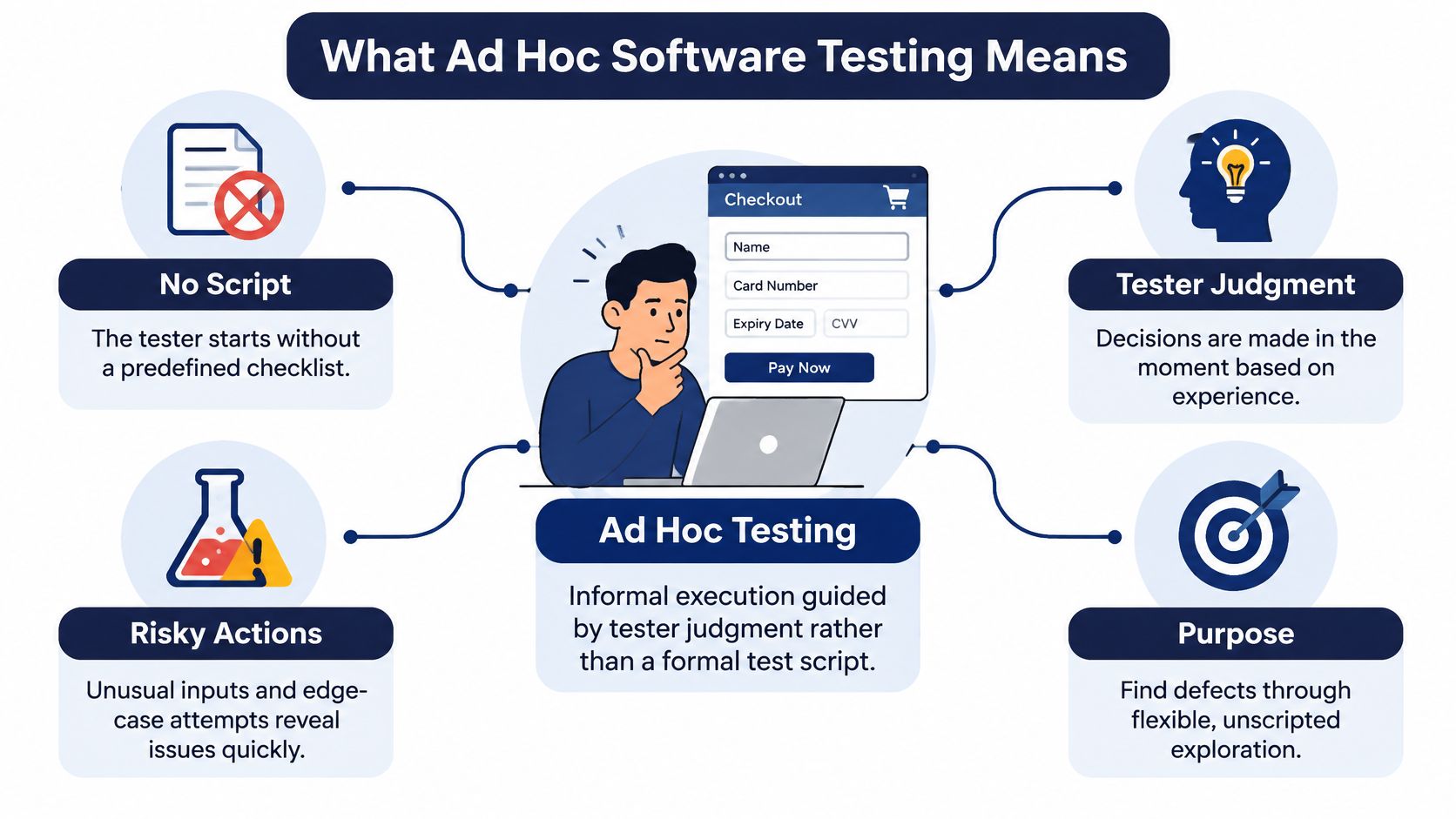
A tester opens a new checkout screen with no script in hand. She enters an expired coupon, switches currency mid payment, goes back, then tries again with a saved card. Nothing tells her what to do next except what she just saw and what she knows tends to break.
That's ad hoc software testing in one sentence. It's informal execution where the tester's judgment, not a predetermined script, guides each action. Think of walking through an unfamiliar house feeling for drafts, rather than following an inspector's printed checklist room by room. Both can find problems, but they find different ones, and they leave different kinds of evidence.
A Short History in Plain Terms
The ISTQB glossary defines ad hoc testing as testing performed informally, in which "arbitrariness guides" execution. Cem Kaner introduced the term exploratory testing in the 1980s, and by the early 1990s methodologists preferred that term because ad hoc sounded careless. Exploratory testing kept the improvisation but added discipline, with learning, test design, execution, and interpretation happening in parallel.
That history carries a practical warning. Ad hoc isn't automatically poor testing. Its value depends on tester skill, product knowledge, and recorded evidence. Without session notes, environments, and reproduction steps, findings are hard to repeat or audit. With those controls, unscripted work complements planned cases well, a point also reflected in QA guidance for mobile development teams. If you're deciding what a planned case should even look like, start with a clear example of a well written software testing scenario and notice how different it feels from free exploration.
Three approaches to unscripted and scripted testing
| Approach | Preparation | Documentation | Repeatability | Best use |
|---|---|---|---|---|
| Ad hoc testing | None beyond a general goal | Little or none | Low | Quick probing when no specification exists |
| Session-based exploratory testing | Charter with mission, risk area and time box | Session notes and findings | Medium | Investigating risk areas with evidence |
| Scripted test-case testing | Written steps and expected results | Test cases and run records | High | Regression and compliance evidence |
Read the table as a spectrum, not a ranking. Ad hoc testing is a method you can run well or badly, and most of the difference sits in the middle two columns.
When Ad Hoc Testing Earns Its Place
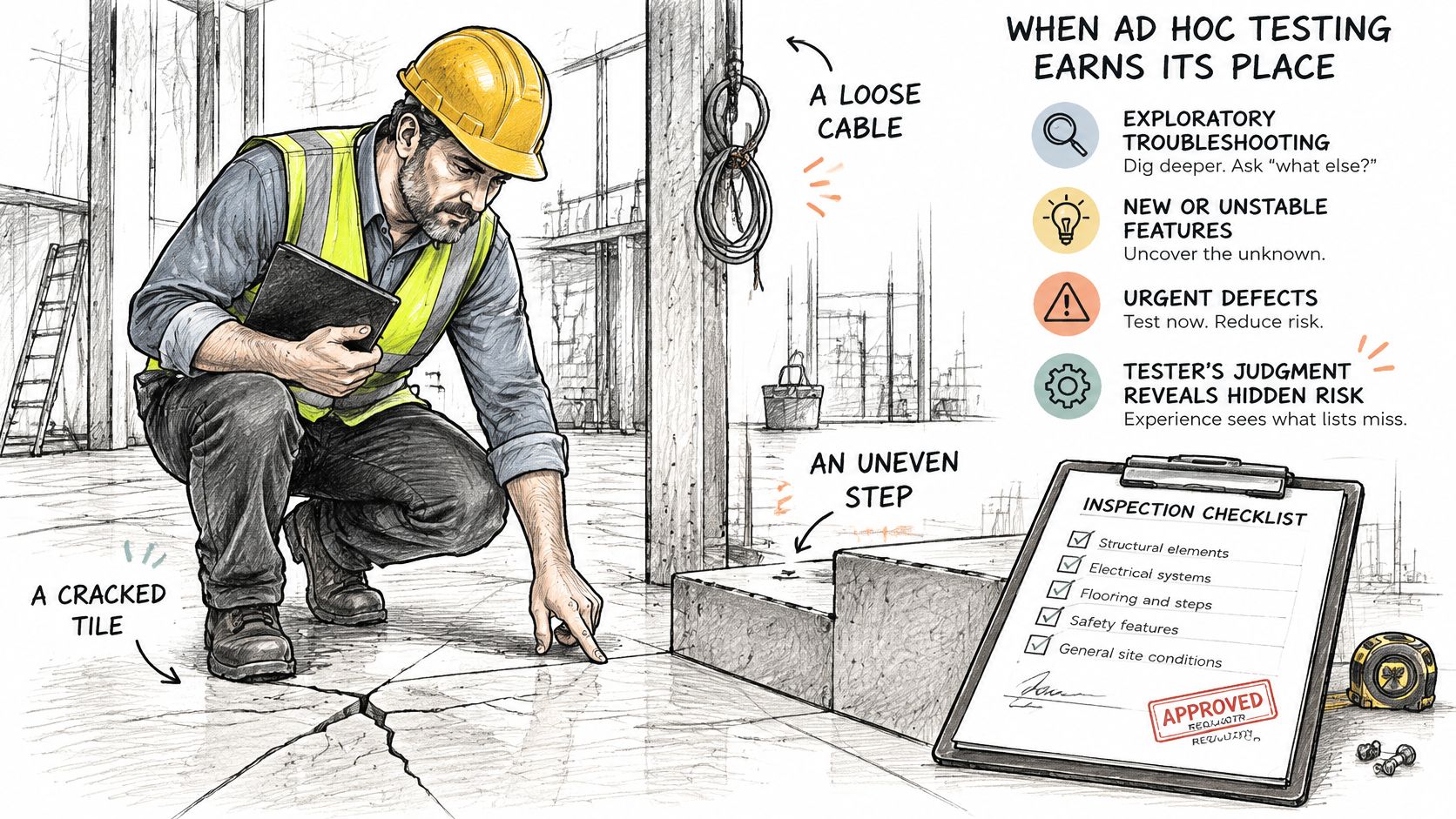
An experienced building inspector walks a site and notices a stair rail that flexes, a smell near a junction box, a door that sticks only when it's humid. A checklist wouldn't catch most of that. A regulator, though, still needs the signed checklist. Ad hoc testing earns its place in the same way. It finds what experience notices, while scripted work proves what requirements demand.
The image below captures that inspector mindset, looking at the actual site rather than the paperwork about it.
Situations Where It Pays Off
- Thin or missing requirements: There's no reliable script to write yet, so exploration is how you learn what the feature does.
- A fresh build or hotfix: Changed areas are partly unknown, and you need fast probing around the fix and its neighbors.
- A final pre release pass: Unusual paths, interruptions, and backtracking get one last human look.
- Usability and feel problems: Awkward flows, confusing states, and slow feedback don't appear in pass or fail scripts.
- Follow up after a bug cluster: One defect often signals nearby defects with the same root cause.
- Deep domain knowledge on the team: A tester who knows how refunds fail will aim better than any generic case list.
Challenging AI-Generated Cases
Add one newer situation to that list, reviewing tests generated by AI tools. A 2025 study of 64 testers found growing use of generative AI for test generation, automation, and debugging, but also unreliable outputs, limited coverage, trust concerns, and maintainability risks. A generated case can read perfectly and still test the wrong behavior, which creates false assurance.
So don't just execute those cases. Check each one for a valid oracle, meaning a trustworthy way to tell right from wrong behavior. Check that it covers meaningful user risk, includes negative and interruption paths, and matches the target device or browser. Then use ad hoc sessions to probe the interactions and unexpected states the generated cases omit.
The short video below walks through how unscripted sessions fit alongside planned testing in practice.
Two situations call for something else. Regulated sign off needs traceability from requirement to executed case, which improvisation can't supply. A regression baseline must repeat exactly, build after build. Use scripts there, and save ad hoc work for discovery.
Benefits Worth Measuring
The core advantage is simple. Nobody has to design every case before testing starts, so testers reach first findings sooner. That speed matters most when a build lands late and you have hours, not days, to learn whether it's shippable.
- Unexpected combinations: Skilled testers vary workflows, boundary values, and state combinations that a fixed script never tries, such as applying a coupon after partially paying.
- Usability signals: Sessions surface confusing labels, dead ends, and sluggish feedback that scripts don't check at all.
- Immediate follow up: When something looks odd, the tester chases it in the same minute, while the state is still reproducible.
These aren't just plausible claims. A replicated experiment summarized in the exploratory testing literature reported similar total numbers of defects found by scripted and exploratory testing, but higher exploratory efficiency measured as defects detected per unit of time, because exploratory testers didn't spend equivalent effort designing all test cases before execution. In short, comparable findings, reached faster.
Hold that result carefully. It doesn't make scripted testing obsolete, since scripted tests remain necessary for repeatability, traceability, and compliance evidence. Exploration complements them by investigating risk areas formal cases may not anticipate. The word exploratory itself came to mean concurrent learning, planning, and testing, which is exactly why the time saving appears.
The condition that makes it real: Benefits show up with skilled testers, a timeboxed session, and the device, build, and steps documented for every finding. Drop any one of those and you're mostly left with opinions.
Where Ad Hoc Testing Falls Short
An hour of ad hoc testing can produce two minor findings while leaving the riskiest workflow untouched. Activity is visible; coverage is harder to judge unless the session records what the tester explored and why.
The Limits, Stated Plainly
- Weak repeatability: Without recorded steps and conditions, a developer may struggle to reproduce a bug.
- Hard prioritization: If the tester has no defined risk area, decisions about what to explore can become guesswork.
- Duplicated effort: Testers may repeat the same actions while other workflows remain unexplored.
- Inconsistent severity: Different judgments about impact can make triage less consistent.
- Skill dependence: Results depend heavily on the tester's experience and judgment.
A controlled empirical study comparing exploratory testing with test-case-based testing found no significant difference in defect-detection efficiency when the approaches were executed competently. That does not mean either approach will cover every defect or workflow. A tester can work skillfully and still miss an important path.
For example, a team might run the same five ad hoc actions on twelve devices. The report would show sessions across twelve devices, but they might all cover one workflow path. Refunds, account recovery, and offline behavior could remain untested. Device variety shows where testing happened, not which risks it covered.
A short charter and a session record help make that distinction visible. The charter identifies the risk and intended coverage; the record shows what the tester tried and observed. Pair that exploratory evidence with a regression suite for deterministic requirements, so discovery and repeatable verification serve different purposes.
Running an Ad Hoc Session With an Auditable Record
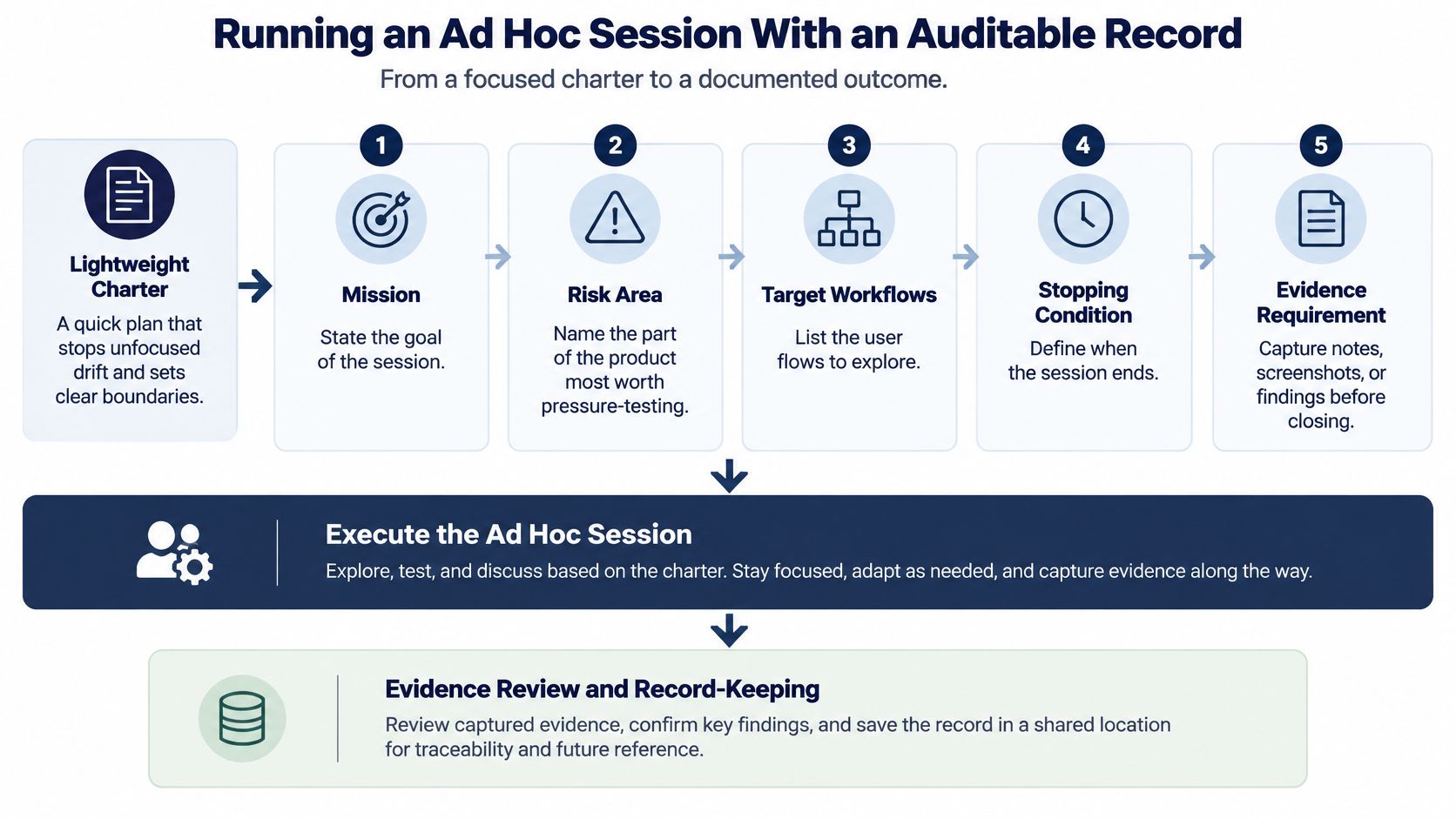
Start with a lightweight charter written before execution. It names the mission, risk area, target workflows, stopping condition, and evidence requirement in a few lines. That's enough structure to stop unfocused drift without scripting away the judgment you're paying for.
The flow below shows how that charter leads into execution and ends in a reviewable record.
Seven Steps From Charter to Record
- Write a one line charter. Name the risk and the workflow, such as payment retry after a network drop. A vague mission produces vague coverage.
- Set a time box of 45 to 90 minutes. Focus decays after that, and a fixed end forces prioritization.
- Fix the setup before starting. Record device, operating system, browser, build, and network, because an unrecorded setup can't be rerun.
- Explore and vary conditions. Change inputs, interrupt flows, rotate the device, background the app, and revisit states in odd orders.
- Log observations separately from assumptions. Write what you saw, then what you suspect, and never merge the two into one claim.
- Capture evidence for each failure. Record reproduction steps, expected and actual behavior, and screenshots or recordings while the state is fresh.
- Stop at the time box and list unrun areas. Give the reason for each gap, so a low defect count isn't mistaken for thorough testing.
Unguided work really does underperform. In a feasibility study comparing TestCheck with an ad hoc approach for detecting defects in software-testing artifacts, TestCheck achieved 75% average effectiveness versus 45% for ad hoc testing, with efficiency of 0.31 defects per minute versus 0.11 defects per minute. Read that correctly. It measured inspection of testing artifacts, not live apps, so don't quote it as a universal ratio. Use it as a reason to guide sessions with charters rather than abandon exploration.
The Session Record
Session record fields for an ad hoc session
| Record field | What to capture | Example entry |
|---|---|---|
| Mission | The risk or workflow the charter targets | Payment retry after a network drop |
| Build and version | Exact build tested | Build number recorded at session start |
| Device and operating system | Model and OS version of the device under test | Model and OS version recorded before the session starts |
| Browser | Browser name and version for web sessions | Name and version recorded; not applicable to native app sessions |
| Network condition | Connection type and any changes made | 3G, switched to airplane mode for 10 seconds |
| Areas explored | Screens, features and states covered | Payment, retry, order confirmation |
| Observations versus assumptions | Each observed behavior kept separate from each assumption | Observed: retry active after charge. Assumed: slow bank callback |
| Blocked or unrun areas | Areas not reached and the reason | Wishlist sync not reached; session time box ended |
Close every session with a status for each area, passed, failed, blocked, or unrun, and make the record detailed enough to rerun on a new build. The same charter should confirm a fix later without detective work. If you need a starting format, a structured software testing report template gives you fields you can trim down to this size.
A Mobile Checkout Session in Practice
A customer completes checkout, but a brief network drop leaves the app unsure whether payment went through. An ad hoc session can explore that uncertain moment while keeping a record the release manager can review.
In this illustrative scenario, a tester gets a 90-minute charter: investigate payment retries after a network drop. She uses her own budget Android phone over a 3G connection, then repeats the flow on an iPhone. Testing on real devices matters because hardware and operating-system behavior can differ from what an emulator shows. For more on the method, see this guide to testing an app on real devices.
She starts a payment, switches to airplane mode for ten seconds mid-transaction, then restores connectivity and returns to the app. The order is confirmed, but the retry button remains active. A second tap could charge the same order again. That is the kind of duplicate submission risk that checkout security work aims to prevent replay attacks at checkout, and here an ordinary user action could trigger it.
The tester records the device model, operating-system version, build number, network state, and steps to reproduce. She separates what she observed from what she suspects: Observed: the retry button remained active after successful payment. Assumption: a delayed bank callback prevented the app from locking the order. The distinction gives engineers a reproducible failure without treating a possible explanation as a proven cause.
The scripted suite passed because its payment cases ran on stable Wi-Fi and did not interrupt a transaction. Those results describe the conditions the tests covered; they do not answer what happens during a network drop.
The session ends with a clear boundary: wishlist sync and returns are unrun because investigating the payment issue used the available time. The release manager can see the finding, its reproduction details, and the gaps left for another session. That is the value of an auditable exploration: flexible investigation, with evidence that can be checked and repeated.
Deciding Whether Ad Hoc Testing Fits Your Next Release
Ask three questions before you schedule anything.
- Changed or thinly specified areas: Does the release include behavior your scripts don't cover or can't describe yet?
- Compliance evidence: Does sign off require scripted traceability from requirement to result?
- Device and browser reach: Do you need coverage on hardware and browsers your team can't access internally?
If the first and third answers are yes, add ad hoc sessions alongside scripted cases, not in place of them. If compliance traceability is required, keep scripted cases as the primary evidence and let exploration support them. That ordering matters more than the exact number of sessions.
Three Next Steps
- Write a charter for each of your top three risks. One line each, naming the workflow and the failure you're worried about.
- Fix the device and build for each session. Decide the target before execution starts so results can be rerun and compared.
- Adopt the session record fields before testing starts. Agreeing the format afterward means the details you needed were never captured.
On the device question, crowd testing on 99tests lets companies test across multiple configurations without investing in devices or hiring full-time staff, since testers use their own phones, laptops, and browsers. That's one option among several, useful when internal hardware is the bottleneck. Know the boundary, though. Writing test cases, test automation, and security or load testing aren't included in any package, so you bring your own cases and charters. And before you submit the build that all this testing supports, it helps to be clear on store review expectations too, which is where understanding Apple and Google Play reviews saves a rejected submission later.
Bring your charters and test cases, including AI generated ones, and we'll run them as timeboxed exploratory and scripted sessions on real tester owned phones, laptops, and browsers, then return verified reports showing passed, failed, blocked, and unrun coverage with reproducible findings. If your next release needs that kind of evidence before it ships, visit 99tests to set up your first testing cycle.