QA Manual Testing from Plan to Verified Bugs
Learn QA manual testing across planning, execution, defect reports, and verification so each release shows what really ran.
In this article
- What a Manual QA Tester Does
- The role is evidence collection
- The Four Phases of a Manual QA Cycle
- Follow a checkout case through the cycle
- Move from observation to a reviewed finding
- Roles, Skills and Tools Around a Manual Cycle
- Skills before software
- Combinations Worth a Human Session
- Choose interactions, not just devices
- Keep human execution in its proper place
- How to Run One Timeboxed Test Session
- Execute without losing the record
- Close every status explicitly
- Defect Reports Worth a Second Look
- Write for someone who wasn't there
- Review separately from discovery
- Cases Scripts and Emulators Still Miss
- A generated case isn't accepted coverage
- A green emulator suite has a boundary
- Audit the Next Build Before You Ship
- Close the execution gap
Inadequate software-testing infrastructure was estimated to cost the U.S. economy approximately $59.5 billion annually across manufacturing and service industries in a NIST study prepared with the Research Triangle Institute. That historical estimate puts a practical release problem in perspective: a team can write an impressive test plan and still have little evidence that its software works under customers' actual conditions.
What a Manual QA Tester Does
QA manual testing means a person runs specified cases and short exploratory checks on a real phone or laptop, using a named browser, operating system, and network, then records each outcome. The tester's job isn't just to click through screens. It's to turn an intended behavior into an observation someone else can inspect.
Say your team changes checkout validation. A spreadsheet contains a case for paying with a valid card, but nobody has tried it on the target Android phone over mobile data. The case describes a promise, not a result.
A printed fire-drill checklist isn't proof that the exits open. A written test case isn't proof that the workflow works.
The practical responsibilities span the equipment, conditions, and result record.
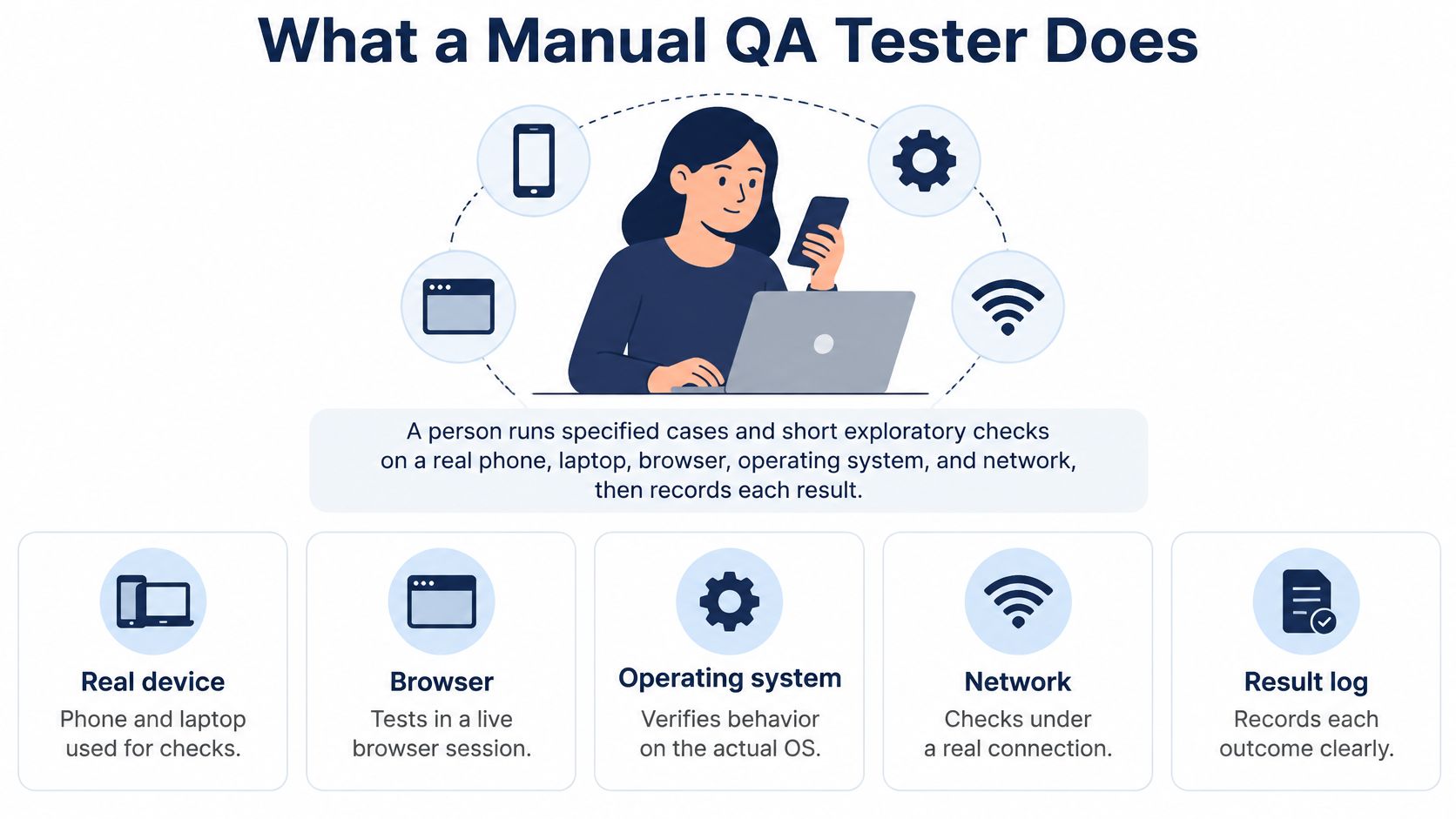
A useful result connects the case to a build and configuration. It says what the tester attempted, what appeared on screen, and whether anything prevented completion. Without those details, a release manager can't distinguish demonstrated behavior from an assumption.
The role is evidence collection
Manual testers choose relevant combinations, execute focused sessions, document reproducible failures, and check findings before the team treats coverage as complete. They also identify uncertainty, including unavailable devices and cases that nobody reached.
If you're evaluating this work as a career or staffing responsibility, Mojolin lets you compare US QA engineer salaries alongside your assessment of the role's scope. For the current build, the more immediate task is to apply a repeatable cycle: plan, execute, report, and verify.
The Four Phases of a Manual QA Cycle
Manual QA phases and the evidence each one must produce
| Phase | Reader question | Required output | Done when |
|---|---|---|---|
| Plan | Which cases and environments matter this build? | Prioritized cases with device, OS, browser, network, and user state | Every in-scope case has an owner and a target configuration |
| Execute | What happened when a person ran the case? | Session log marked passed, failed, blocked, or unrun, with a reason if not passed | No in-scope case is left blank |
| Report | Can engineering reproduce the failure? | Steps, expected result, actual result, environment, and screenshot or recording | A second person can follow the steps without asking the tester |
| Verify | Is the finding real, unique, and graded? | Deduplicated defect with severity against a rubric and a confidence note | Duplicates are merged and the grade is recorded |
The cycle separates questions that teams sometimes collapse into a single activity called testing. Running a case doesn't automatically produce a useful defect report, and receiving a ticket doesn't establish that its severity is correct.
Follow a checkout case through the cycle
Planning starts with the changed behavior. Suppose checkout should enable Pay after the customer enters valid payment details. Assign that case to a Samsung Galaxy A14 running Android 14 in Chrome over a weak mobile connection, using a signed-in test account and an approved payment sandbox.
Record the installed browser version rather than leaving Chrome as the whole description. Set the expected outcome before execution: Pay becomes available, submission completes, and the application displays the sandbox order confirmation. A worked test-plan example can help organize the scope, prerequisites, and assignments without confusing them with results.
Execution turns the planned case into an observation. In this hypothetical session, the tester enters the valid details, but Pay remains disabled. The case becomes failed, with the environment attached and a recording showing the input and disabled control.
These statuses answer different questions:
- Passed means the tester observed the expected result.
- Failed means the expected result wasn't observed.
- Blocked means a prerequisite prevented the case from running.
- Unrun means nobody executed the case.
A blocked login doesn't establish that checkout failed. It establishes that the tester couldn't reach checkout under the assigned conditions.
Move from observation to a reviewed finding
Reporting gives engineering enough context to investigate. The tester supplies the starting account state, actions, expected outcome, observed behavior, configuration, and video. The session result links to that ticket so the release manager can trace the failure back to the assigned case.
Verification checks the finding separately. Suppose other testers submit matching reports about the same disabled control. A reviewer merges the duplicates, confirms the shared behavior, and records a high-severity judgment against the team's rubric, with an explanation of the affected purchase path.
The output is a single reviewed defect with supporting observations, not a collection of tickets competing for attention. After a fix, rerun the affected case on the new build and preserve the earlier result as history.
Fill the planning row before opening a device. Otherwise, the session can drift into whatever happens to be easiest to test.
Roles, Skills and Tools Around a Manual Cycle
A manual cycle needs clear ownership more than an elaborate tool stack. The tester should know what to execute, the QA lead should know which gaps remain, and engineering should receive findings it can investigate.
| Role | Practical responsibility |
|---|---|
| Manual tester | Read requirements, execute assigned cases, preserve observations, and write reproducible findings |
| QA lead | Prioritize scope, assign environments, and judge whether the evidence supports release decisions |
| Developer | Investigate failures, explain technical constraints, and supply fixes |
| Product owner | Clarify intended behavior and the impact of broken user paths |
Skills before software
The essential skills are careful reading, precise description, and disciplined observation. A tester needs to notice that a keyboard obscures Pay, distinguish a requirement from a personal preference, and capture the failure without losing the session's purpose.
The minimum toolkit can stay straightforward:
- Plan and status tracking in a spreadsheet, TestRail, or Zephyr.
- Defect records in Jira or another tracker with environment fields and attachments.
- Observation tools such as a screen recorder and browser developer tools.
- Environment access to relevant phones, computers, browsers, and network-throttling controls.
Tools don't make the evidence reliable; consistent records do. Manual testing also isn't a substitute for automation engineers, who build repeatable scripted checks, and it shouldn't become a bug-count quota. A session that confirms an important workflow can be valuable even when it produces no defect ticket.
Combinations Worth a Human Session
A device list isn't yet a coverage strategy. You need to decide which interacting conditions deserve a person's attention.
NIST's summary of interactions involved in software failures reports that most studied failures involve one or two parameters, while coverage of roughly four to six factors has detected faults found through exhaustive testing in many studied systems. This supports systematic selection, not a promise that a small manual sample will find everything.
The factor map below illustrates why combinations matter.
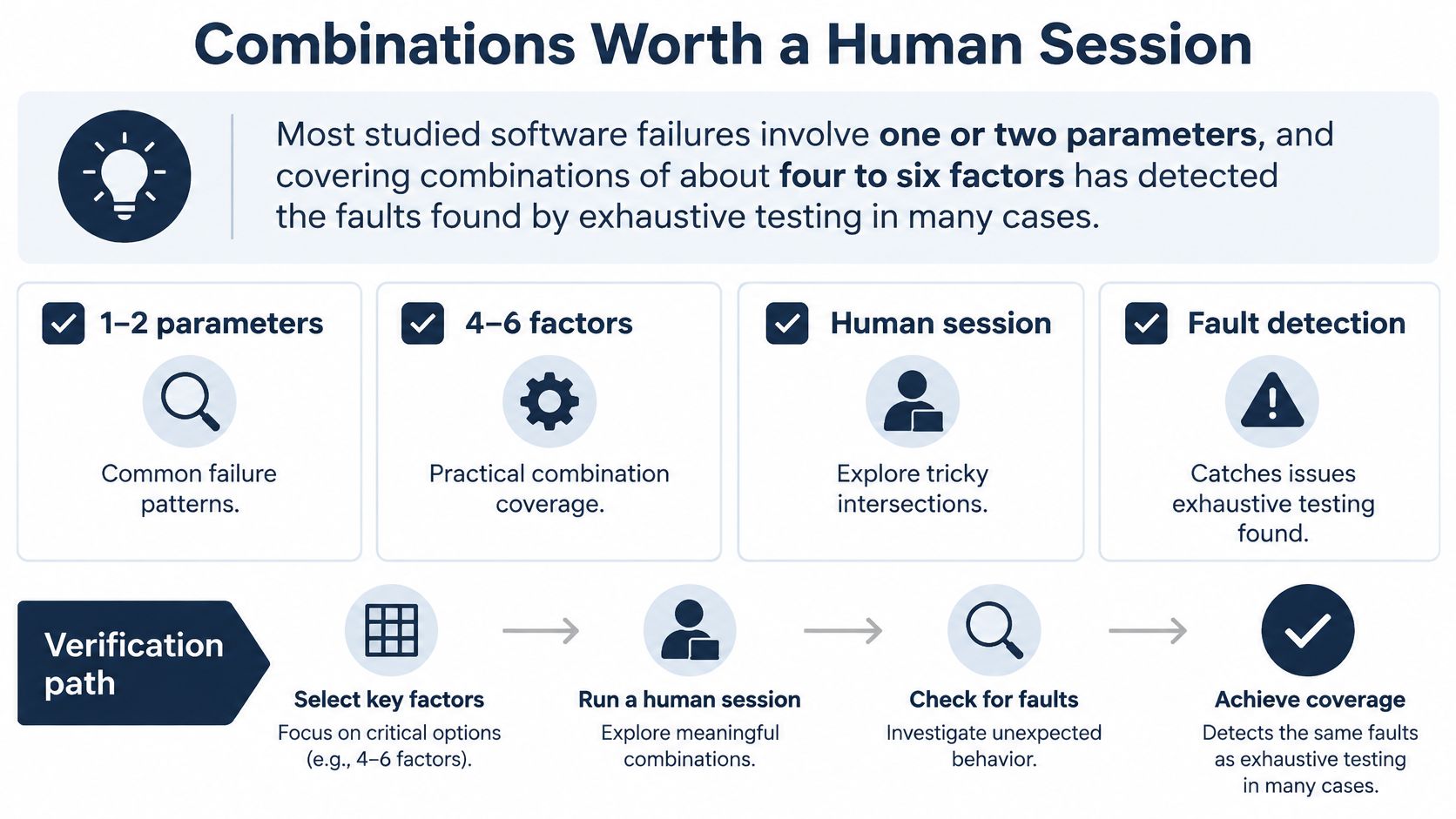
Choose interactions, not just devices
For a mobile or web release, relevant factors include OS version, device model, browser engine, viewport, network state, permissions, locale, authentication state, and input type. Don't multiply every possible value and hand the resulting list to testers. Start with changed features and costly user failures.
Useful assignments might include:
- Older Android hardware and weak connectivity for checkout submission and recovery.
- Safari and denied camera permission for an identity-document capture flow.
- A narrow viewport and signed-out state for account creation after adding an item to a cart.
- Locale and numeric input for addresses, amounts, and validation messages.
Write the reason beside each assignment. Camera permission matters because denial should lead to a usable recovery path, not because another configuration makes the matrix look larger.
In a browser-related DOM Events evaluation, NIST reduced more than 36,000 exhaustive tests by over 20 times while retaining equivalent fault detection. Treat that as a lesson about deliberate selection, not as a reduction target for your own release.
Keep human execution in its proper place
A historical software-quality analysis associated with Capers Jones reported that most forms of testing were less than 35% efficient at finding defects, while formal design and code inspections exceeded 65% efficiency. Those findings reinforce the need for reviews and earlier checks alongside execution; they aren't a performance benchmark for an individual tester.
Use manual sessions where observation and judgment add information that your existing checks don't provide. Keep exploratory freedom within a defined risk area rather than asking the tester to investigate the whole application.
Selection rule: If proposed sessions would answer the same environment question, remove the redundant assignment and record the omitted case as deliberately unrun, with its rationale.
How to Run One Timeboxed Test Session
Give each session a defined scope and a stopping point. For example, reserve a focused session for checkout on an assigned phone, with room to investigate the riskiest interruption rather than an open-ended instruction to test everything.
Prepare the device and plan together before beginning.
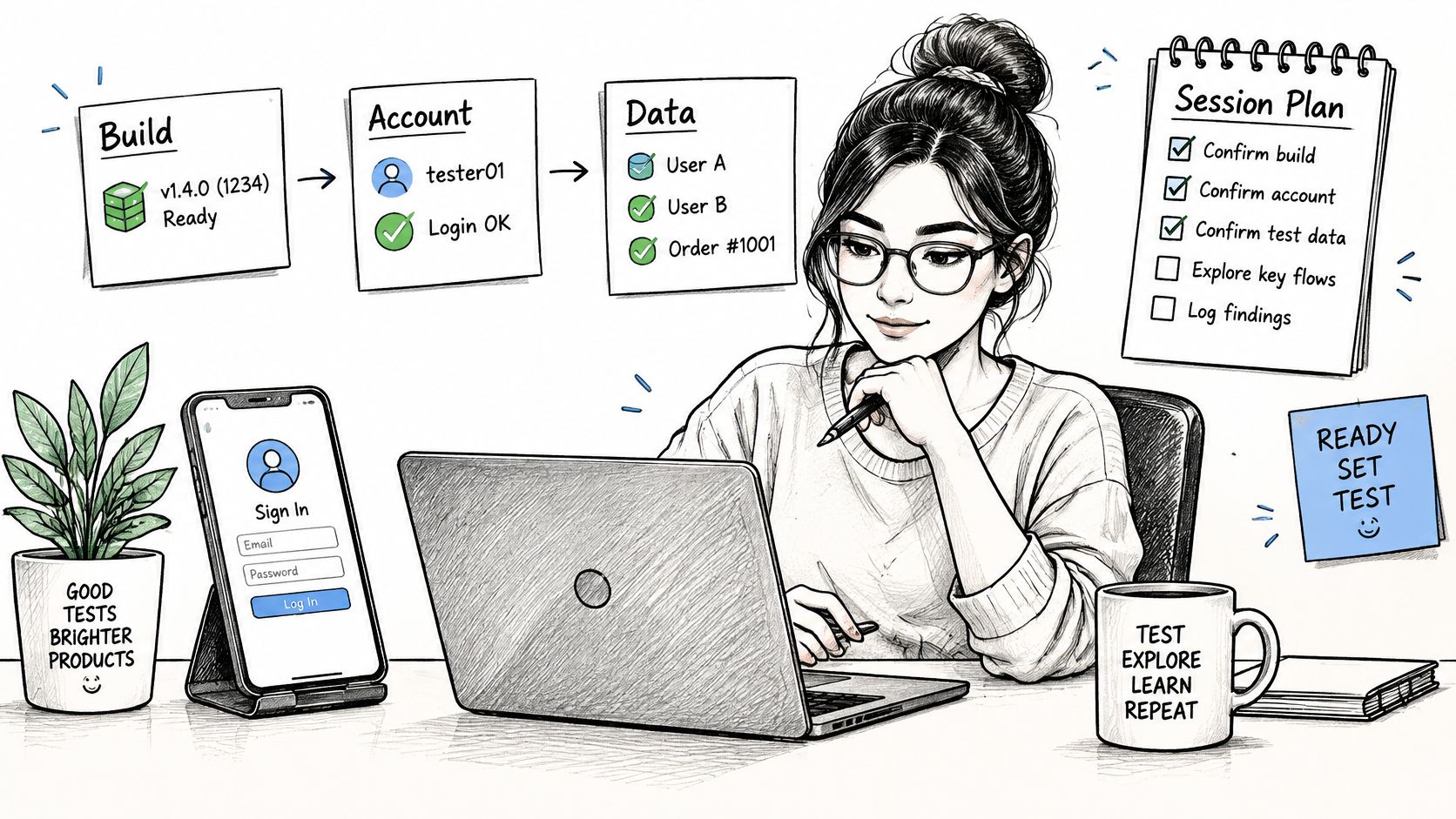
Execute without losing the record
Confirm access and prerequisites. Check the build identifier, installation, test account, and required data. If installation fails or login is unavailable, record the blocker and notify the owner instead of substituting another build.
Record the exact phone or laptop, operating system, browser version, viewport where relevant, connection, permissions, and starting user state. Note whether the session uses actual mobile connectivity or simulated throttling.
Run assigned cases in priority order. Update the status immediately after each case. Don't mark a case passed because a nearby screen looked correct; observe the specific expected outcome.
When something fails, capture the actions, expected behavior, actual behavior, and media before moving on. Preserve useful error text, but keep passwords, payment details, and personal information out of attachments.
Explore the highest-risk transition. Try an interruption, permission denial, or network change around the assigned workflow. Label these observations exploratory, and use a focused ad hoc software testing approach rather than mixing unscripted actions into a scripted case's result.
Close with a gap list. Name cases left unrun, explain whether time expired, the environment was unavailable, or an earlier blocker prevented progress, and identify the next execution opportunity.
The accompanying video provides an additional learning resource.
Close every status explicitly
Session status definitions
| Status | Meaning | Required note |
|---|---|---|
| Passed | Expected result observed on the named configuration | Configuration and a short observation |
| Failed | Expected result not observed | Steps, expected and actual results, and media |
| Blocked | A prerequisite stopped the case before it ran | The blocker named, such as build not installing or login blocked |
| Unrun | No person executed the case | The reason, such as time expired or environment unavailable, and a rerun plan |
A device reset can invalidate assumptions about permissions, cached state, and authentication. If you reset, clear storage, or switch networks, record the change before continuing.
Visual and interaction checks need close observation: a control may exist but be obscured, difficult to tap, or unusable after a prompt. A complete log preserves the configuration, explicit statuses, failure evidence, and outstanding gaps rather than reducing the session to an overall green or red label.
Defect Reports Worth a Second Look
A ticket that says checkout is broken makes engineering reconstruct the tester's session before investigating the application. A useful report removes that avoidable delay.
Compare the button does nothing with this hypothetical observation: on a Samsung Galaxy A14 running Android 14 in Chrome over mobile data, Pay remains disabled after valid sandbox card details are entered; the same build proceeds on desktop Chrome. The latter identifies a behavior and a comparison, without pretending to establish the root cause.
Fields a reproducible manual defect must include
| Field | What to write | Weak substitute to reject |
|---|---|---|
| Start state | Account, data, permissions, and screen where steps begin | User was logged in |
| Steps | Numbered actions another person can follow | Checkout is broken |
| Expected | The behavior the requirement or case promised | It should work |
| Actual | What the tester observed, including any error text | Nothing happened |
| Environment | Device or browser, OS, viewport, and network | Tested on mobile |
| Evidence | Screenshot or recording tied to the failing step | No attachment |
| Second check | Same failure on another relevant configuration, or noted as not rechecked | Seen once somewhere |
Write for someone who wasn't there
Start from a reproducible state, such as an account with a saved shipping address and an item in its cart. Number the actions inside the ticket, identify the failing step, and attach media that shows the relevant sequence.
Use a software testing report template to consolidate findings, but don't let a complete-looking template hide missing observations. A screenshot of the disabled button doesn't explain which input or state transition preceded it.
Check another relevant configuration when possible. If the issue reproduces there too, you've broadened the observed scope; if it doesn't, you've found a useful contrast. Neither result alone proves whether the defect belongs to application logic or a compatibility layer.
Review separately from discovery
A reviewer should merge duplicates, check completeness, and assign severity against a published team rubric. Practical anchors include:
- Blocker stops a core purchase or login for many users.
- Major breaks a primary path with a workaround.
- Minor impairs a secondary path.
- Trivial is cosmetic and doesn't prevent task completion.
Record why the selected anchor applies, including affected scope and available workarounds. Keep severity separate from the scheduling decision, which may also involve release timing and business priorities.
Confidence note: Independent reproduction strengthens a finding. An isolated occurrence on an unrecorded network warrants a narrower claim and further investigation.
An unverified cluster of duplicate tickets isn't yet a release priority. Engineering needs a distinct failure, a defensible impact assessment, and enough evidence to act.
Cases Scripts and Emulators Still Miss
A generated case isn't accepted coverage
Suppose a team pastes AI-generated checkout cases into its plan. The cases look polished, but one expects an unsupported payment method and another repeats the same successful purchase under different wording.
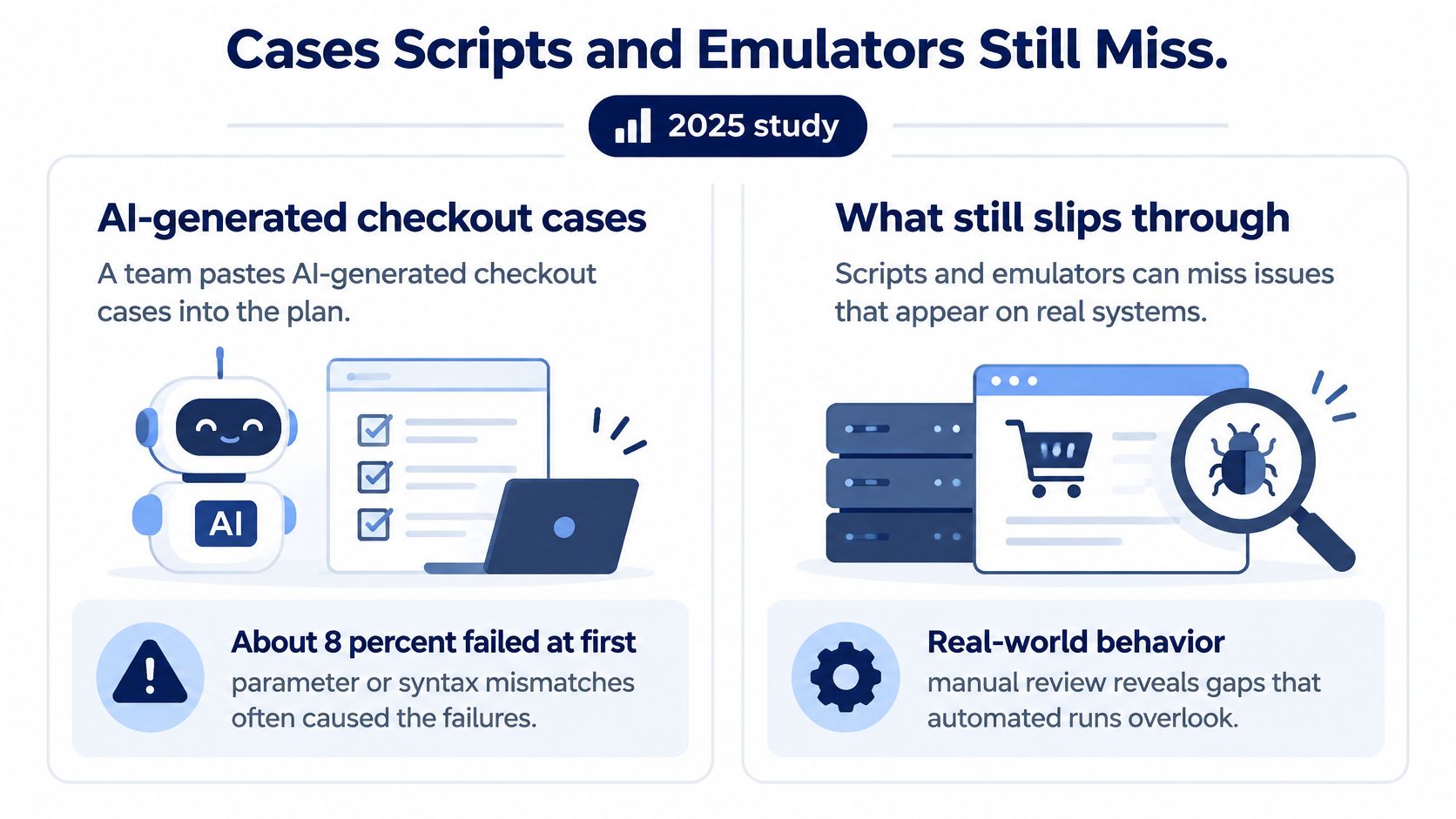
A 2025 study of generated tests reported that approximately 8% initially failed because of parameter mismatches or syntax differences, with vague or incomplete requirements identified as a major cause. That finding is a warning to review generated assets, not a predicted failure rate for your own plan.
The comparison below highlights the gap between generating a test and observing useful behavior.
Before assigning execution, perform an acceptance pass:
- Trace the requirement. Identify the business promise the case tests.
- Check the expected result. Resolve ambiguity with the product owner instead of letting generated wording define behavior.
- Inspect negative and boundary behavior. Include meaningful rejection and limit conditions.
- Remove duplication. Keep distinct scenarios, not cosmetic rewrites.
- Validate assumptions. Confirm available data, environments, and reachable starting states.
A technically valid case that describes no real user path should be rejected as irrelevant, not marked passed. Keep case acceptance separate from execution status: accepting a case only makes it eligible to run.
A green emulator suite has a boundary
Consider a hypothetical image-upload flow on a budget Android phone over a congested Indian mobile network. Upload works initially, but stalls after the customer responds to a permission prompt and switches connectivity. A suite that never exercised that sequence hasn't answered whether recovery works on that phone.
The TestRail software-testing survey announcement published by Morningstar describes continued manual functional, regression, end-to-end, and smoke testing alongside automation efforts. The useful distinction isn't manual versus modern. It's whether the chosen method can observe the behavior you need to evaluate.
Put stable, repeated checks into automation where practical. Reserve human attention for judgment, layout, touch behavior, interruptions, permissions, and actual network transitions that your scripts don't adequately represent.
Code coverage doesn't establish that the upload recovered after that sequence. Record the scenario, configuration, and observed outcome. Until accepted cases have execution evidence, treat them as untrusted assets, not completed release coverage.
Audit the Next Build Before You Ship
Open the current plan and inspect a core user path from beginning to end. Don't start with the total case count; start with whether a release manager can identify what happened on the intended environments.
Use these questions to expose missing evidence:
- Which in-scope cases have a named device, browser, and network? An environment label such as mobile isn't enough to assign or repeat the work.
- Which cases remain blank rather than carrying an explicit execution status? Resolve blanks into observations or acknowledged gaps.
- Which failures lack steps and media? Return incomplete findings for clarification before treating them as actionable release risks.
If a core path can't pass those checks, the evidence isn't ready for a confident decision, even when the plan contains many cases. Assign an owner to each gap and decide whether to execute, investigate, or explicitly accept the remaining risk.
Close the execution gap
If you already have cases, including cases written by an AI coding tool, you may need execution rather than another authoring project. At 99tests, we run customer-supplied cases on tester-owned Android phones, iPhones, laptops, and desktops, with exploratory testing around those cases, findings containing steps and media, and reruns of the same plan on a new build.
Customers bring their own cases. Our packages don't include writing test cases, test automation, security or penetration testing, load testing, certification, or audits. Keep execution and verification as distinct responsibilities, and retain the resulting report as the audit trail for the next build.
Turn your existing test cases into real-device execution evidence with 99tests, including documented findings and coverage gaps. Visit 99tests to match a manual testing cycle to the phones and browsers you can't cover internally, then use the report to plan verification and the next build's rerun.