Manual Testing vs Automated Testing: Which to Use When
Compare manual testing vs automated testing on coverage, speed, cost and flexibility, with a verdict by release situation and real-device evidence.
In this article
- Manual and Automated Testing Side by Side
- Manual vs automated testing on the criteria that matter
- Coverage Gaps Each Method Leaves Open
- Coverage by test type for each method
- Cost, Speed and the Maintenance Trade-Off
- Worked example regression pass and upkeep cost
- Where Manual Testing Earns Its Place
- Work that needs a person
- Where Automation Pays Off and Where It Stalls
- Verdict by Release Situation
- Lead method by release situation
- Confirm Your Testing Mix Before the Next Release
- Where outside testers fit
Testing commonly takes a median 25% of total development effort, yet automated tests represented, on average, only 26% of all test cases, according to the 2010 empirical study of software-test organizations. That gap reframes manual testing vs automated testing. You're not choosing a replacement. You're deciding which method produces credible evidence for each release risk, and what that evidence costs to maintain.
Judge both methods by verified coverage. A useful result names what passed, failed, blocked, or never ran, and explains every gap.
Manual and Automated Testing Side by Side
82% of testers still used manual testing in their day-to-day work in 2025, according to Katalon's 2025 State of Quality Report based on 1,400 QA professionals. That's not evidence that automation failed. It shows a division of labor.
Manual testing means a person executes steps, observes the result, and judges whether the behavior makes sense. Automated testing means scripts rerun predefined checks with fixed expected outcomes, usually on every build.
Manual vs automated testing on the criteria that matter
| Criterion | Manual testing | Automated testing |
|---|---|---|
| Coverage | Broad across real devices, user flows and judgment-based checks | Broad on repeated, deterministic paths; blind to anything no script asserts |
| Flexibility | Adapts at once to new features and changed screens | Scripts need updating whenever the interface changes |
| Upfront cost | Low setup; cost recurs with every run | High setup for tools, scripts and training |
| Cost per run | High; about 29 minutes per test case in one industrial study | Near zero once the script exists, plus upkeep |
| Speed of feedback | Limited by tester time and session length | Fast and parallel, suited to every build |
| Best fit | Exploratory, usability, new features, device-specific behavior | Regression, smoke tests, API checks, stable workflows |
Read the table by risk, not by totals. Automation wins when you'll repeat the same assertion often enough to repay setup. Manual testing wins when the important result is a judgment, an unexpected path, or behavior tied to a real device. Neither method wins every row, and pretending otherwise creates expensive blind spots.
Before your next release, mark the two or three criteria that matter most. If feedback speed and repeatability dominate, automate. If changed screens, hardware behavior, or usability dominate, put people on the work first.
Coverage Gaps Each Method Leaves Open
A ground-truth Android GUI benchmark assembled 52 real, reproducible crash bugs and evaluated six state-of-the-art automated testing tools, and 18 of the 52 bugs were missed by every tool, according to the ACM ground-truth Android GUI benchmark. That's approximately 34.6% of the benchmark's real crash defects.
The result doesn't make automation weak. It defines its boundary. Scripts verify outcomes someone specified. They don't reliably discover states nobody modeled, especially when rendering, permissions, sensors, interruptions, connectivity, or physical interaction change the path.
Coverage by test type for each method
| Test type | Manual testing | Automated testing | Why the gap exists |
|---|---|---|---|
| Regression on stable features | Slow and repetitive; steps get skipped under pressure | Strong; runs on every build | Same steps and expected results each time |
| New feature exploration | Strong; follows unexpected paths | Weak; checks only cases already written | Scripts cannot question behavior nobody specified |
| Visual layout and interaction | Strong; judged by eye on real screens | Limited; catches only asserted properties | Layout quality needs human judgment |
| Device-specific behavior (permissions, sensors, interruptions) | Strong on physical phones | Partial; emulators may miss it | Hardware and OS behavior varies |
| Accessibility journeys | Strong with assistive technology | Partial; surface-level scans only | Dynamic and contextual barriers need a person |
| API and data validation | Weak | Strong | Outputs are deterministic and easy to assert |
Manual coverage has the opposite failure mode. A tester can explore creatively, but fatigue and time pressure make repeated regression inconsistent. Steps get abbreviated, environments get reused, and low-risk cases may be skipped without an explicit record. The defect isn't missed because nobody cared. It's missed because repetition is a poor use of human attention.
Evidence rule: Never merge unrun cases into a pass rate. Report executed, failed, blocked, and unrun cases separately.
Keep the device and OS matrix with those results, plus screenshots, recordings, and reproduction steps. Distinguish test coverage from code coverage when you report them, because executing code isn't the same as verifying a user requirement. Automation then becomes one layer of evidence rather than a claim that the whole product was covered.
The practical conclusion is sharper than “use both.” Assign each test type to the method that can observe its failure. If neither method can observe it in the planned environment, record that gap before release instead of discovering it afterward.
Cost, Speed and the Maintenance Trade-Off
The chart below puts execution beside upkeep, which is where the economics become less obvious.
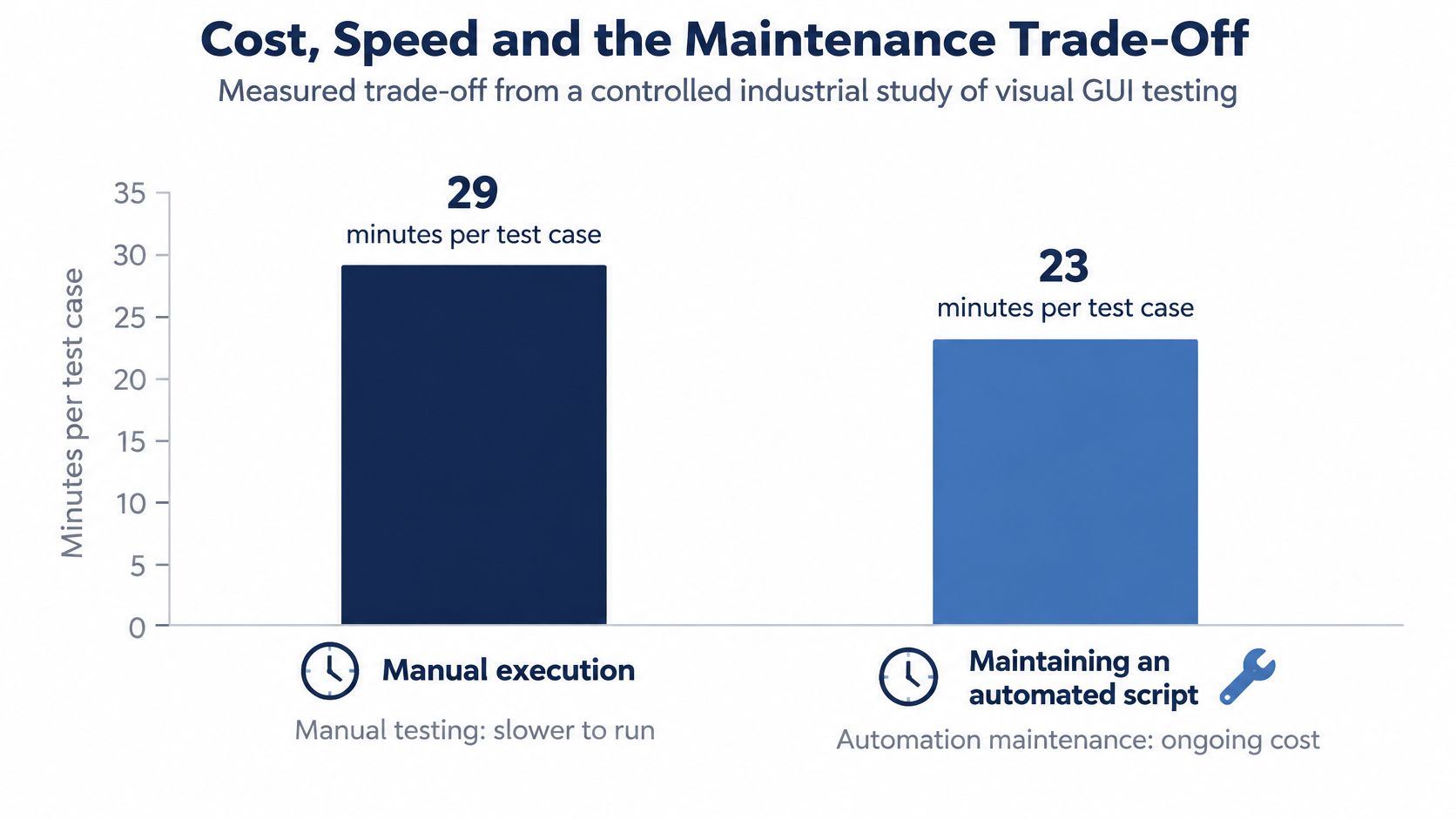
In a controlled industrial study of visual GUI testing, manual execution averaged 29 minutes per test case, while automated-script maintenance averaged 23 minutes per script in the best case and 110 minutes in the worst case, according to the controlled industrial study of visual GUI testing. Execution alone therefore exaggerates automation's saving.
Worked example regression pass and upkeep cost
| Scenario | Minutes | Hours |
|---|---|---|
| Manual regression pass of 40 cases (29 min each) | 1,160 | 19.3 |
| Maintain 10 scripts at best case (23 min each) | 230 | 3.8 |
| Maintain 10 scripts at worst case (110 min each) | 1,100 | 18.3 |
Say a UI release breaks 10 scripts. At the best maintenance rate, automation saves roughly fifteen hours against that manual pass. At the worst rate, upkeep nearly consumes the entire saving, and you still paid for tools, framework work, and training.
The short walkthrough below is useful when you discuss why the cheaper option changes with interface volatility.
Automation pays back fastest on stable, frequently repeated regression. It should own authentication, navigation, API-backed workflows, and repeatable acceptance criteria. Keep maintenance incremental after each interface change. Deferring repairs turns small locator or data updates into a large rewrite and makes the suite unavailable when you need fast feedback.
Manual execution remains rational for newly changed flows, layout variation, hardware interaction, and network behavior. Crowd testing on 99tests lets companies test across multiple configurations without investing in devices or hiring full-time staff. One customer said the value for money was equivalent to a handful of man days of traditional testing expense, which is a reminder to compare total release evidence, not hourly execution alone.
Run this break-even check monthly:
Monthly runs × minutes saved per run, minus monthly maintenance minutes.
If the result isn't clearly positive after including test data and environment repairs, don't automate that case yet. Rewrite it, stabilize the workflow, or keep a human executing it until repetition justifies the script.
Where Manual Testing Earns Its Place
A focused manual session starts with a written charter, not an instruction to “test the feature.” Use the setup shown below as the working model: a named risk, a time box, and notes another tester can follow.
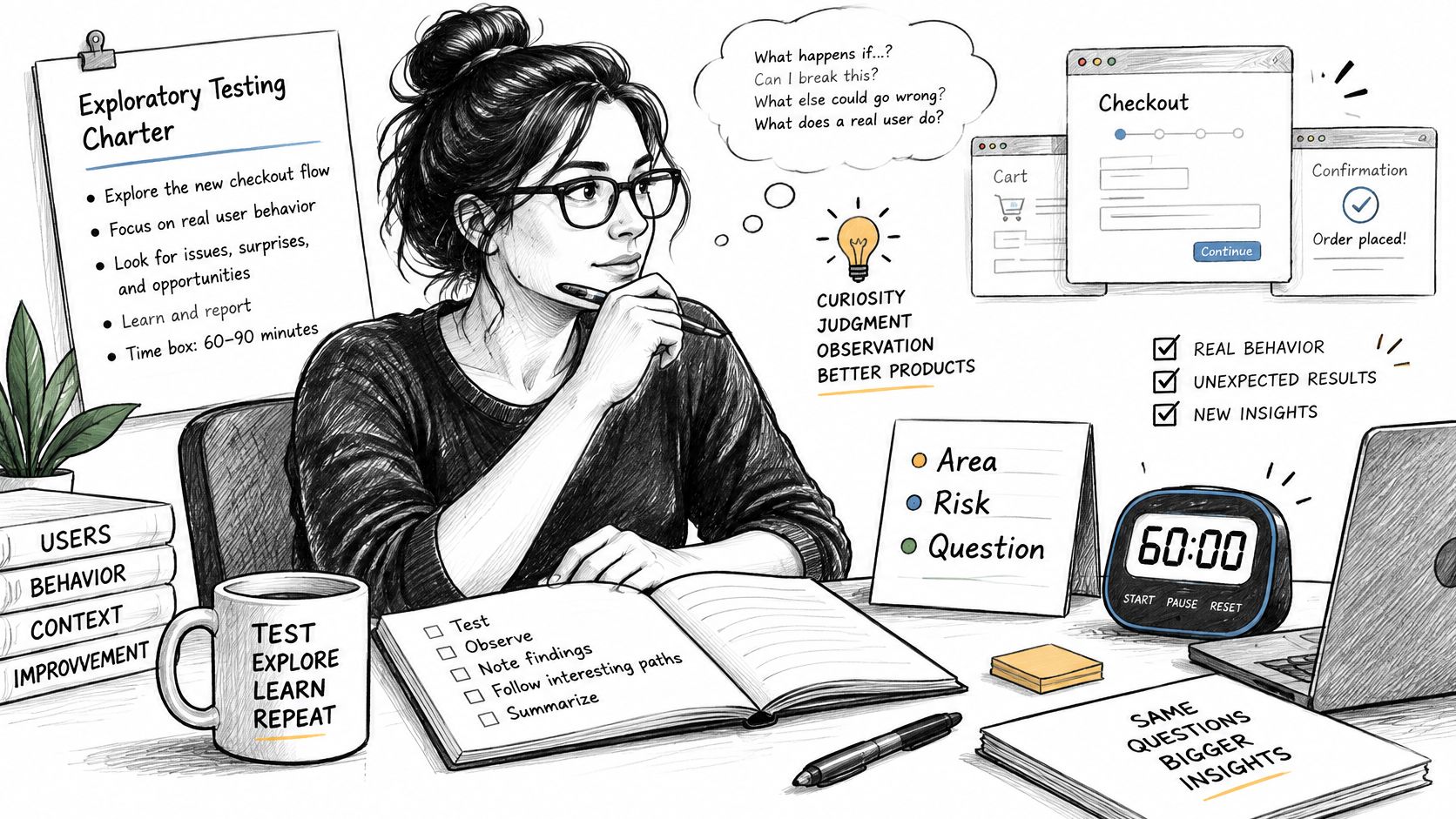
Time-box exploratory work at 60 to 90 minutes. State the area, user, risk, and question. For example, “Can a returning customer change payment details after an interrupted login on a budget Android phone?” gives the tester freedom while keeping the evidence reviewable.
Work that needs a person
- New feature exploration: Follow interruptions, empty states, back navigation, duplicate submissions, and recovery paths that weren't in the specification.
- Usability judgment: Check whether labels, ordering, defaults, and error recovery make sense before you freeze the flow into a script.
- Physical-device behavior: Test permissions, camera, biometrics, Bluetooth, calls, rotation, battery restrictions, and manufacturer-specific Android settings.
- Accessibility walkthroughs: Use a screen reader, keyboard or switch navigation where relevant, larger fonts, reduced contrast conditions, and portrait rotation.
Choose devices from your actual audience. Include budget Android handsets, older supported operating systems, and the slow or unstable networks local users experience. Our testing covers diverse user environments, including varying network strengths, different input methods, and hardware quirks. Devices are testers' own phones, laptops, and browsers, never emulators.
That's important because an emulator can prove that code runs in a controlled image. It can't fully reproduce a manufacturer's permission prompt, an aggressive battery saver, a cracked network handoff, or a browser already configured by its owner.
For structured QA manual testing, record the build, device, operating system, browser, network, steps, expected result, actual result, and supporting media. Mark each charter question answered, blocked, or unanswered.
A defect report is useful only when another person can reproduce the failure without asking the original tester what happened.
Pick the highest-risk flow changed this sprint. Schedule one charter-based session on two physical devices before the release candidate, and require a verdict for every question in the charter.
Where Automation Pays Off and Where It Stalls
Automation pays for itself where a check is boring, frequent, and precise. Login and session handling, core navigation, API-backed workflows, smoke checks, and stable regression cases belong in the pipeline, because their expected results rarely move and a wrong pass is expensive. Tools such as Selenium, Playwright, Cypress, Appium, or an API test framework rerun those assertions on every build without consuming tester attention.
For web checks, browser automation software ranked by DBotMaker is one external shortlist to start from. Judge any candidate against your browsers, reporting needs, test data model, and maintenance ownership rather than feature volume.
The stalls are predictable, and they cluster around evidence quality more than execution speed:
- Interface churn: Changed labels, structures, and element locators break scripts faster than teams repair them.
- Unstable test data: Shared accounts, expiring tokens, and non-deterministic records produce failures unrelated to product defects.
- Flaky environments: Slow services, shared device farms, and timing-sensitive steps erode trust in red builds.
- No framework owner: Suites decay when everyone can add scripts but nobody owns standards, data, or repair time.
A green suite has a narrow meaning. It confirms that scripted assertions passed in that environment. It does not show that a customer understands the flow, finishes it on a physical phone, or recovers from an interruption, so a run count is weaker evidence than verified coverage with a reason recorded for every gap.
Maintenance is the hidden line item. Crowd testers write the automation scripts, which are executed in the 99tests Test Automation Framework, and our plans include test case and automation scripts maintenance. Ownership stays explicit when execution becomes automatic.
Before automating a case, require three passes. The expected result is stable, the check runs often, and the manual repetition cost exceeds script upkeep. A login check on every build clears all three. A one-time inspection of new onboarding copy fails the first two, so keep it manual until the flow settles.
Verdict by Release Situation
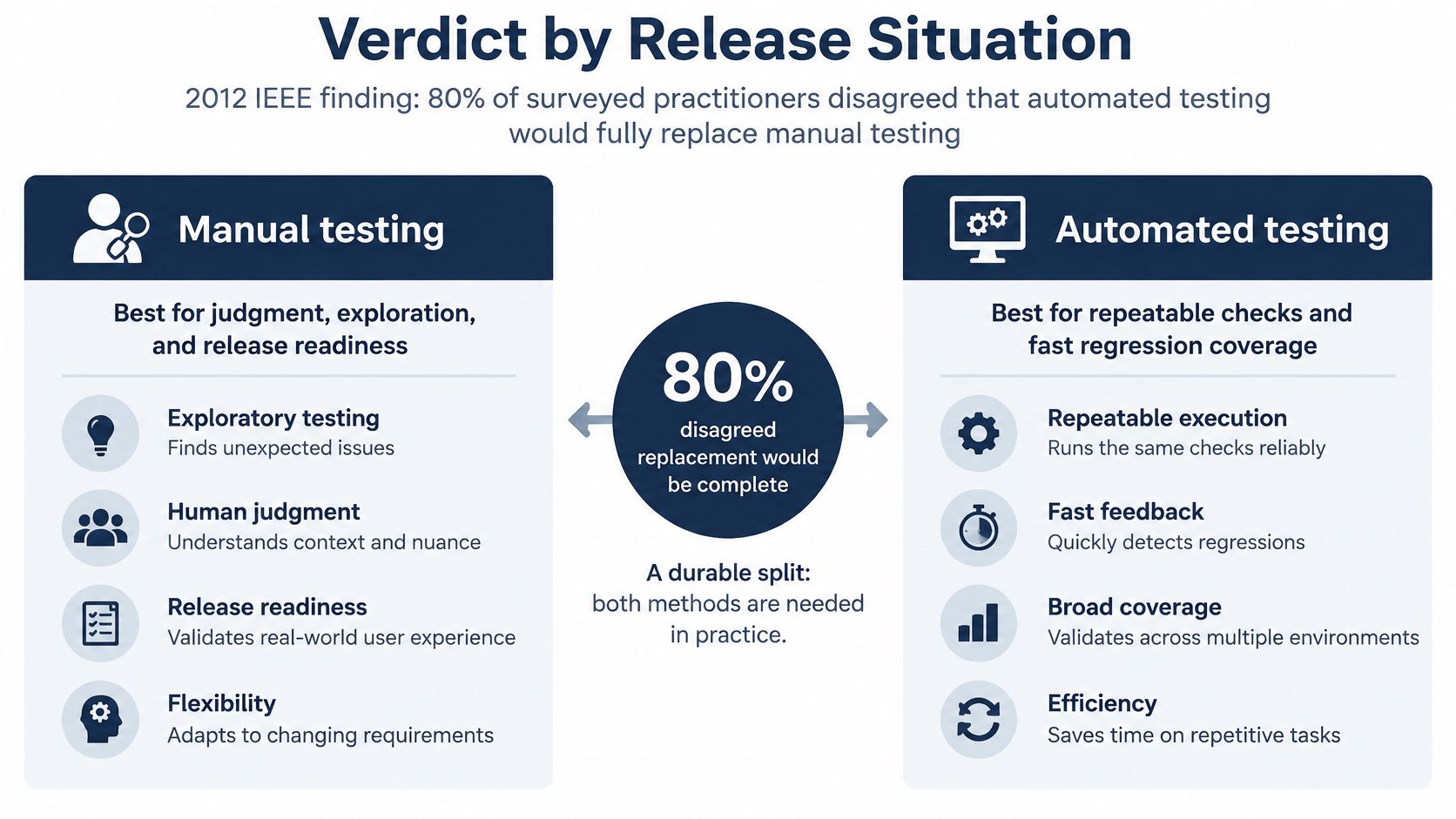
In a 2012 IEEE study combining a systematic literature review with a survey of 115 software professionals, 80% of surveyed practitioners disagreed that automated testing would fully replace manual testing, according to the 2012 IEEE study of automation benefits and limitations. Its strongest reported automation benefits were reusability, repeatability, broader coverage, and reduced execution effort. The principal limitations were high initial investment, tool selection, and training.
The comparison below keeps that split visible when you assign work by release situation.
Lead method by release situation
| Release situation | Lead method | Supporting method | Evidence to keep |
|---|---|---|---|
| Nightly build of a stable app | Automated regression | Weekly manual smoke test on two devices | Pass, fail and blocked counts per build |
| New feature in its first week | Manual exploratory sessions | Automated checks added once the flow stabilizes | Session notes and reproducible defect records |
| Android release across handset brands | Manual on physical phones | Automated smoke tests on a device farm or emulator | Device, OS and network matrix |
| Web release across browsers | Automated regression plus manual cross-browser checks | Manual checks on Safari and Firefox where scripts are weak | Browser and OS matrix with results |
| Accessibility sign-off | Manual with assistive technology | Automated scans for surface-level issues | Journey walkthrough record and findings |
| Unverified AI-generated test cases | Manual execution to validate each case | Automation only for cases that prove stable | Case-by-device report with unrun reasons |
Stable builds lean on automation because expected results change slowly. New features and new devices lean on people because the main risk is unknown behavior. AI-generated cases need human execution first, since generating a plausible case doesn't prove that it's relevant, executable, or correct on the target environment.
Read mixed results clearly. If the automated suite passes but manual sessions fail on two phones, the release isn't verified on those phones. Don't average the outcomes into a reassuring percentage. Fix the defect, block those devices, or accept the named risk.
A focused sanity testing pass can support a late fix, but it doesn't convert untested areas into covered areas. The verdict for customer-facing mobile and cross-browser releases is consistent: manual execution never drops to zero. Its share shrinks only as stable, valuable checks accumulate in automation.
Confirm Your Testing Mix Before the Next Release
Use this checklist before you freeze the release candidate.
- List changed risks: Name new features, altered integrations, changed permissions, new devices, browser updates, and any flow whose failure would block revenue, login, or support.
- Tag every case: Mark it manual or automated using stability, repetition, observability, and upkeep cost. Don't tag by team habit.
- Build the matrix: Specify device brands, models where they matter, operating systems, browsers, network conditions, and assistive technology for each case.
- Execute in the right place: Run automated cases in the regular pipeline and manual cases on physical devices and real browsers, using the same build whenever results will be compared.
- Report four states: Separate passed, failed, blocked, and unrun cases. Give a reason for every blocked or unrun item and name the owner who accepts or resolves the gap.
- Review after three releases: Move manual checks into automation only when their steps and expected results stayed stable and repetition cost more than maintenance.
This process changes the release question. Instead of asking whether your automation percentage looks mature, ask which customer journeys have evidence on the environments customers use. A smaller suite with explicit gaps is more trustworthy than a large dashboard that excluded failed devices, stale cases, or blocked accounts.
Where outside testers fit
We validate AI-generated test cases by having human testers manually execute them on a diverse range of real mobile devices, laptops, and browsers. We deliver detailed, human-verified pass/fail reports within three business days.
In-scope services include execution of test cases on real tester-owned phones, laptops, and desktops, exploratory testing around those cases, findings with steps and media, and reruns of the same plan on a new build. That makes outside execution useful when your team has cases but lacks the required device and browser matrix.
Keep expectations exact. Test automation, security or penetration testing, load testing, certification or audits, and writing your test cases are not included in any package. Keep those activities in-house or buy them separately.
Before engaging any provider: Prepare your cases in a spreadsheet or Markdown file, the application build link, test accounts and data, and the exact devices and browsers the release must support.
Clean inputs prevent a common waste of session time. Testers shouldn't spend paid sessions guessing which build is current, which account has permission, or whether an AI-generated step refers to a screen that still exists.
Finally, assign one internal owner to triage findings and decide which manual discoveries become automated regression checks. Without that owner, you'll collect evidence for one release but won't improve the testing mix for the next one.
If your team has AI-generated or human-written cases that haven't been proven on real phones, laptops, and browsers, 99tests can execute them manually across your target matrix and return human-verified pass, fail, blocked, and unrun evidence. Bring your cases, build link, and required environments, and we'll help you close the coverage gaps before customers find them.