Manual Mobile App Testing Guide for Real Devices
Learn what manual mobile app testing covers, how to run it on real devices, build a device matrix, record verified results, and decide release readiness.

In this article
- What Manual Mobile App Testing Covers and Why It Still Matters
- How to Run a Manual Test Session on a Real Device
- Choosing a Device Matrix That Exposes Real Faults
- Building the matrix from devices your users own
- Where the matrix usually goes wrong
- Recording Results Per Device and Per Test Case
- The four statuses a case can end in
- Common Challenges and How to Work Around Them
- Testing Accessibility on Real Phones
- Verifying Results and Deciding Whether a Build Ships
A release candidate goes up on Play internal testing at four in the afternoon. A tester opens it on their own phone, taps into checkout, and watches a button take a full second to respond on a small screen. The automated suite passed an hour earlier, on a flagship in a device lab.
That gap is the whole argument for manual mobile app testing. The binary is identical in both runs. The phone, the network, the system font size and the person holding it are what change.
Every release decision rests on a thin chain of evidence: a device, a build, a test case, a recorded result. Break any link in that chain and the pass rate becomes a number nobody can defend in a post-incident review.
What Manual Mobile App Testing Covers and Why It Still Matters
Manual mobile app testing is a person executing test cases, or exploring without a script, on physical phones and tablets, then judging whether the app behaved the way a real user would experience it. The tester holds the device, watches the screen, listens to the app, and decides. A test drive on a wet road tells you what a spec sheet cannot about how a car handles, and holding a phone on patchy 4G tells you what a passing script cannot about your app.
It remains standard practice. In 2024, 47% of surveyed senior IT professionals and application developers said their organizations used manual testing for mobile applications, according to Tricentis' State of Mobile Application Quality Report 2024. The other half didn't abandon human judgment; many of them haven't found a way to prove coverage without it.
The three approaches occupy different parts of a release, and confusing them is where coverage claims start to rot.
| Aspect | Manual on real devices | Automated scripts | Emulator-only checks |
|---|---|---|---|
| Who executes the test | Human tester | Script runner | Script runner on a virtual device |
| Hardware used | Physical phones with real sensors, carriers and networks | Usually a fixed lab device pool | Virtual device profiles |
| Best at catching | Touch, layout, interruptions, usability and device-specific faults | Regressions in stable, repeated flows | Basic logic and layout errors early in development |
| Main limitation | Slower and harder to repeat exactly | Misses what it was not scripted to check | Can miss hardware and OS-specific behavior |
| Best used for | Exploratory checks and release-readiness evidence | Repeated smoke and regression runs | Early builds before devices are available |
What a person catches that a script usually doesn't: a swipe-to-delete that registers as a scroll, pinch-zoom on a map that jumps back a level, a long press that opens the wrong menu. Layout on a small budget screen with the system font set to large. An incoming call arriving mid-payment, then the app returning to a blank cart. A price rendered as a truncated string of digits because the column ran out of room.
A passing script proves the path you scripted still works. It says nothing about the path a user actually takes.
In our sessions the hardware is always a tester's own phone on their own network, never an emulator profile, because the faults worth catching tend to live in that difference.
How to Run a Manual Test Session on a Real Device
A session is only as good as its record. Seven steps, each with the reason it exists and the mistake that usually undermines it.
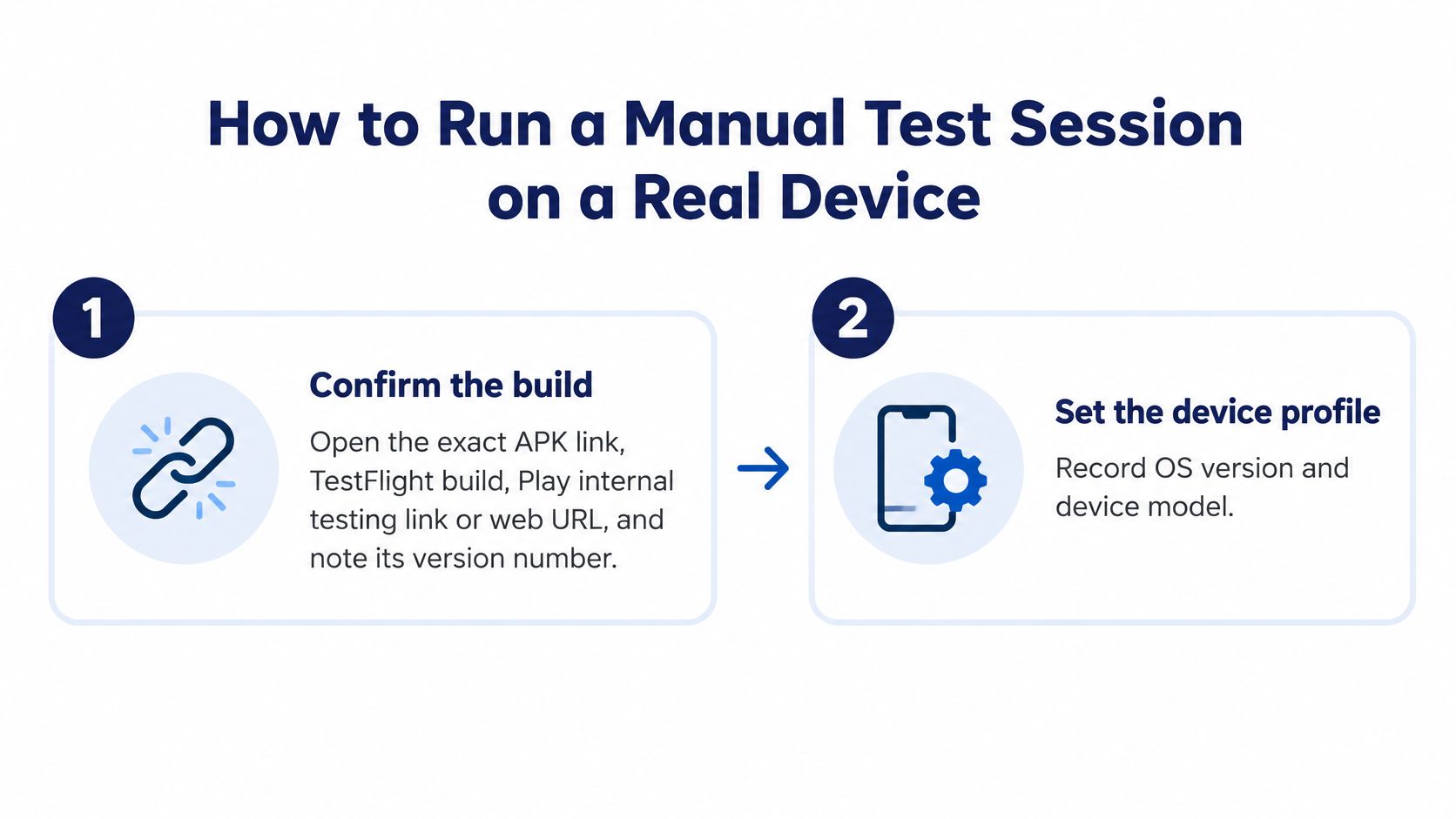
- Confirm the build. Open the exact APK link, TestFlight build, Play internal testing link or web URL, and write down its version number before you tap anything. The common slip is testing whatever was installed last week while reporting against this week's build number.
- Set the device profile. Record OS version, device model, language, network and screen orientation before the first tap. The same case can pass in portrait on Wi-Fi and fail in horizontal orientation on a weak 3G signal, and nobody can reproduce what nobody wrote down.
The first two steps make everything after them auditable.
- Write the expected result before you start. Read the case and note what should happen in your own words. The reason is simple: once the app is on screen, it is human nature to treat whatever you see as correct.
- Start from a clean state. Fresh install or cleared app data when the case calls for it, because cached tokens, old carts and stale sessions produce false passes on the second run. Installing a build outside a store link is its own small workflow, and the permission prompts a first-time user meets belong in the session record; HuntScout on Android walks through an app download and install on a physical phone, which is the sequence a tester repeats for every fresh-state case.
- Execute the steps as written, then explore around them. When a screen looks slow or a layout sits wrong, stay there and vary the input: rotate, background the app, switch to airplane mode and back. Log what you find as an exploratory note rather than folding it into the scripted result.
- Record the outcome with evidence. Mark the case pass, fail, blocked or not run, and capture a screenshot or a screen recording on that device. A status without media is an opinion.
- Log each failure as a finding. Reproduction steps, expected behavior, actual behavior, environment details and a severity. Without all five, a developer spends the afternoon asking you questions instead of fixing the defect.
Practical rule: if a second tester can't reproduce your failure from the report alone, the report isn't finished.
A healthy session ends with every case carrying a status, the environment written down, and each finding reproducible by someone who never touched that phone.
Choosing a Device Matrix That Exposes Real Faults
Defects often depend on the exact hardware and software combination rather than on the app alone. A 2015 empirical study examined 15 Android applications across 30 mobile devices using real devices and remote testing services, and identified 24 device-specific faults. When the researchers compared selection strategies, a random set of 13 devices reached 100% effectiveness against those faults, while a coverage-oriented set of just five devices hit approximately 90%, as reported in the 2015 study of device selection for Android testing.
That contrast is the useful part. Fewer, deliberately chosen devices got close to the detection power of a much larger random set. Volume isn't coverage.
Many teams already test on more than one phone. In 2025, 40 of 44 surveyed developers reported testing Android applications on multiple Android devices, according to an empirical study published in Empirical Software Engineering. The open question is whether that set was chosen or inherited.
| Dimension | What to vary | Example target |
|---|---|---|
| Operating system | Major Android and iOS versions in active use | Android 13 and Android 14, plus the latest iOS and one version back |
| Manufacturer | Different Android brands and interface skins | Samsung Galaxy, Xiaomi Redmi, Vivo and Realme |
| Screen | Size, resolution and aspect ratio | A small budget screen and a large flagship screen |
| Hardware tier | Memory and processor class | A low-RAM budget phone alongside a mid-range phone |
| Network | Carrier and connection quality | Jio, Airtel and Vi on 4G, plus a weak-signal test |
| Browser (web apps) | Desktop browsers and operating systems | Chrome and Edge on Windows, Safari on macOS, Firefox on Windows |
Building the matrix from devices your users own
Start with analytics, not a wish list. Pull the top device models, OS versions, screen sizes and networks from your own telemetry, then deliberately add what the data undersells: an older Android version, a manufacturer with a heavy interface skin, and one low-memory phone. For an Indian release, that usually means a budget Redmi, Realme, Vivo or Galaxy next to an iPhone, tested across Jio, Airtel and Vi rather than office Wi-Fi. The testers we work with run cases on exactly those devices and networks, which is often the closest match to the install base a release meets.
A fuller set of criteria for picking that shortlist is laid out in these five parameters for choosing devices in mobile app testing.
Where the matrix usually goes wrong
Two failures repeat. The first is a matrix that is really a shopping list, five phones selected and no test case mapped to each one, so nobody can say which combinations were verified. The second is reading an aggregate pass rate from a single flagship and calling the release compatible. A fault isolated to one OS version or one manufacturer's skin stays invisible in that number, and it surfaces as a one-star review instead of a bug ticket.
Recording Results Per Device and Per Test Case
A configuration change can flip a lot of results. A large empirical study of Android testing analyzed more than 2,000 test cases across 18 applications and 88 configurations, spanning five factors that included six physical devices, three virtual devices, five Android API levels, two locales and two screen orientations. More than 15% of the test cases produced different results under different configurations, and only one of the 18 applications showed no variation at all, according to the configuration study in the NSF public access repository.
The variation was not limited to crashes. Some differences were subtle, which means a single pass or fail bit can conceal a change in output, behavior or coverage. That is why every result needs the device, OS version, locale, orientation and execution context attached to it, whether or not the app code changed.
The four statuses a case can end in
| Status | Meaning | What to record |
|---|---|---|
| Pass | Behavior matched the expected result on this device and build | Device, OS, build version and a screenshot |
| Fail | Observed behavior differed from the expected result | Reproduction steps, expected and actual behavior, severity and a screen recording |
| Blocked | The case could not proceed | The blocking screen or dependency, such as a login wall or an ad overlay |
| Not run | The case was not executed on this device | The reason and the planned re-run on the next build |
Blocked cases often get absorbed into a pass count. A case stopped by a login wall, an ad overlay or a backend that never responded says nothing about the feature, so it belongs in its own column with the blocking screen named. Every case marked not run needs a reason a release manager can read without asking a follow-up question.
A blocked case and a passed case look identical in a total. Only the grid separates them.
For a practical reporting standard, mark every case pass or fail after a human executes it, and attach a screenshot to each failing case. That pairing lets a developer see the defect instead of reconstructing it. 99tests follows this model in its own reporting, with human-verified pass or fail results and screenshots from the actual device.
The coverage report to push for is a case-by-device grid: each row a test case, each column a device, each cell a status. One glance shows which combinations are verified and which are assumptions. A software testing report template built around this structure keeps the format consistent across releases. Without that grid, aggregate test counts overstate what was covered.
Common Challenges and How to Work Around Them
Too many models and too little budget are the first problems teams encounter, and they arrive alongside real volume. In 2024, more than one-third of Kobiton's survey respondents reported executing at least 100 manual test cases per application release, based on Kobiton's 2024 mobile test automation trends report. A hundred cases times eight phones is a schedule problem before it's a quality problem.
| Problem | Usual cause | Practical fix |
|---|---|---|
| Device fragmentation | Too many models to cover within budget | Start with a short baseline of market-relevant devices and add devices when new failures appear |
| Duplicate bug reports | Several testers hit the same defect | Merge reports that share reproduction steps and environment |
| Inconsistent severity | No shared grading rule | Write a severity rubric before testing begins |
| Incomplete bug reports | No steps, environment or media | Require steps, expected and actual behavior, environment and a screenshot in every report |
| Limited device access | The team owns only a few phones | Use testers who own the requested phones and browsers |
Duplicates and severity drift cost more than they look. Two reports of the same crash on two builds get triaged twice, and a "high" from one tester against a "medium" from another turns prioritisation into a negotiation. Fix both with process, not effort: a written rubric with named examples, and one owner who merges findings by reproduction steps plus environment before anything reaches the bug tracker.
Device access is the constraint that doesn't move with process. A team with four phones can't check compatibility on the other twenty configurations its users own. Crowd testing closes that gap, and crowd testing on 99tests lets companies test across multiple configurations without investing in devices or hiring full-time staff, because sessions are matched to testers who already own the requested phones. The trade-offs of leaning on people rather than scripts are set out in the drawbacks of manual testing, and most of them come down to scheduling and record-keeping rather than detection quality.
Then there's time. Run the highest-risk journeys first, sign-in, payment, order tracking, whatever breaks revenue, so the cases that matter are never the ones left unrun when the session clock runs out.
Testing Accessibility on Real Phones
Accessibility is a journey risk, not a compliance checkbox you tick near release. A 2025 U.S. disability-experience study found that 72% of tested mobile apps were rated "Poor" or "Failing" on at least one essential step of the user journey, per the 2025 research on mobile app accessibility for disabled users. Its participants used screen readers, magnification, text-to-speech, speech-to-text, and color or contrast modifications.
Functional testing with default settings misses those failures entirely. An app that passes every scripted case on a flagship can still block a user who depends on assistive technology from finishing checkout. Run each priority journey, including sign-in, checkout, account management and any emergency workflow, under these settings on a physical phone.
- TalkBack or VoiceOver, swipe only. Complete the journey without tapping by sight and confirm every control announces a label a person would understand. "Button" and "Image" are failures, not quirks.
- Largest system text size. Check that buttons, prices and form labels survive without clipping, overlap or disappearing behind a fixed header.
- High-contrast or grayscale mode. Confirm error messages and focus indicators stay visible against the background.
- Dictate into a form field with speech-to-text, then confirm the saved value matches what was said, including names with unusual spellings.
- Text-to-speech on a key screen. Listen for reading order that follows the visual order; scrambled order makes a screen unusable even when every label exists.
Log each failure as a normal finding, with the device, OS version and the assistive setting in use, so a developer can reproduce it in minutes rather than arguing about whether it exists. Separating a cosmetic defect from a journey-blocking one matters more here than anywhere else: a mismatched focus ring is a backlog item, while a checkout that can't be completed with a screen reader is a release blocker.
These checks belong in the device matrix for every release, not in a separate audit that happens once a year.
Verifying Results and Deciding Whether a Build Ships
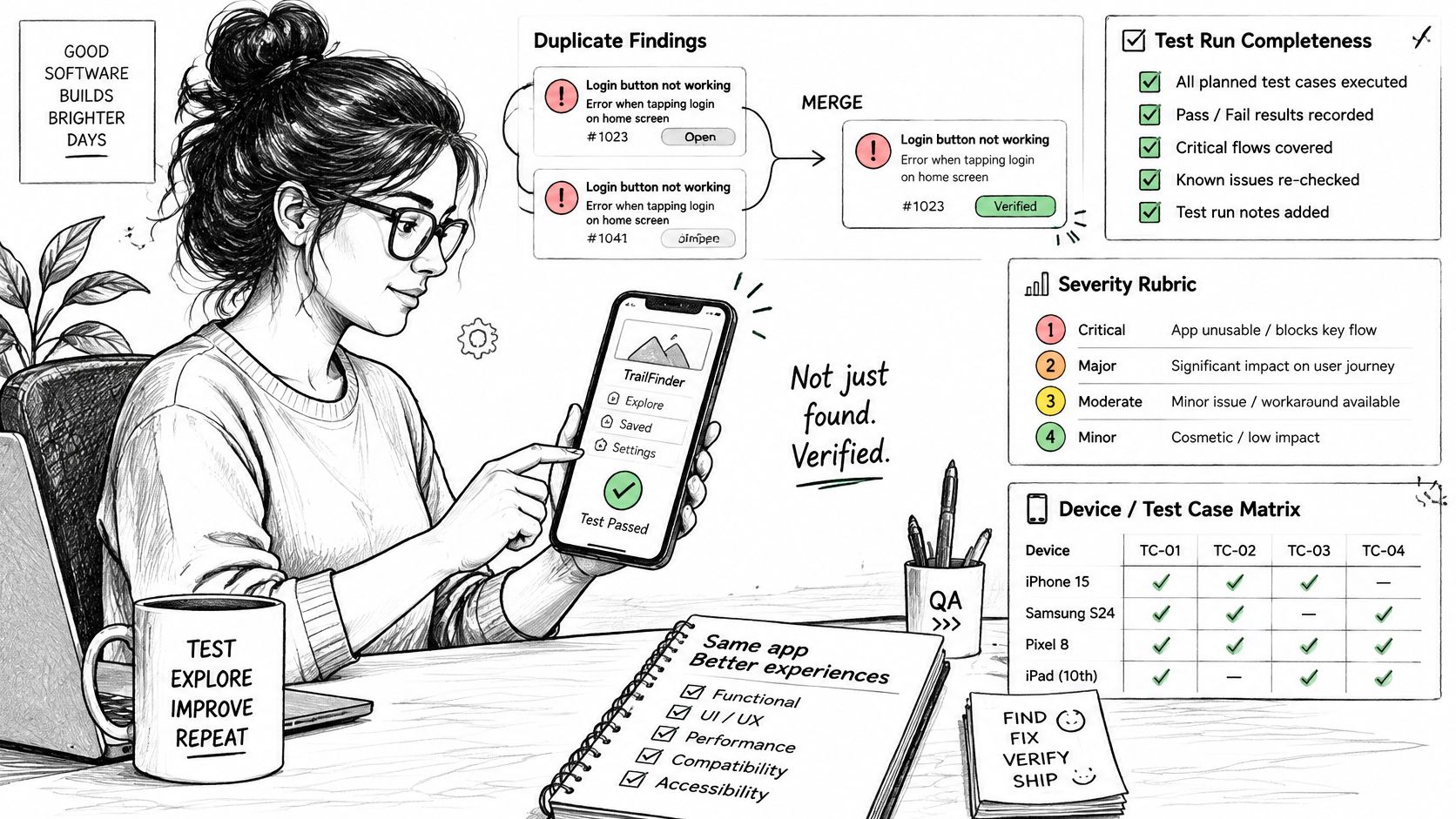
Verification means someone checks a result, not just records it. That means merging duplicate findings, confirming each one is complete enough to reproduce, grading severity against the written rubric, and stating plainly which cases ran on which devices. A report that survives that pass is something a release manager can sign.
The stakes have risen because more cases now arrive generated rather than written. A 2025 analysis of large-language-model test generation for mobile apps reports correctness problems including compilation errors and execution failures, and notes that generated tests can fail to get past login screens and advertisements while execution traces often don't show whether a meaningful workflow such as logging in or composing a message was exercised, as described in this 2025 study of LLM-generated mobile tests. The practical question isn't whether AI can write cases. It's how you prove each generated case ran on the intended device, OS and app state.
Decision rules worth agreeing on before the release meeting, not during it: open critical or high findings block the release until they're fixed or formally accepted. A priority journey with many blocked or not-run cases has no evidence behind it, however high the headline pass rate. And a pass on a reduced matrix supports only the devices tested, which the release note should say out loud.
Fixed builds get retested against the same plan, on the same devices, so the comparison means something.
The go or no-go check, in order:
- Every priority case has a status on each agreed device.
- No open critical or high finding remains without an accepted fix plan.
- Every blocked or not-run case has a reason and a named risk owner.
- The matrix still matches the devices and networks your users use.
- Failed cases were re-run on the fixed build.
- The release manager reviewed the report, not just the summary line.
Ship rule: a no-go costs a day of schedule. A checkout button that fails on one carrier's budget phones costs a quarter of trust.
For this week, do the small version: pick the matrix from your telemetry, export your priority cases from the spreadsheet or TestRail, and send the build link with the device list attached. 99tests runs those cases on tester-owned phones, laptops and browsers, adds exploratory testing around them, and re-runs the same plan on each new build, with human-verified pass/fail reports delivered within three business days.
Manual testing only becomes release evidence when every case is tied to the device it ran on and the result it produced. 99tests turns your test cases, including the ones your AI coding tools generated, into device-specific sessions on real Redmi, Realme, Galaxy, Vivo and iPhone hardware on Jio, Airtel and Vi networks, then returns pass/fail reports with screenshots, coverage grids and reasons for every case that couldn't run. Send a build link and your case list to 99tests and see which combinations your current pass rate has been hiding.