Bugs Report Template with Fields, Steps and Examples
Copy this bugs report template with reproduction steps, expected and actual results, environment fields and evidence for web and mobile teams.
In this article
- Copy-Ready Bugs Report Template With Core Fields
- Fields that deserve an explicit answer
- How to Write Steps and Expected Versus Actual Results
- Preserve state-changing actions
- Filled Example Report for One Bug
- Identification and setup
- Execution and evidence
- Environment Fields for Web and Mobile Bug Reports
- State the tested scope honestly
- Severity, Priority and Confidence Grading Rubric
- Grade impact without inventing certainty
- Preserve the grading decision
- Evidence and Duplicate Checks Before You File
- Check for an existing issue
- Reporting AI-Generated and Unexecuted Test Cases
- Add fields that establish execution
- Assign a status without upgrading assumptions
- Common Template Mistakes and How to Fix Them
- Separate diagnosis from observation
- Review in separate passes
- Run the Template on Your Next Build
- Execute the matrix and preserve the comparison
Duplicate rates exceeded 25% for both VS Code and Thunderbird in the GitBugs dataset study of more than 150,000 reports across nine open-source projects. A report can describe a genuine failure and still give the team no new work to act on. The useful question isn't just what broke, but what was executed, under which conditions, and what the evidence establishes.
A bugs report template should capture that execution record. It should let a developer repeat the test, distinguish observations from assumptions, and understand how much of the affected environment has been checked. A template can't guarantee reproduction or identify the root cause, but it can make missing evidence visible before triage begins.
Copy-Ready Bugs Report Template With Core Fields
| Field | What to enter | Example |
|---|---|---|
| Identification | Searchable identity and grading | Illustrative checkout defect |
| ID | Tracker-generated number linked to the test case | BUG-2041, linked to CHK-014 |
| Title | One sentence naming the feature, the condition and the symptom | Checkout does nothing after coupon applied on Android 14 |
| Severity | Impact if the defect exists, graded against the rubric | Critical |
| Priority | Urgency and scheduling set by the release owner | P1 before release |
| Reproduction | Setup, actions and observations | Recorded execution |
| Preconditions | Account state, app version and data needed before step 1 | Logged-in test account; app 5.4.2; one eligible item in cart; coupon SAVE20 active |
| Steps | Numbered, one user action per line, with exact values | 1. Open cart. 2. Enter SAVE20. 3. Tap Apply. 4. Tap Pay. |
| Expected | The behavior the specification or prior version promises | Discount applied and payment screen opens |
| Actual | What was observed, with error text copied verbatim | Spinner for 10 seconds, then no response and no error shown |
| Repro rate | How many attempts reproduced the failure | 5 of 5 attempts |
| Environment | Configuration actually tested | Named target and build |
| Environment | Structured device, OS, browser, network and locale | Google Pixel 8; Android 14; native app 5.4.2, build 5420; browser not applicable; Wi-Fi; en-IN |
| Evidence | Inspectable execution artifacts | Attachments stored with the ticket |
| Evidence | Screenshot, screen recording, log or minimal test case | Checkout recording and timestamped logcat excerpt attached |
| Tracking | Origin and verification history | Traceable test outcome |
| Test case ID | The case from the plan that produced the finding | CHK-014 |
| First seen build | Earliest build where the failure appeared | 5.4.0, build 5412 |
| Verification status | Reproduced, not reproduced, intermittent or not tested, with verifier name | Reproduced by QA lead Maya on 2 devices; configurations recorded |
The values above are a hypothetical example, not findings about an actual application. Copy the table into Jira, Linear, a spreadsheet or a test management tool, then replace every example with execution facts. In a spreadsheet, split the environment components into separate columns so they're filterable.
The title names the feature, condition and symptom. It doesn't assert that the coupon service or payment gateway caused the failure. That restraint keeps the ticket useful before anyone has investigated the implementation.
Fields that deserve an explicit answer
Repro rate needs a numerator and denominator, not just an always label. First seen build means the earliest affected build you've observed, not necessarily the build that introduced the defect. Verification status records what another tester established, rather than repeating the reporter's confidence.
For localized form testing, resources such as Kiwiform's multilingual lead generation forms provide context for cases where language is part of the setup. Record the selected form language and application locale separately rather than assuming they're identical.
The separation of steps, actual behavior and expected behavior follows Mozilla's bug-writing guidance. Keep these fields distinct even if your tracker combines them inside one description.
Copy the template for an open bug. Ask a colleague unfamiliar with the application to follow it without a spoken explanation, and record every clarification they need.
How to Write Steps and Expected Versus Actual Results
In a 2023 study of 180 reproducible Android bug reports mined from GitHub, 92% didn't include all steps required to reproduce the failure. Even a report associated with a reproducible bug can omit essential setup or actions.
Write the sequence as an executable procedure, not a recollection of the testing session.
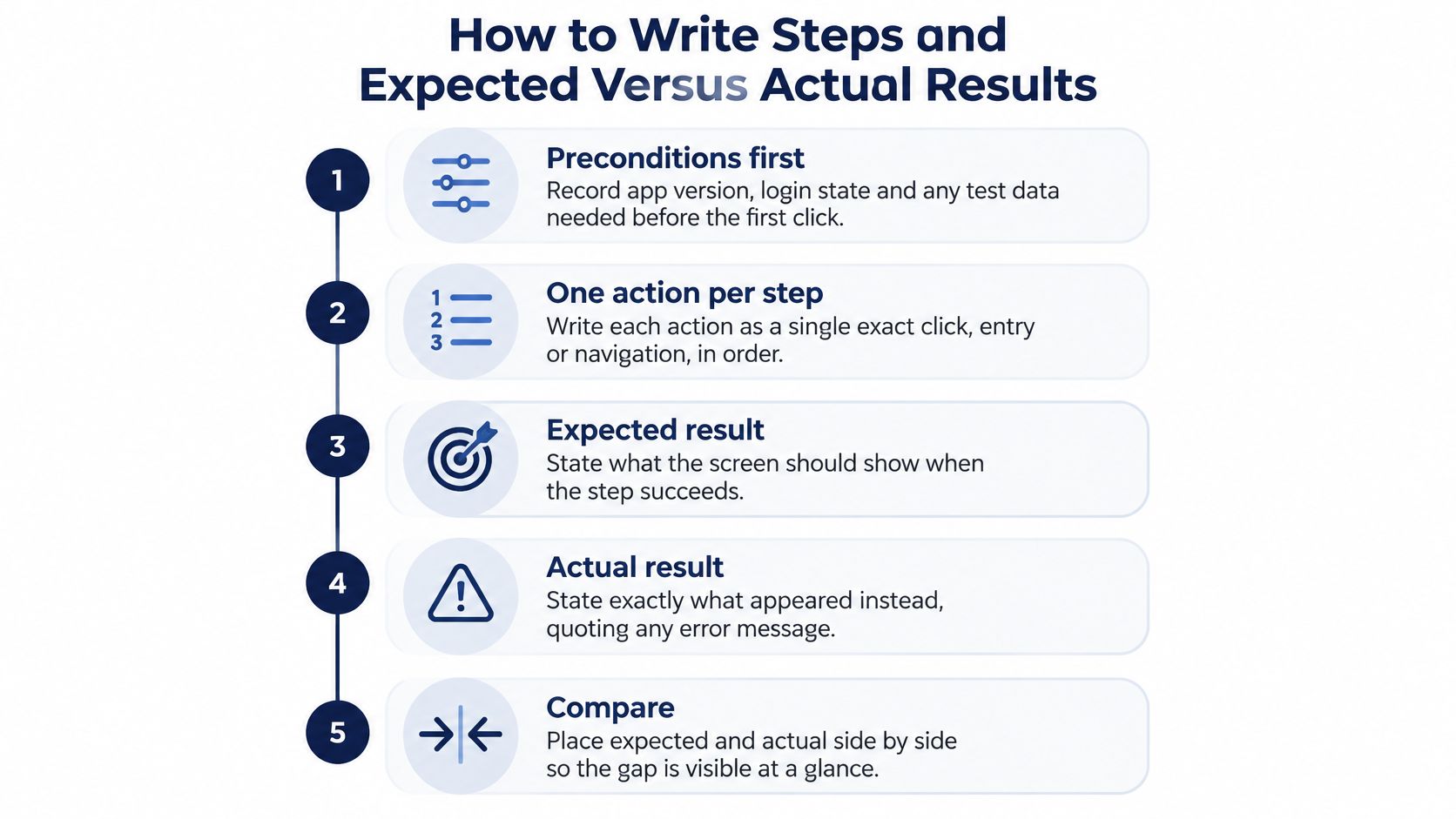
- Write preconditions first. Specify the installed build, login state and required test data. Don't hide account setup inside an instruction to open checkout.
- Use one action per numbered line. Name controls exactly as the interface labels them. An instruction to complete checkout conceals the actions the developer needs to repeat.
- Include exact input values. Record the coupon, search term or selected option. If sensitive data is involved, provide an authorized test fixture rather than a real customer's details.
- Stop where the failure first appears. Remove unrelated actions only after checking that the shorter sequence still reproduces it. A long navigation history isn't automatically a necessary reproducer.
- State the expected result independently. Identify the specification, acceptance criterion or confirmed previous behavior that establishes the expectation. Don't turn a personal preference into a requirement.
- Describe the actual result without diagnosis. Copy visible error text verbatim. If nothing happens, say which screen remains visible and whether a spinner, message or navigation appeared.
- Read the procedure as a stranger. Replace vague references to some data with the actual fixture. Replace works sometimes with a counted result, such as a hypothetical failure in three of ten attempts.
This visual summarizes the sequence from setup to comparison.
Preserve state-changing actions
Suppose a dashboard fails only after a second login. The procedure must include the first successful sign-in, sign-out, return to the login screen and second sign-in with the specified account. Starting from the second sign-in assumes the state that triggers the defect.
Practical rule: Minimize the steps, but never minimize away the condition that makes the bug happen.
When assessing inherited codebases and release reliability, Grail Computer Labs provides a useful broader context for examining engineering quality. A precise reproduction record contributes something concrete to that assessment: another engineer can check behavior without relying on the original tester's memory.
Filled Example Report for One Bug
Consider this hypothetical completed report. Its build identifiers, timings and outcomes illustrate what a filled ticket should look like.
Identification and setup
- Title: Checkout does nothing after coupon applied on Android 14.
- ID and source case: BUG-2041, from CHK-014.
- Build history: Executed on app 5.4.2, build 5420; first observed on 5.4.0, build 5412. Introduction point not established.
- Severity: Critical under the team's rubric because payment can't complete and no viable workaround was found in the tested workflow.
- Priority: P1 before release, assigned by the release owner.
- Preconditions: Logged-in test account, one eligible cart item, active SAVE20 coupon and en-IN locale.
Execution and evidence
- Open cart.
- Enter SAVE20 in the coupon field.
- Tap Apply.
- Tap Pay.
Expected: The discount is applied and the payment screen opens, as required by the checkout acceptance criterion.
Actual: A spinner appears for 10 seconds, then disappears. The cart remains visible, with no response and no error shown.
- Reproduction rate: 5 of 5 attempts on Google Pixel 8.
- Environment: Pixel 8, Android 14, Wi-Fi, en-IN; native app, browser not applicable; battery saver off.
- Evidence: Attached 0:42 screen recording and timestamped logcat excerpt, associated with this execution.
- Verification: QA lead Maya reproduced it on Pixel 8 and Pixel 7, both running Android 14 and build 5420. Verification date: 2026-02-12.
- Confidence and scope: High confidence in the observed failure; platform-wide impact not established.
The developer can identify which build, which actions, how often and which targets without asking the reporter. The report still doesn't claim to know why payment failed.
Environment Fields for Web and Mobile Bug Reports
An environment note that says fails on Android doesn't identify a rerunnable configuration. It also overstates the scope if the reporter tested only a particular handset.
Record the configuration as structured fields. That lets a verifier match the original setup and a release manager distinguish tested targets from assumptions.
| Platform | Required fields |
|---|---|
| Android phone | Manufacturer, model, Android version, app build, network type, locale |
| iPhone | Model, iOS version, TestFlight or App Store build, Low Power Mode state |
| Desktop browser | Browser name and exact version, OS and version, screen size, zoom level, extensions state |
| Web app | Full page path, account type, permissions granted, viewport width |
For Android, the manufacturer and model distinguish hardware targets that share an OS version. For iPhone testing, record the installed build rather than only the marketing version, and capture whether Low Power Mode was enabled.
A desktop browser's screen size isn't the same as its viewport. Browser chrome, zoom and window dimensions can change the available layout area, so capture the actual viewport when investigating responsive behavior. For web apps, record the page path without exposing access tokens or sensitive query parameters.
State the tested scope honestly
Across platforms, include network conditions, battery saver state, account state and permissions. A denied permission or expired session can change the result without any change to the application binary.
Use a bounded statement:
Observed on Google Pixel 8 with Android 14 under the recorded account and network conditions. Other Android targets have not been tested.
Keep these outcomes separate:
- Not reproduced: The specified procedure was executed, but the failure didn't occur.
- Not tested: No execution evidence exists for that target.
- Reproduced intermittently: The failure occurred during some recorded attempts, with the attempt count preserved.
A nearby control helps isolate the scope. Run the same case on another device or browser while keeping the build, account and input constant, then record both outcomes. Don't call the control a pass if the tester couldn't complete the procedure.
The guide to testing an app on real devices helps teams plan those target-specific checks. When device access is limited, document the missing targets instead of expanding a narrow observation into a platform-wide claim.
Missing configuration fields give the developer a legitimate reason to return the ticket for clarification.
Severity, Priority and Confidence Grading Rubric
| Level | Meaning | Example |
|---|---|---|
| Blocker | Prevents core use, release or test execution | App crashes on launch for all users |
| Critical | Crash, data loss, security or payment failure, or no viable workaround | Payment fails on iOS 18 for every card type |
| Major | Important function materially broken | Search returns no results on Firefox for Windows only |
| Minor | Limited functional degradation with a workaround | Sort order resets after page refresh |
| Trivial | Cosmetic or wording issue | Button label reads Submited |
These are proposed operational definitions, with illustrative examples, not a universal grading scheme. IEEE 1044-2009 establishes a uniform approach to classifying software anomalies but doesn't prescribe a required report format. Publish your team's definitions so reporters and verifiers apply the same criteria.
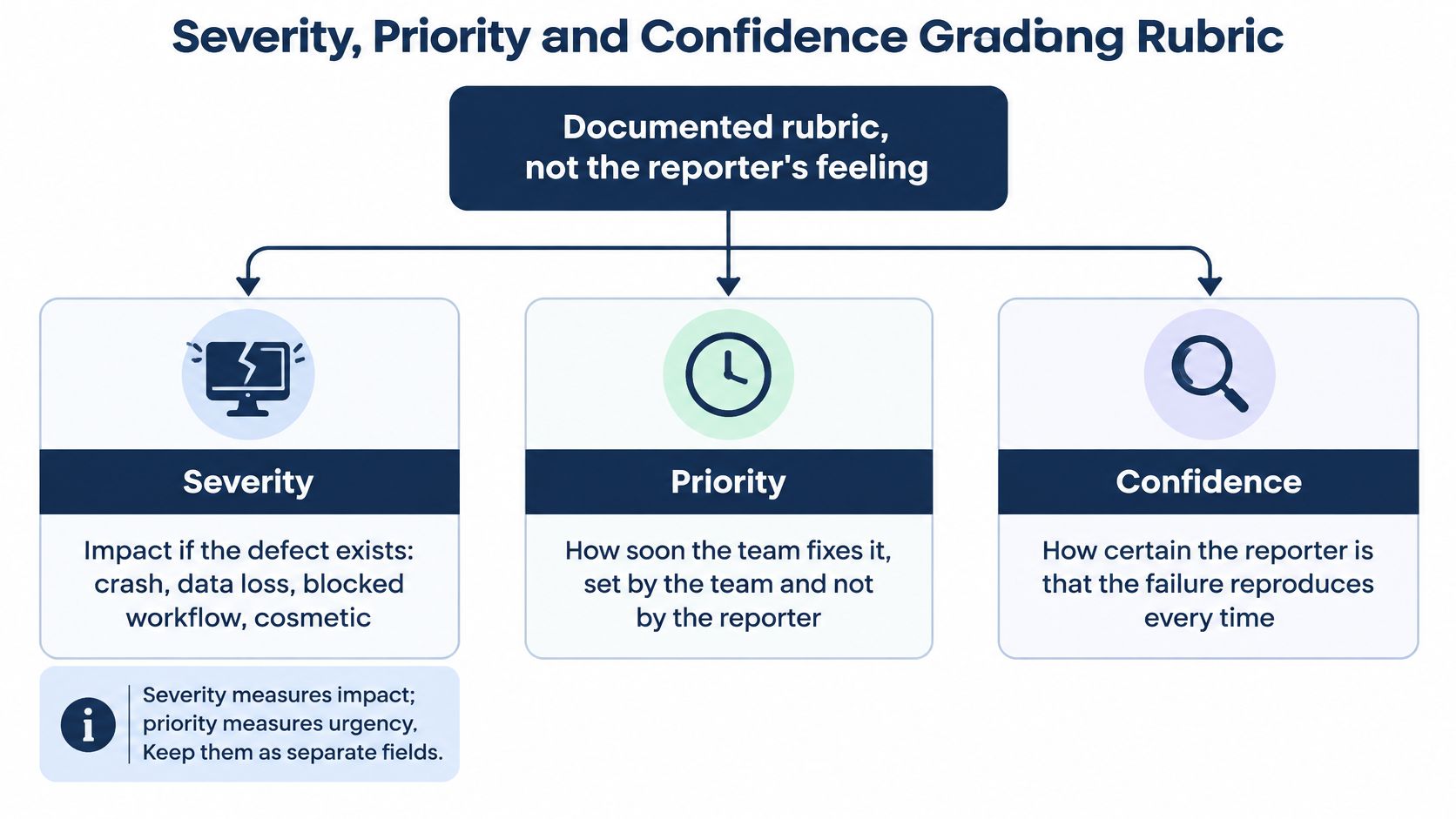
Severity measures impact if the defect exists. Priority measures urgency and scheduling. The release owner can prioritize a visible wording error without pretending that it causes functional damage.
The diagram separates those judgments from confidence.
Grade impact without inventing certainty
Use an observable acceptance test for each grade. Ask whether the failure prevents the workflow, whether a viable workaround exists, and which tested configurations are affected.
A payment failure confined to a browser version may still be critical if affected users can't complete payment. Conversely, reproducing a cosmetic defect on every tested target doesn't make it a blocker. Scope and frequency inform the decision, but neither substitutes for impact.
Record confidence separately. A high-impact failure observed during a single execution deserves attention, but its impact doesn't prove repeatability. Confidence should reflect the strength of the evidence and remaining uncertainty, not whether the tester feels sure.
Preserve the grading decision
Keep the following beside the grade:
- Reproducibility and scope: Attempt counts and affected configurations.
- History: Regression status, first observed build and known workaround.
- Traceability: Duplicate linkage and reporter or test-session identity.
- Verification: Verifier, verification date and retest evidence.
At 99tests, we grade severity against a published rubric with a confidence score. When a verifier changes a tester's grade, the report records the change and why it was made.
That explanation matters when someone later compares release results. A grade lowered because a workaround was confirmed means something different from a grade lowered because the original impact claim wasn't supported.
Treat a grade without an observable acceptance criterion as a guess.
Evidence and Duplicate Checks Before You File
Evidence lets a developer inspect the failure rather than rely entirely on the description. Different artifacts establish different facts, so attach the smallest useful set rather than an unfiltered archive.
| Evidence type | What it establishes | What it doesn't establish |
|---|---|---|
| Screenshot | Visible screen state, layout and displayed message | The preceding actions or repeatability |
| Screen recording | Action order, transitions and timing-dependent behavior | Frequency across separate attempts |
| Timestamped log or console excerpt | Events associated with the execution | Root cause merely because an error appears nearby |
| Minimal test case | A reduced input or procedure that triggers the symptom | Impact outside the tested configuration |
For serious defects or timing-dependent behavior, capture a recording from the relevant setup through the failure. Align logs with that execution using timestamps and timezone, and retain enough surrounding context to interpret the event. Remove secrets and personal data before sharing attachments.
Check for an existing issue
In a study of 576 non-reproducible Firefox and Eclipse reports, duplication accounted for 26.83% of Firefox cases and 31.33% of Eclipse cases. Those figures describe that study's non-reproducible reports, not a universal duplicate rate, but they explain why duplicate checks belong in the filing workflow.
Before creating a ticket:
- Search the component and screen: Include alternate names used in older tickets.
- Search distinctive error text: Use a meaningful fragment rather than generic words such as failed.
- Compare conditions: Check affected builds, inputs and configurations before deciding the reports match.
- Record the outcome: Add the matching issue, or record that no match was found and what you searched.
If the match is uncertain, use a possible duplicate of field. Preserve the new execution evidence until a verifier confirms whether the symptoms have the same cause.
For customer-reported failures, Sift AI's guidance to define escalation triggers and owners is relevant to routing urgent findings without bypassing technical verification.
At 99tests, we reject incomplete reports, merge duplicates and grade severity against a published standard. The explanation of what a testing report looks like provides context for keeping the reporter's claim beside the verification outcome.
Before submitting, confirm that the title, evidence and duplicate-search outcome are present.
Reporting AI-Generated and Unexecuted Test Cases
A longer report isn't necessarily a better report. A generated procedure can sound precise even when nobody has run it against the affected build. More description doesn't close that evidence gap.
The analysis of reporting and AI-assisted reproduction emphasizes precise components, release or commit identifiers, minimal failing inputs and exact execution commands. Use those requirements as a gate between a proposed test and an observed defect.
A workflow should preserve the origin of each case alongside its execution outcome.
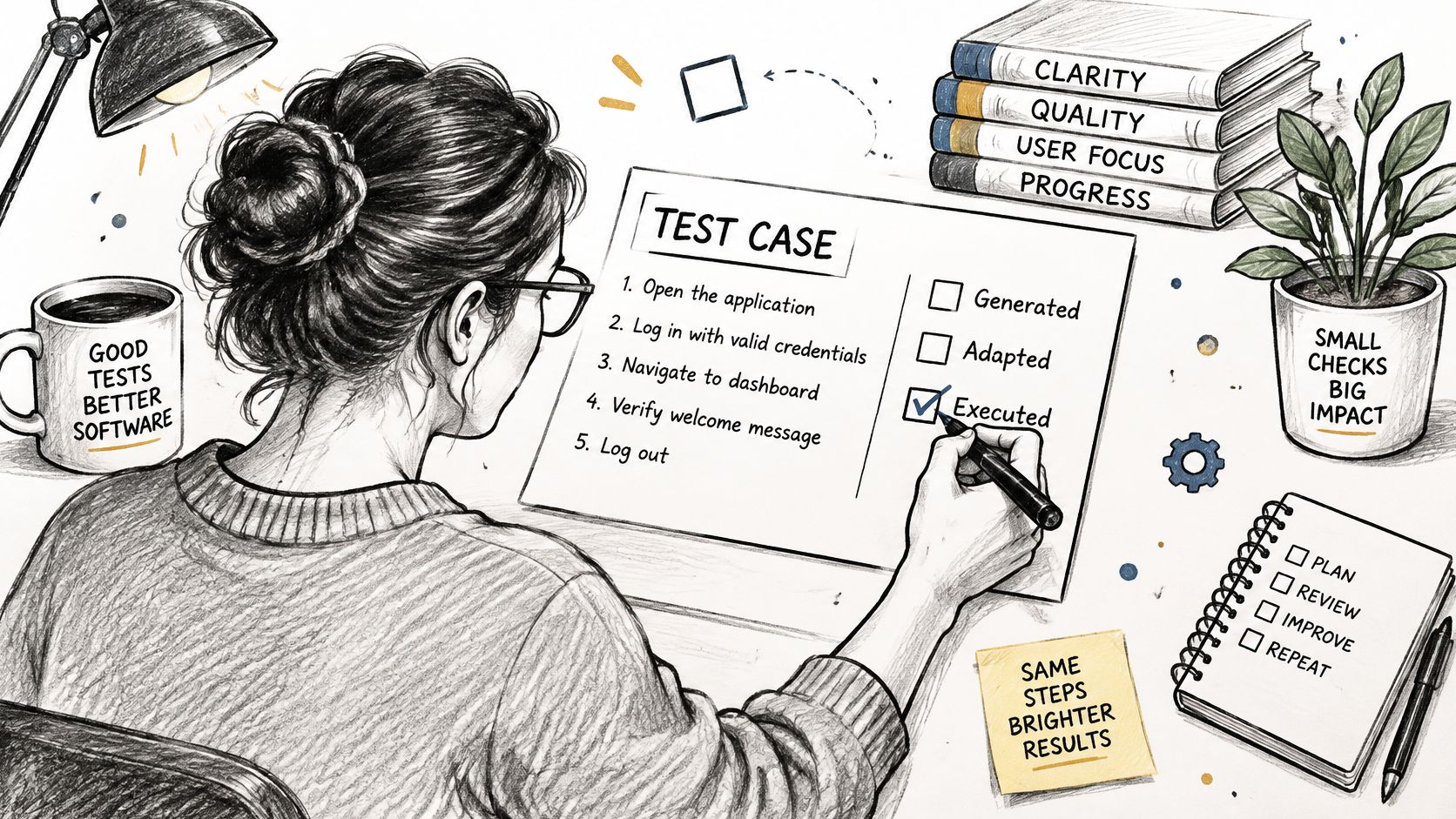
Add fields that establish execution
- Case source: Human-written, AI-generated or adapted, including the originating tool or artifact when useful.
- Execution proof: Timestamp, build, commit, device, OS, browser, locale, network and permission state.
- Result status: Passed, failed, blocked or not run.
- Confidence: Evidence-based assessment with unresolved uncertainty stated.
- Minimal reproducer: Required fixture, setup and exact invocation.
- Independent verification: Whether another person executed the reproducer and what they observed.
For an illustrative Playwright case, an invocation might be npx playwright test tests/checkout-coupon.spec.ts --project=chromium. Include the repository revision, dependency setup and authorized fixture instructions needed to run it unchanged. A command without its required context isn't a complete reproducer.
Assign a status without upgrading assumptions
Passed means the case ran and met its expected result. For example, the discount appeared and the payment screen opened on the recorded target.
Failed means execution produced an observed discrepancy. Blocked means a prerequisite prevented the intended check, such as unavailable test credentials. Not run means execution never started, perhaps because the required handset wasn't available.
A generated case that nobody executed is neither a pass nor a confirmed bug.
Don't paste a model's predicted actual result into the observation field. Leave it unexecuted until a tester or runner produces evidence.
For release review, every planned case should have a status against its intended target. Any case not run needs a reason, so the release manager can distinguish uncovered behavior from verified behavior.
Common Template Mistakes and How to Fix Them
When a developer returns a report, diagnose the missing decision rather than adding more prose. The table below identifies common faults and the field that resolves them.
| Mistake | Effect | Fix |
|---|---|---|
| Steps such as Login fails | Developer cannot repeat the failure | Number each action with exact inputs, using the steps procedure |
| No build or commit recorded | Team cannot tell whether a fix shipped | Record build, commit and first seen build in the execution record |
| Severity chosen by feeling | Counts inflate and release gates disagree | Grade against the severity rubric and log changes |
| Environment as free text | Finding cannot be rerun on the same setup | Use the structured fields in the platform table |
| Root cause written as the actual result | Guess and fact get mixed | Keep hypotheses in a separate speculative field |
| No duplicate search before filing | Same bug is triaged twice | Search by component and error text using the evidence checklist |
Separate diagnosis from observation
A statement that the session cache is corrupt is a hypothesis unless evidence establishes it. The actual result should describe what the tester could inspect, such as returning to the login screen after submitting valid test credentials.
Use a field labeled Speculative root cause for a possible explanation. Include the observation that prompted it and a check that could disprove it. Developers can use the lead without mistaking it for a confirmed finding.
These mistakes interact. Vague steps combined with an unknown build can make an already-fixed defect appear open, or make an unresolved defect appear fixed because the verifier followed a different path.
Review in separate passes
- Facts pass: Can each observation be tied to an execution or artifact?
- Hypotheses pass: Are proposed causes clearly separated from observed behavior?
- Completeness pass: Are required fields filled, or explicitly marked unavailable with a reason?
A missing value is easier to address when the reporter names it directly. Don't replace an unknown build with the current release number.
The guide to improving collaboration between software testers and developers complements this review habit. Keep the discussion focused on what another person needs to reproduce and evaluate the finding, not on who wrote the original ticket.
Run the Template on Your Next Build
Start with an open bug rather than redesigning the entire QA process. Fill the template, hand it to a colleague who didn't write it, and ask them to reproduce the failure without coaching.
Use the dashboard view as a reminder to review execution alongside individual findings.
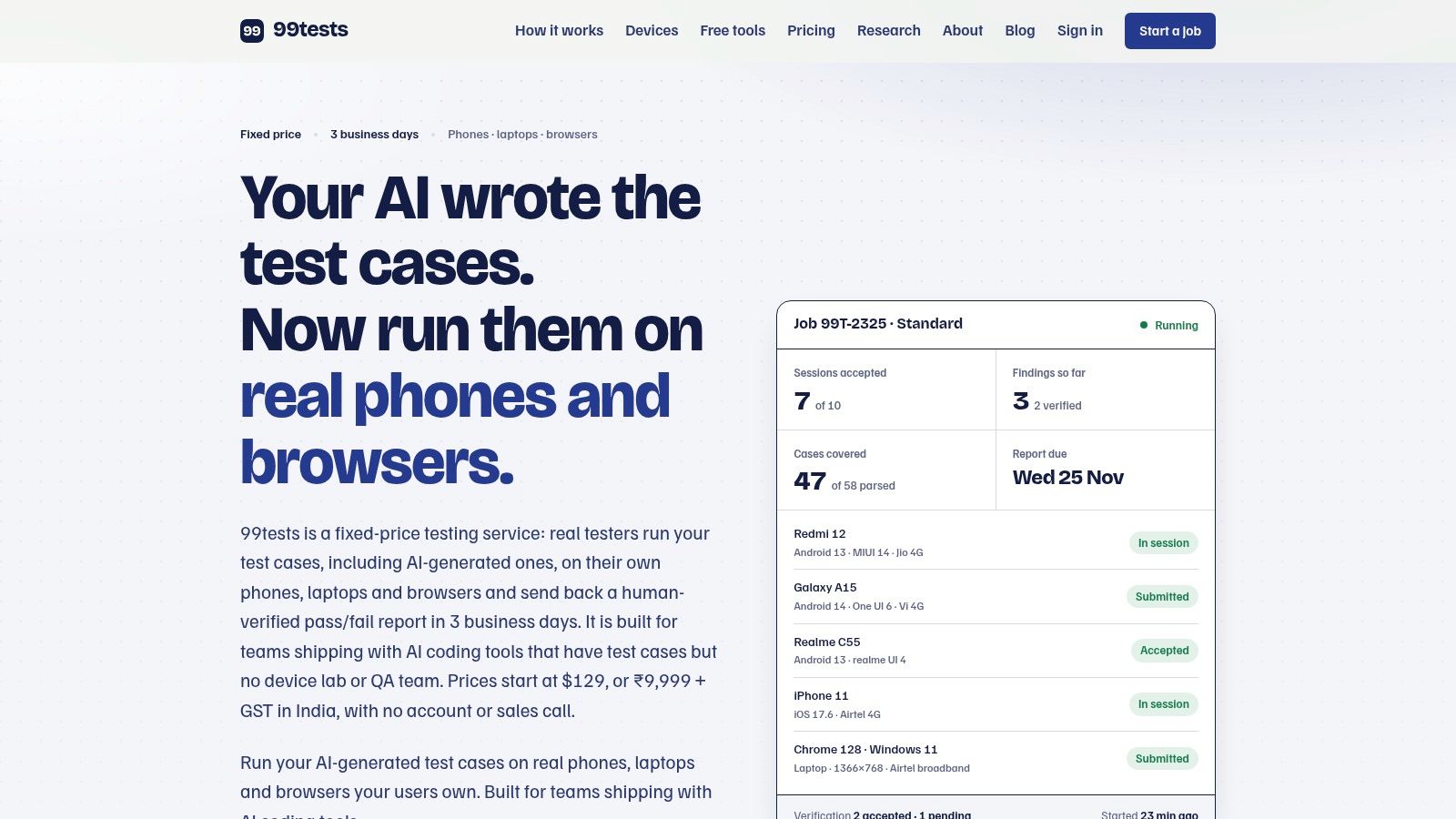
For a release, extend that check across the test plan. Record each case against each intended device or browser, with a reason wherever execution was blocked or not run. That view tells the release manager what was checked and where uncertainty remains.
Execute the matrix and preserve the comparison
If internal device access limits execution, 99tests is an option for running the plan on real phones and browsers. Our reports contain a coverage table, reproducible findings, a verification record, a device and browser matrix, a session log and a coverage note. The coverage table identifies each case as pass, fail, blocked or not run, with reasons for incomplete execution.
Every report also supports a one-click re-run of the same plan against a new build, using the same devices and cases to show whether the fix worked. Keeping those targets constant makes the comparison more useful than an unrelated retest.
The video provides additional context for the testing workflow.
Copy the template today, complete it for an open bug, and review it with the developer responsible for the fix. Resolve the missing execution details before expanding the method to the rest of the release.
99tests executes customer-supplied test cases on real phones and browsers, turning failures into verified reports with reproduction evidence and explicit coverage gaps. Visit 99tests to arrange execution of your next test plan and check which cases passed, failed, were blocked or weren't run.