Black Box Testing Examples: 8 Techniques with Real Cases
Black box testing examples across 8 core techniques: equivalence partitioning, boundary values, state transitions, and exploratory testing, with real cases.
In this article
- 1. Equivalence Partitioning
- Copyable registration cases
- 2. Boundary Value Analysis
- Exact password inputs
- 3. Decision Table Testing
- Turn each rule into a case
- 4. State Transition Testing
- Add lifecycle interruptions
- 5. Use Case Testing
- A copyable order journey
- 6. Pairwise (All-Pairs) Combinatorial Testing
- Keep the workflow constant
- 7. Error Guessing
- Give every guess an oracle
- 8. Exploratory Testing
- A focused checkout charter
- How the eight black box techniques differ in basis, use, and limits
- Turning These Examples Into a Release Test Plan
- Make coverage visible
Your login form passes every check the team wrote, then a customer can't get past password entry on a budget phone. They typed a seven-character password, the keyboard covered the validation message, and the app gave them no clear way forward. The test cases looked complete, but nobody verified that particular input under that device condition.
Black box testing checks externally visible behavior without relying on source code. You supply an input, follow a workflow, and compare what happens with an agreed expected result. The NIST survey on software testing by statistical methods treats this as a systematic conformance activity, including input selection, coverage designs, and usage models, rather than an informal hunt for bugs.
Useful black box testing examples need more than a description such as test invalid passwords. They need an exact value, a starting state, an observable expected result, and an execution environment. That's especially important when AI coding tools generate your test cases: plausible test text isn't evidence that the application behaved correctly.
The examples below use illustrative application requirements, not universal password policies, payment limits, or eligibility rules. Replace those assumptions with your product's approved requirements before execution.
For every case, keep these details together:
- Input and preconditions: The exact value, account state, and relevant test data.
- Expected behavior: What the user should see and what should persist afterward.
- Environment and result: The build, device, browser, network condition, and execution status.
1. Equivalence Partitioning
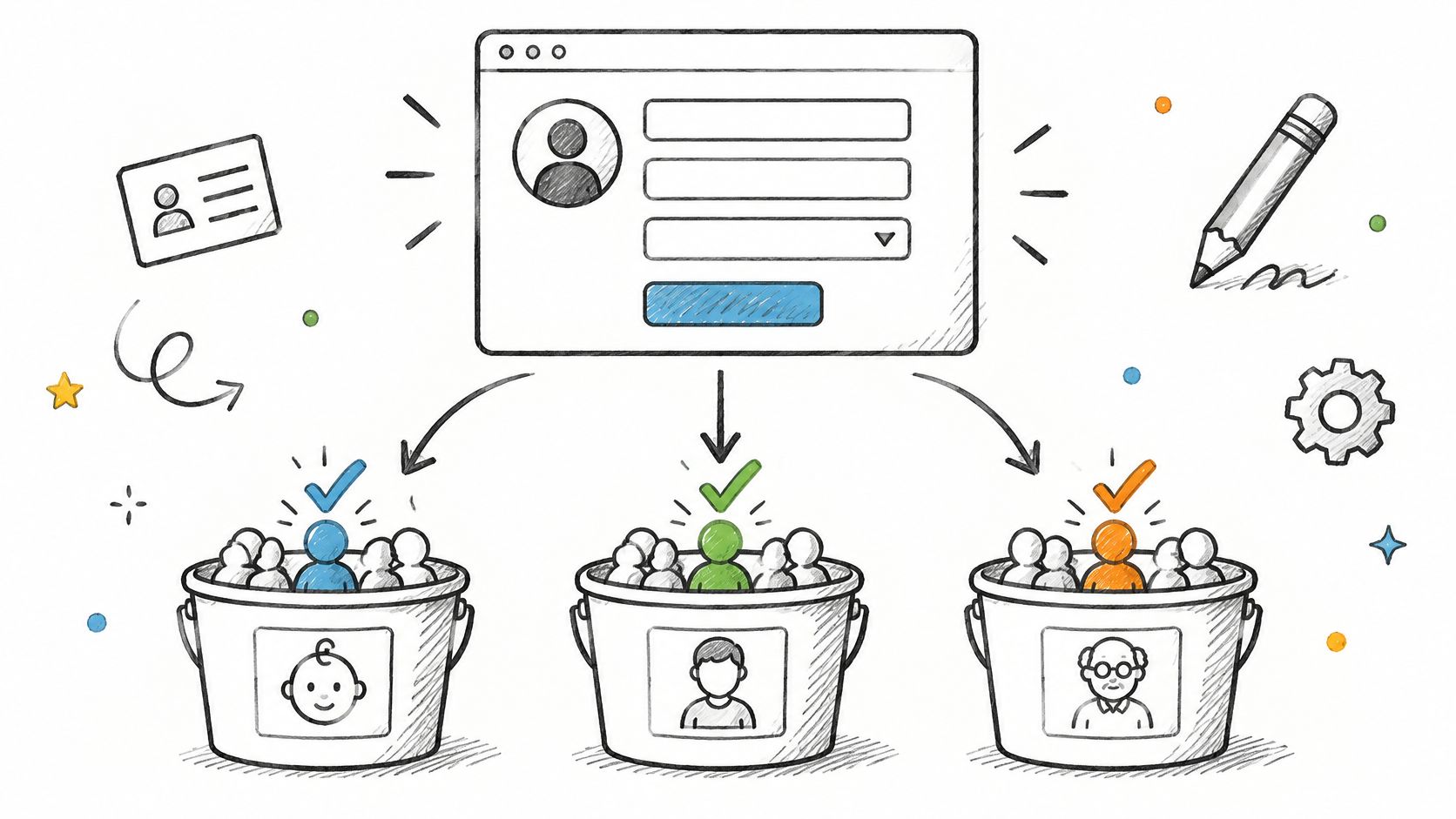
Equivalence partitioning groups inputs that should receive the same treatment. Instead of entering every possible age into a registration form, choose representative values from each meaningful category.
Suppose an application accepts whole-number ages from 18 through 60, inclusive. Your partitions aren't just acceptable and unacceptable. Missing values and incorrectly formatted values need separate treatment because the application may validate them differently.
The illustration shows how inputs can be separated into behavior groups.
Copyable registration cases
- Below the accepted range: Enter
12. Expect an age-range validation message and no completed registration. - Inside the accepted range: Enter
35. Expect the age field to pass validation, assuming the other fields are valid. - Above the accepted range: Enter
75. Expect rejection without losing the other form entries. - Missing input: Leave the field empty. Expect a required-field message.
- Wrong format: Paste
twenty. Expect format validation rather than a crash or silent conversion.
For a shipping field configured to accept six numeric characters, separate correctly formatted input such as 560001 from 56001, 5600001, and 56A001. Format acceptance and delivery eligibility are different checks: a correctly formatted code can still be outside the merchant's service area.
Run these cases on desktop Chrome and a budget Android phone using its actual keyboard. Check paste behavior, leading spaces, and whether the numeric keyboard prevents users from entering a value they need.
Practical rule: A representative value covers an assumed behavior group, not every possible implementation mistake within it.
Partitioning keeps the suite manageable, but it won't establish whether the application handles the exact edges correctly. Add boundary cases rather than expanding each partition with arbitrary extra values.
2. Boundary Value Analysis
A password can pass with an ordinary value and still fail at the minimum or maximum allowed length. Boundary value analysis tests the limit itself and neighboring values, making comparison mistakes visible.
For this example, assume the application accepts passwords containing 8 through 16 ASCII characters. Keep every other password requirement satisfied so a complexity rule doesn't obscure the length result.
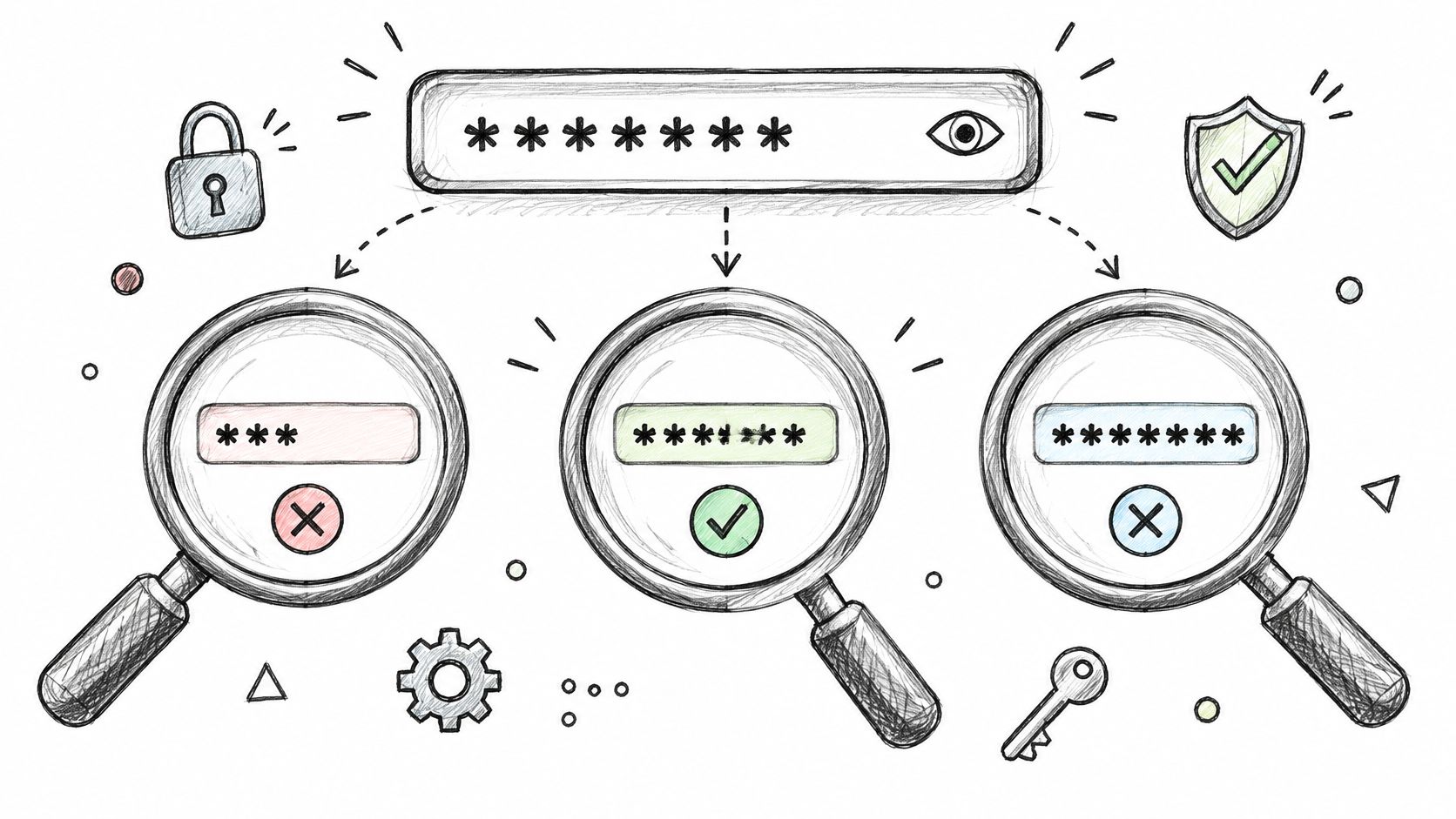
Use the illustration as a reminder to inspect both ends of the accepted range.
Exact password inputs
- Below minimum:
Abc12!x, seven characters. Expect length rejection. - At minimum:
Abc12!xy, eight characters. Expect acceptance. - Inside minimum:
Abc12!xyz, nine characters. Expect acceptance. - Inside maximum:
Abcdefghijk12!x, fifteen characters. Expect acceptance. - At maximum:
Abcdefghijkl12!x, sixteen characters. Expect acceptance. - Above maximum:
Abcdefghijklm12!x, seventeen characters. Expect rejection, with no silent truncation.
Write the approved validation message in the expected-result field. Don't settle for error shown: verify that the message identifies the length requirement, stays visible when the keyboard opens, and disappears after correction.
The boundary unit matters. ASCII keeps this example unambiguous, but a product accepting emoji or accented characters needs an explicit definition of character counting. Otherwise, testers and developers can disagree while both follow plausible interpretations.
Repeat typing and pasting on Android, iPhone, and desktop browsers. After an accepted password is saved, sign out and authenticate with the exact original value to check that submission didn't alter it.
Boundary tests are focused, not broad. They won't reveal a broken account-state rule or a checkout discount conflict, even when every selected length behaves correctly.
3. Decision Table Testing
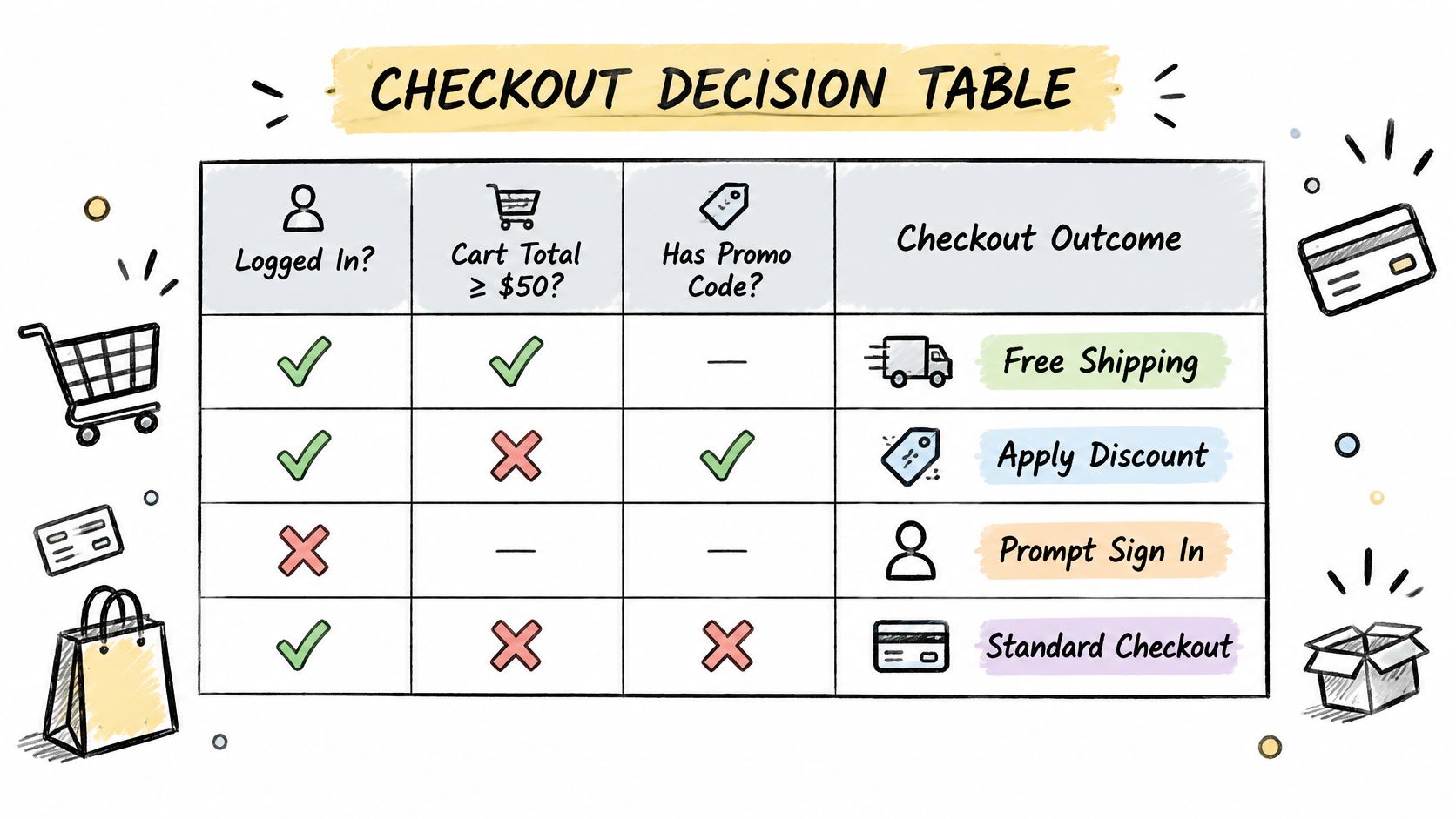
Decision table testing turns interacting business conditions into explicit rules. It works well when a checkout result depends on membership, shipping eligibility, and basket contents rather than a single field.
Assume a store grants free shipping when the destination is serviceable and either membership is active or the cart meets the configured threshold. An unserviceable destination always blocks checkout. Use seeded baskets named BELOW_THRESHOLD and AT_THRESHOLD so testers don't have to infer qualifying totals.
A decision table makes these combinations easier to review before execution.
Turn each rule into a case
- Active member, serviceable address, below threshold: Load
BELOW_THRESHOLD. Expect free shipping and an unchanged merchandise subtotal. - Inactive member, serviceable address, at threshold: Load
AT_THRESHOLD. Expect free shipping. - Inactive member, serviceable address, below threshold: Expect the configured shipping charge in the final total.
- Any membership, unserviceable address: Expect checkout to be blocked, regardless of the displayed basket value.
Record the actual basket amounts and shipping charge from your test fixtures in the executable cases. Fixture names help organize the plan, but testers still need concrete values to confirm that the setup is correct.
Run the membership-change rules in Safari and Chrome. Start checkout while signed out, sign in with an eligible account, then return to the shipping step. Verify that the application recalculates the charge instead of retaining the guest result.
Agree on precedence before testing. If the product owner hasn't decided whether a promotion applies before the shipping threshold calculation, mark that rule as unresolved rather than inventing an expected result.
Decision tables expose missing combinations, but large tables become expensive to execute. Remove impossible combinations and document why; do not remove inconvenient combinations because the setup takes longer.
4. State Transition Testing
A locked account rejects even the right password. State transition testing checks behavior that depends on history, including events that must not change the current state.
Map the states and allowed events before writing execution steps. For login, a useful model is active, locked, and reset, with events such as bad password, good password, refresh, backgrounding, process kill, and support reset.
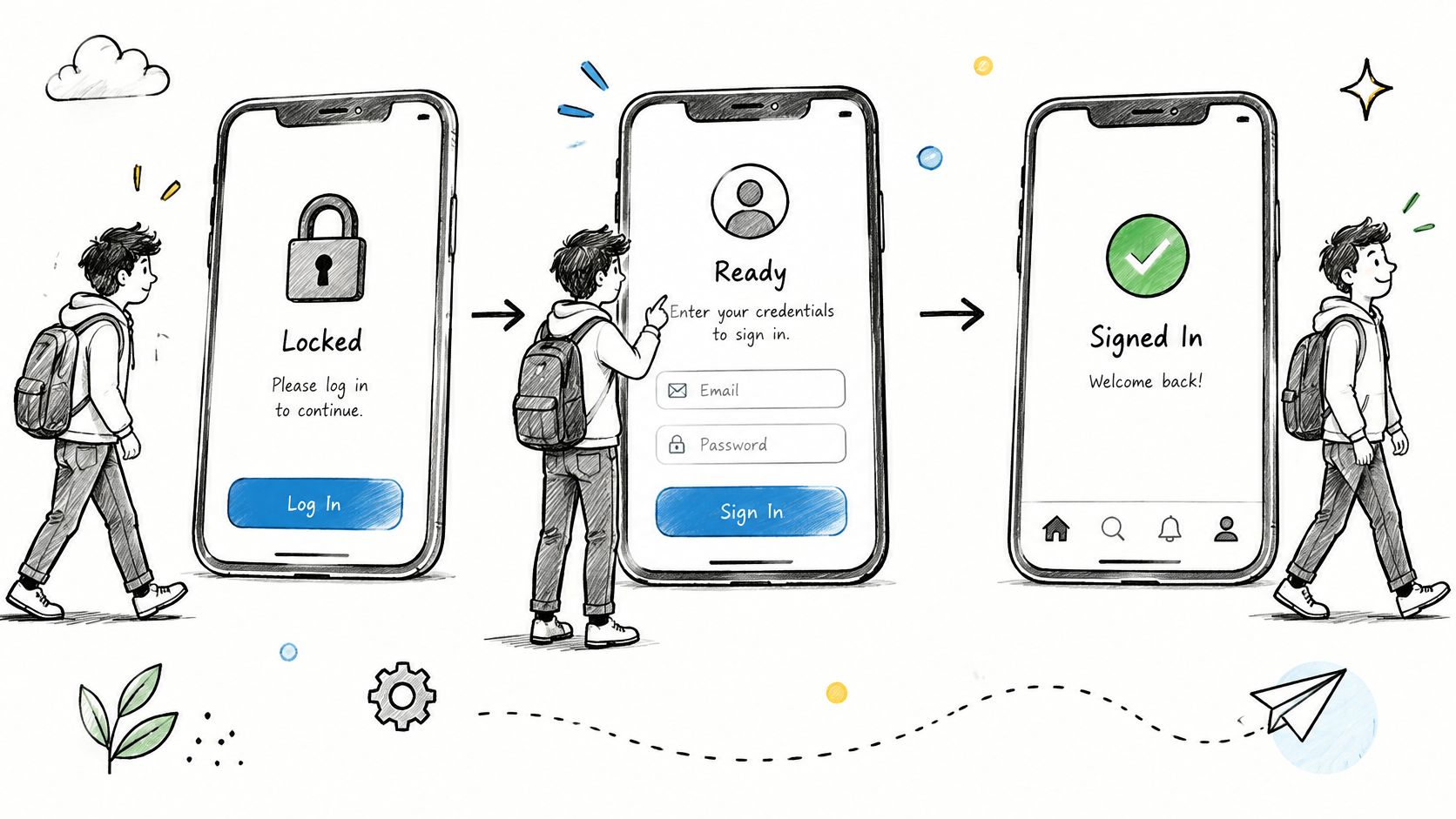
Assume your specification locks an account after three consecutive failed attempts and permits an authorized support reset. Start with a dedicated active account and a known password, ValidPass!8, so previous executions don't contaminate the starting state.
- Active to active: Submit
WrongPass!8for the initial failed attempts. Expect rejection and no authenticated session. - Active to locked: Complete the configured failure sequence. Expect the lockout message and denied access.
- Locked to locked: Submit
ValidPass!8, then refresh. Expect access to remain denied and the state to stay locked. - Locked to active: Apply the authorized reset, then submit the valid password. Expect successful authentication.
Add lifecycle interruptions
Repeat the sequence with the app backgrounded between attempts, then reopen it. Test after process termination on a budget Android phone, and record whether the account remains locked when the same user tries through a browser. A client-side lock that clears after relaunch is a different defect from a server lock that persists across devices.
Use the walkthrough as a second check on which events are visible to the user and which only change internal state.
For payment workflows, define the safe recovery state before introducing interruptions: no duplicate charge, no silent loss of the pending attempt, and resume only to the approved step. Then interrupt authorization and compare the recovered screen against that requirement.
Record state before, event, state after, and visible response. A screenshot of an error alone won't explain whether the application lost a pending transaction or correctly preserved it. State transition testing earns its keep when defects depend on sequence; it adds little for a stateless field validation.
5. Use Case Testing
A grocery order isn't complete because the Add to cart button works. Use case testing follows a user goal through its full workflow, including alternate routes and recoverable failures.
Start with an existing account, a serviceable saved address, an available delivery slot, and a payment sandbox. Use the same seeded product and quantity across environments so inventory differences don't invalidate the comparison.
A copyable order journey
- Find the item: Search for the seeded product
TEST-RICE. Expect the matching product and configured price. - Build the basket: Add a quantity of
2. Expect the basket quantity and subtotal to match. - Choose delivery: Select the saved address and available slot. Expect both selections on the order review screen.
- Complete payment: Use the sandbox success response. Expect a confirmed order with a reference visible in order history.
- Check persistence: Close and reopen the app. Expect the same order and delivery details.
Add an alternate path that uses the sandbox failure response. Expect no confirmed order, a clear retry option, and preservation of the basket according to the approved recovery requirement.
The guide to writing a software testing scenario is useful when separating the broad user goal from the detailed steps and assertions needed for execution. Keep each step observable rather than describing internal processing the tester can't inspect.
Run the journey in Safari on iPhone and Chrome on Android, plus the desktop browsers your release supports. Pay particular attention to returning from an external payment page, browser Back behavior, and whether a changed viewport hides the final confirmation control.
A successful payment screen isn't enough. Verify that the user can find the resulting order after leaving and returning.
Use case testing catches broken handoffs between features. It doesn't replace field-level partitions or boundary tests, which would make the end-to-end journey unnecessarily repetitive.
6. Pairwise (All-Pairs) Combinatorial Testing
Pairwise testing selects configurations so every pair of parameter values appears together somewhere in the suite. It's useful when your device matrix is too large for exhaustive execution, but you still need a defensible selection method.
For a mobile checkout plan, define concrete parameter values:
- Device tier: Budget Android phone or mid-range Android phone, with exact models recorded before assignment.
- Operating system: Your minimum supported release or a newer supported release.
- Network: Stable Wi-Fi or throttled mobile data.
- Account state: Newly registered or returning customer with a saved address.
Generate a constrained pairwise set with a combinatorial tool such as ACTS. Check that the requested device and operating-system combinations exist in the available inventory before assigning sessions.
Keep the workflow constant
Each selected configuration should run the same input sequence: add TEST-RICE with quantity 2, enter the seeded serviceable address, and complete a sandbox payment. Expect a consistent total, an accessible payment control, and a confirmed order that survives reopening.
Record actual device models, operating-system versions, browser versions, and network settings in the result. Budget Android isn't a reproducible environment description on its own.
The University of Szeged black-box testing teaching material provides the underlying specification-based techniques; applying those techniques within environment classes makes compatibility testing more deliberate. The distinction between test coverage and code coverage also matters here: executing code doesn't establish that you've exercised the required user environments.
Pairwise coverage isn't exhaustive interaction coverage. If you suspect checkout fails only for a returning customer on a budget phone during network switching, add that exact combination even if the generated suite doesn't require it.
Retain the configuration identifiers between builds. Otherwise, changes in environment selection can make apparent regressions difficult to distinguish from differences in the test campaign.
7. Error Guessing
Try pasting Asha into a profile name field, saving it, and reopening the profile. Does the application preserve the spaces, trim them consistently, or display a different name after reload?
Error guessing uses plausible failure patterns to choose targeted experiments. The guess is only the starting point; the expected result still needs an approved rule.
For this profile example, assume surrounding whitespace is trimmed and punctuation is supported.
- Whitespace input: Save
Asha. ExpectAshaafter saving and reopening. - Punctuation input: Save
Asha O'Neil. Expect the apostrophe to remain intact throughout the profile. - Repeated submission: Tap Save rapidly while the connection is throttled. Expect a consistent final profile and no contradictory success and failure messages.
- Corrupt upload: Select a file named
profile.jpgwhose contents aren't an image. Expect a clear rejection and retention of the previous profile picture.
Give every guess an oracle
For emoji and regional-language names, establish the supported-character policy before execution. Don't label an unfamiliar character as invalid just because a generated test case expects rejection.
This is particularly important with AI-authored cases. An empirical study of AI-generated tests found that coverage benefits varied substantially by project, supporting a practical distinction between generated test intent and verified behavior.
Use the device condition that stresses the suspected failure. For repeated taps, choose a slower phone and a delayed response; for uploads, test interrupted connectivity and denied photo access on both Android and iPhone.
Evidence over intuition: Record the exact guess, the requirement it tests, and the observed outcome. An undocumented experiment can't support a release decision.
Keep a product-specific failure notebook, but retire obsolete guesses when features change. Error guessing complements structured cases; it isn't permission to replace them with an untraceable list of unusual inputs.
8. Exploratory Testing
Explore checkout recovery on a budget Android phone with intermittent connectivity. That's a useful charter because it names a workflow, a risk, and an environment without prescribing every action.
Exploratory testing combines learning, test design, and execution. The tester follows observations into relevant experiments while keeping enough notes to reproduce any failure.
A focused checkout charter
Start with a returning account, TEST-RICE in the basket, and a sandbox payment method. Investigate what happens when connectivity changes during address selection, order review, and the return from payment.
- Initial experiment: Disable connectivity after the order review screen loads, then select Pay. Expect a clear recoverable state rather than an unexplained blank screen.
- Follow-up experiment: Restore connectivity and use the displayed retry control. Verify the resulting order through order history.
- Lifecycle variation: Background the app while payment status is pending, then resume it. Check that the displayed status agrees with the sandbox transaction outcome.
- Browser variation: Repeat the relevant recovery path in mobile Safari and desktop Firefox, recording differences rather than assuming they share the same behavior.
Use a timebox agreed before the session and keep timestamps, actions, observations, and unresolved questions. Separate a reproducible defect from a usability concern and from a requirement that nobody has defined yet.
The distinction from ad hoc software testing is practical: a charter and execution notes make the investigation reviewable without turning it into a rigid script. When a useful discovery emerges, convert it into a repeatable regression case.
Manual effort needs that focus. In the JetBrains software quality survey, 39% of more than 800 software professionals surveyed in 2024 identified manual testing as their most resource-intensive quality practice.
Don't measure an exploratory session only by bug count. A session that establishes correct recovery behavior, documents what was explored, and identifies blocked areas still provides release evidence.
How the eight black box techniques differ in basis, use, and limits
| Item | Technique Basis | Best For | Main Limitation | Pairs Well With |
|---|---|---|---|---|
| Equivalence Partitioning | Groups inputs expected to behave alike and tests a representative from each group | Broad input coverage with fewer test cases | Defects within a partition may be missed | Boundary Value Analysis |
| Boundary Value Analysis | Tests values at, just below, and just above input limits | Finding off-by-one errors in ranges, lengths, dates, and counts | Does not cover values in the middle of a range | Equivalence Partitioning |
| Decision Table Testing | Maps combinations of conditions to expected actions | Business rules with interacting conditions | Tables grow quickly as conditions increase | Use Case Testing |
| State Transition Testing | Tests states, events, transitions, and event sequences | Workflows where outcomes depend on prior history | State models can become large and hard to maintain | Use Case Testing |
| Use Case Testing | Derives scenarios from user goals, main flows, alternatives, and exceptions | End-to-end user tasks and acceptance criteria | May miss input-level edge cases | Exploratory Testing |
| Pairwise (All-Pairs) Combinatorial Testing | Selects configurations covering every pair of parameter values | Large device, browser, OS, and network matrices | Does not ensure coverage of higher-order interactions | Exploratory Testing |
| Error Guessing | Uses tester experience and defect history to target likely failures | Common weak spots and risks not covered by formal methods | Depends heavily on tester skill and intuition | Exploratory Testing |
| Exploratory Testing | Combines learning, test design, and execution in focused sessions | Unfamiliar features, usability issues, and unexpected interactions | Coverage is harder to prove and results vary by tester | Error Guessing |
Read the limitation column as a pairing guide. Equivalence partitioning assumes values inside a group behave alike, so boundary value analysis catches the off-by-one defects hiding at the edges. A decision table grows with every added condition, so split unrelated rules into separate tables instead of letting one table sprawl. And since neither error guessing nor exploratory testing produces provable coverage, anchor both to the structured techniques whose results you can count.
Turning These Examples Into a Release Test Plan
Start by listing every input field and user-critical workflow. Assign partitions and boundaries to fields, decision rules to interacting conditions, state paths to history-dependent behavior, and exploratory charters to unresolved risks. Don't force a technique onto a feature where it adds no useful coverage, but make exclusions deliberate.
Turn every selected example into an executable record. Include its identifier, requirement, preconditions, exact input, expected result, build, and device or browser target. For AI-generated cases, review the oracle first: a confidently written expected result can still contradict the product's intended behavior.
Make coverage visible
Track each case against each assigned environment, not just against the feature name. A checkout case passed on desktop Chrome doesn't establish its status on an iPhone.
- Passed: The tester executed the case and observed the expected result.
- Failed: The observed behavior differed from the approved expectation.
- Blocked: A prerequisite prevented execution, with the reason recorded.
- Not run: The case wasn't executed, with the coverage gap left visible.
Separate product failures from test-definition failures. If the case requests an unavailable account state or invents an unsupported payment option, fix the case rather than counting the application as defective.
Prioritize execution using recent changes and business risk. Authentication changes deserve renewed account-state testing; payment changes deserve recovery and duplicate-submission checks; layout changes deserve keyboard and viewport checks. Preserve a stable regression baseline so lower-risk areas don't disappear from the plan entirely.
Reducing the suite means accepting a trade-off, not proving the excluded cases are unnecessary. Record what you didn't execute and why, then let the release owner judge that remaining risk alongside the verified results.
Choose tools according to this workflow. The directory of testing software picks for developers can help you evaluate supporting options, but distinguish test management, automation, and human device execution before comparing them.
When internal device access is limited, we can execute customer-supplied cases through 99tests on testers' own phones, laptops, and browsers. Our reports show case-by-environment results, reproducible findings, and reasons for blocked or unrun cases; customers bring the cases, including any generated by AI tools.
Rerun the same plan against the next build, updating fixtures and expectations only when requirements change. Your release evidence should say what was tested, where it ran, what happened, and what remains unknown. That's more useful than either a long generated test document or an unexplained green dashboard.
99tests offers crowdsourced manual execution of your black box test cases on real phones, laptops, and browsers, with human-verified results and documented coverage gaps. Bring your customer-written or AI-generated cases and target environments to 99tests to turn the plan into device-specific execution evidence before release.