Mobile App Testing Checklist: 9 Areas to Verify
A practical mobile app testing checklist covering devices, OS versions, networks, usability, and defect reporting before your next release.

In this article
- 1. Device and OS Coverage Without Guesswork
- Define the required coverage cells
- 2. Installation, Upgrade, and Update Testing
- Treat migration states as separate cases
- 3. Network Condition and Connectivity Testing
- Test transitions, not just connection labels
- 4. Performance Testing on Budget and Low-End Devices
- Compare equivalent runs
- 5. Functional Test Execution, Traceability, and Regression Testing
- Keep identity stable across builds
- 6. Interruption and Lifecycle Testing
- Separate backgrounding from process death
- 7. Permissions, Privacy, and Security Testing
- Verify the fallback and the boundary
- 8. Responsive UI, Layout, and Cross-Browser Verification
- Include complete assistive-technology journeys
- 9. Defect Reporting, Reproduction, and Severity Grading
- Grade impact separately from reproducibility
- Mobile App Testing Checklist Areas at a Glance
- Turn the Checklist Into Evidence, Not a Checkbox
- Make the release gate explicit
The build passes every test on the developer's flagship phone. You submit it, announce the release, and then the reviews arrive: checkout freezes on a budget Android, login breaks on an older OS, and an upload disappears when someone switches from Wi-Fi to mobile data.
Nothing looked wrong on the phone sitting beside the developer's laptop. The problem wasn't necessarily careless testing. It was treating a successful run in a convenient environment as evidence for environments nobody had checked.
A useful mobile app testing checklist records more than test types. It connects each case to a build, device, operating system, and relevant condition, then gives that coverage cell an explicit result.
Use these statuses consistently:
- Passed: The tester executed the case and verified its expected outcome.
- Failed: The observed outcome differed from the expected result.
- Blocked: A prerequisite prevented execution, with the reason recorded.
- Unrun: Nobody executed the case against this build, with the gap explained.
A generated test plan isn't execution evidence, and a green automation dashboard doesn't establish real-device coverage. These testing areas turn release confidence into something your team can inspect before store submission, rather than reconstruct after users complain.
1. Device and OS Coverage Without Guesswork
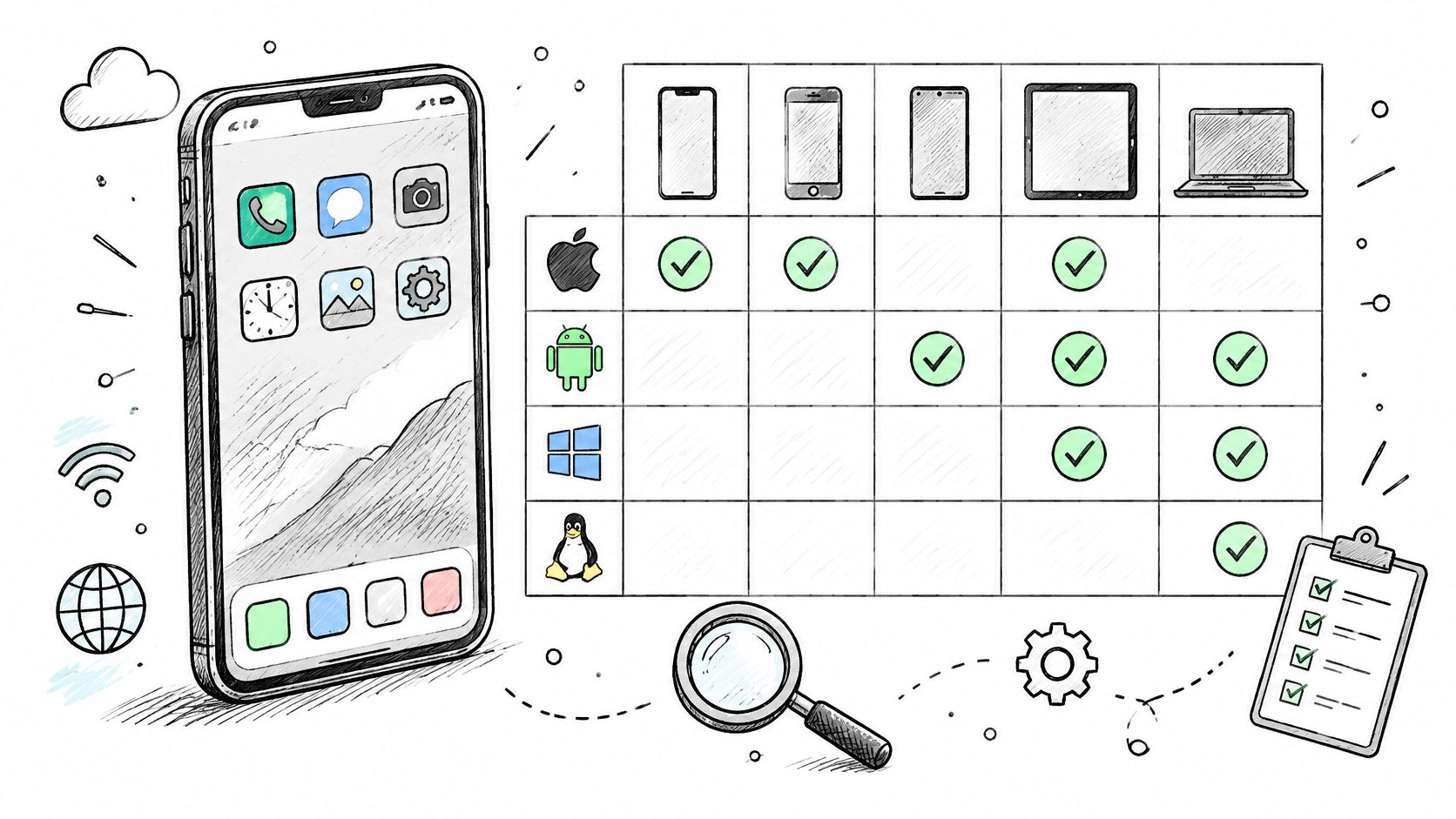
Start with the devices your users own, not the devices your team happens to have. Use production analytics, beta registrations, customer requirements, and support history to select phone models, supported OS versions, and screen characteristics.
Compatibility is a sampling problem. A QA Camp analysis of OS-version testing reported that only about 15% of Android devices were running Android 12 as of May 2022, illustrating why testing only the newest release leaves meaningful gaps.
Define the required coverage cells
Record the exact model, OS build, app build, screen settings, and execution environment. Make the minimum supported OS an explicit target rather than assuming compatibility because the app compiled successfully.
- Prioritize audience fit: A fintech app serving budget-phone users should test login, identity verification, and payments on representative budget Android devices.
- Separate execution methods: Use emulators for fast development feedback, then verify release-critical journeys on physical hardware.
- Declare deferrals: Identify which combinations must pass and which can remain unrun with an approved reason.
Our guide to choosing devices for mobile app testing helps structure that selection. Don't expand the matrix indiscriminately: a carefully chosen physical-device session is more useful than superficial execution across an oversized list.
2. Installation, Upgrade, and Update Testing
A clean installation can pass while an upgrade breaks existing customers. Test both paths, using actual previously published builds rather than recreating old data inside the latest debug version.
For a banking app, install a prior public release, sign in, change preferences, and create representative account activity. Upgrade through the intended distribution channel, then verify session behavior, saved settings, local records, and transaction-history access.
Treat migration states as separate cases
Run upgrades with the app logged in, logged out, offline, and holding partially synchronized work. Database migrations and token refreshes deserve explicit expected results, especially when an update changes local storage or authentication.
- Fresh installation: Verify download, installation, first launch, onboarding, and permission prompts.
- Upgrade: Confirm that supported data survives and that any required reauthentication is clear.
- Reinstallation: Check whether restored or retained data produces the intended experience.
- Build identity: Verify the installed version name and build number against the release candidate.
Use the channel customers or beta testers will receive, such as Google Play internal testing or TestFlight. An APK installed directly can be useful, but it doesn't prove that a store-delivered upgrade behaves correctly.
Release rule: A migration case passes only when the resulting data is correct, not merely when the updated app opens.
Record the starting version and data state in the coverage cell. Without them, another tester can't reliably repeat the upgrade.
3. Network Condition and Connectivity Testing
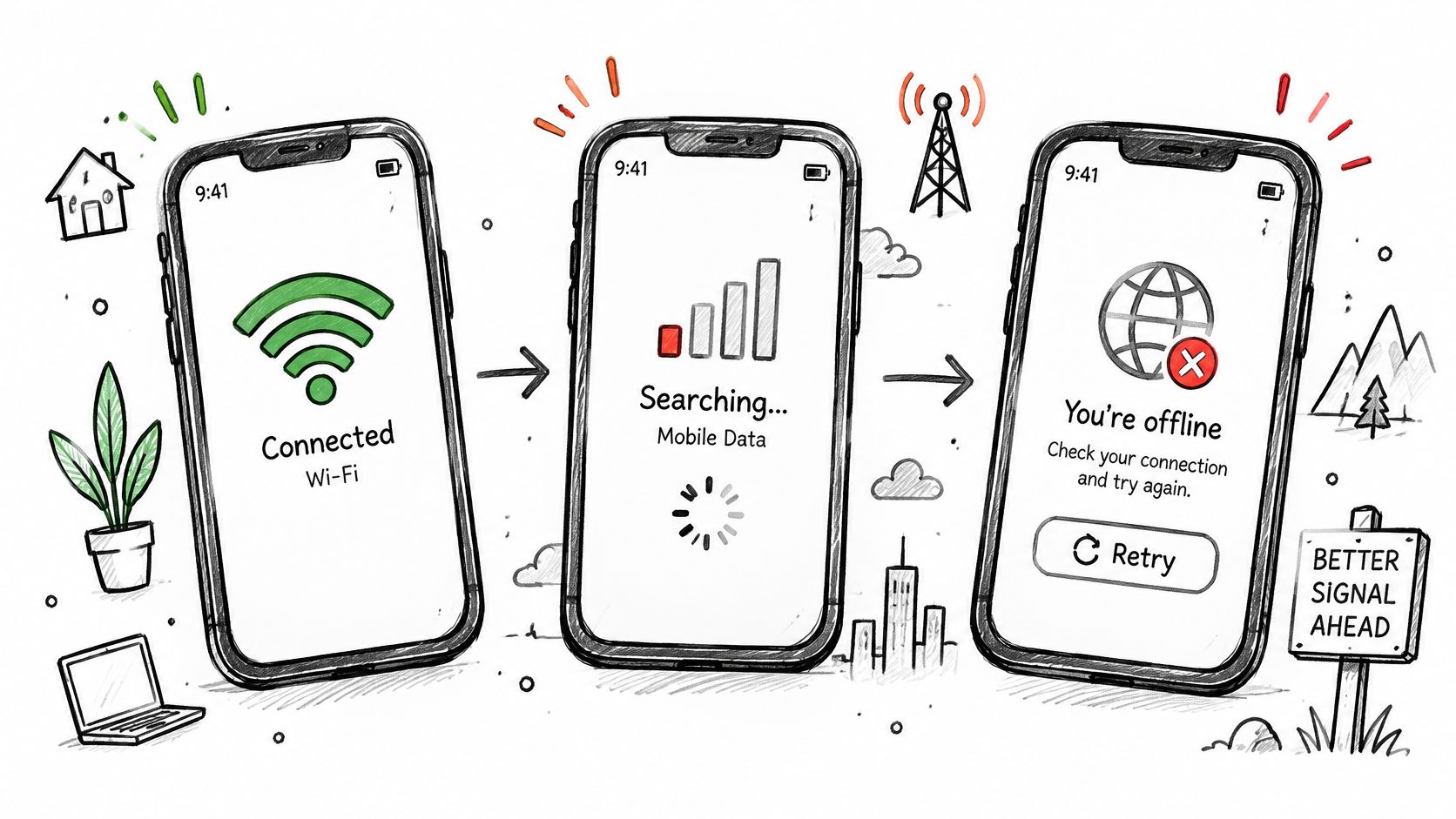
Say a payment reaches the server, but the confirmation never reaches the phone. The customer sees a timeout and taps Retry. Your test must establish whether the app creates another order, checks the existing transaction, or leaves the customer unable to tell what happened.
BrowserStack's mobile application testing guide identifies duplicate requests, stuck loaders, failed payments, and synchronization problems among the risks of unstable connectivity. Treat recovery correctness as the acceptance criterion, not the appearance of an offline message.
Test transitions, not just connection labels
Use throttling for repeatable latency and packet-loss conditions, then run relevant journeys on real mobile networks. Follow a request through disconnection, backgrounding, reconnection, and any user-initiated retry.
- Preserve input: Verify that forms and local edits survive a lost connection.
- Check duplicate effects: Confirm that retries don't duplicate payments, orders, or uploads.
- Inspect synchronization: Verify queued-write ordering, conflict handling, and final server state.
- Explain uncertainty: Ensure pending, failed, and completed states are distinguishable.
For an Indian release, use the app network testing checklist for India to plan relevant network conditions. Attach a timeline of connectivity changes and request outcomes to failures so developers can distinguish transport errors from incorrect recovery logic.
4. Performance Testing on Budget and Low-End Devices
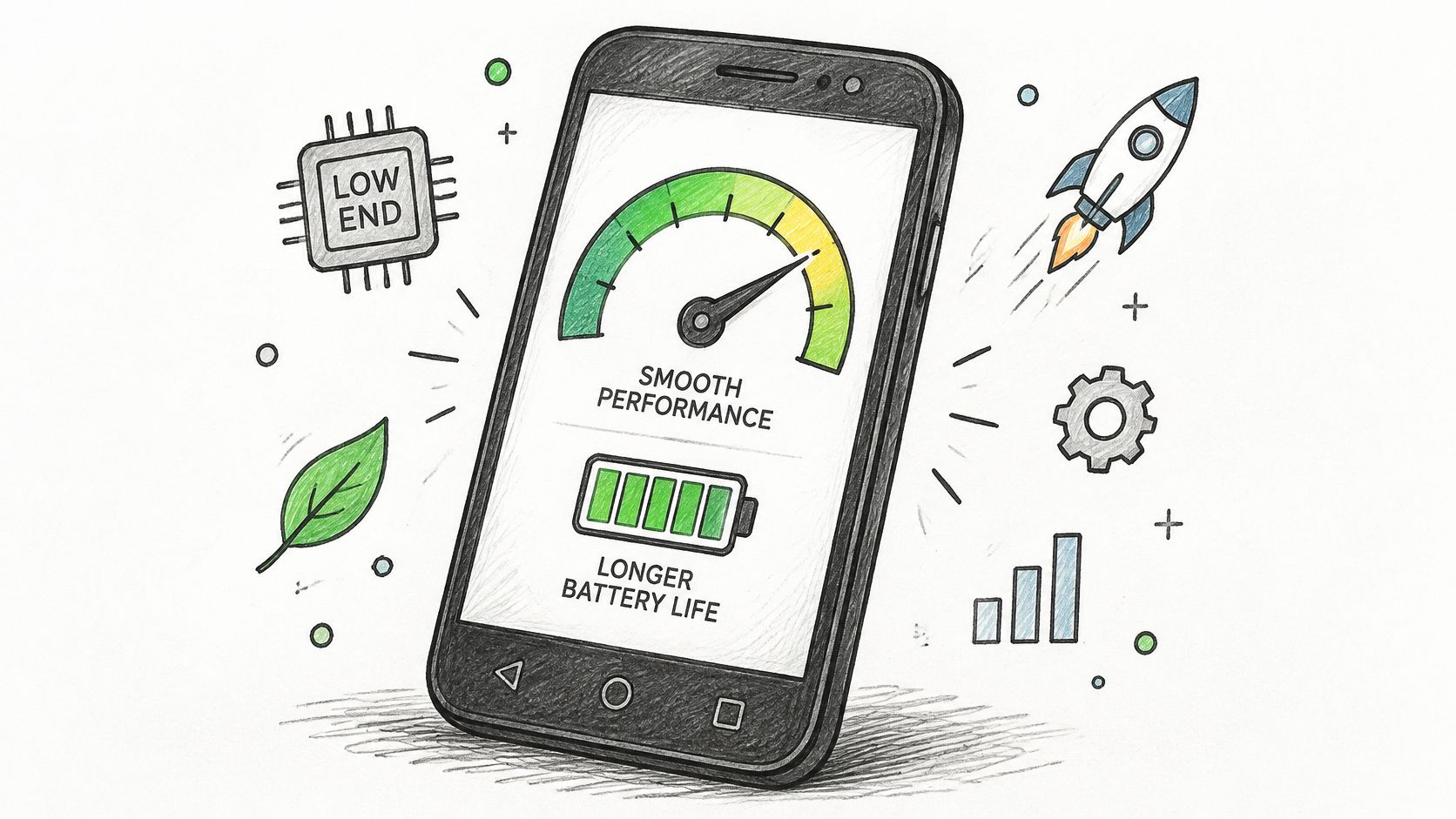
Performance needs a device-specific baseline. A fast launch on a flagship doesn't establish acceptable behavior on an entry-level phone with constrained memory, slower storage, and competing background apps.
Use Android Studio Profiler and Xcode Instruments to investigate startup, memory growth, CPU activity, and rendering problems. Measure cold and warm starts separately, and repeat a realistic journey rather than timing only the launch screen.
Compare equivalent runs
Agree on acceptance targets for your app before execution. Keep device model, dataset, network condition, battery mode, and background workload consistent when comparing builds.
A news app, for example, should be tested through extended reading, image loading, navigation, backgrounding, and return. A brief launch test won't establish whether memory keeps growing as readers open articles.
Quash's mobile testing telemetry summary cited a 2024 median crash-free session rate of 99.80% for Android, reinforcing the need to track failures alongside speed.
- Startup evidence: Record the timing method and when the screen becomes usable.
- Session evidence: Capture memory trends, hangs, dropped frames, and unexpected restarts.
- Battery evidence: Compare repeatable workloads rather than unrelated battery-percentage readings.
Mark a cell failed when it misses an agreed target. Don't redefine acceptable performance because the release candidate is already scheduled.
5. Functional Test Execution, Traceability, and Regression Testing
A folder full of AI-generated Markdown cases is a starting point, not a completed regression cycle. Review every case for missing preconditions, ambiguous actions, and expected results that verify the business outcome.
For checkout, confirming that a success screen appears isn't enough. The case should verify the order, amount, payment state, and relevant customer-facing history.
Keep identity stable across builds
Give each case a persistent ID and connect it to its requirement or user story. Record execution separately for each required device and build, rather than overwriting the previous result.
- Smoke coverage: Maintain a short suite for installation, login, navigation, and critical transactions.
- Change coverage: Add cases for the modified feature and its dependencies.
- Fix verification: Rerun the failure on the original configuration before closing the defect.
- Regression coverage: Recheck adjacent behavior that the fix could affect.
When integrating regression suites into CI/CD, distinguish script completion from meaningful assertions. A script can tap through checkout successfully while never checking whether the server created the correct order.
Practical distinction: Blocked means the tester couldn't execute the case. Unrun means the case wasn't executed. Neither means passed.
For example, an unavailable OTP account should produce a blocked login cell with an owner for restoring access. Cases omitted because the session ended should remain unrun, with the scheduling gap visible.
6. Interruption and Lifecycle Testing
Interrupt a task while something important is happening. Background the app during an upload, lock the screen during authentication, or take a call while completing a form.
Then verify what the user returns to. The app should restore appropriate state, communicate unfinished work, and avoid replaying completed actions.
Separate backgrounding from process death
Pressing Home doesn't establish behavior after the operating system terminates the process. Use platform development tools to exercise process recreation, and verify that your procedure tests termination rather than ordinary navigation.
The distinction matters when choosing between emulator and real-device testing. Physical phones also let you exercise actual calls, notifications, device settings, and manufacturer-specific background behavior.
- During submission: Interrupt payments, uploads, bookings, and form saves before confirmation.
- During return: Check navigation position, draft content, session validity, and connection recovery.
- After termination: Confirm that persisted state restores correctly without inventing a successful outcome.
Say a messaging app displays an unsent message before process termination. On relaunch, verify whether it remains queued, sends successfully, or clearly reports failure, and check that the recipient doesn't receive duplicates.
Use this demonstration alongside a written interruption scenario:
Record whether state was restored, reset, or lost, and whether that behavior matched the requirement. A usable home screen isn't proof that the interrupted task survived.
7. Permissions, Privacy, and Security Testing
Permission denial is a normal user decision. A delivery app should let someone enter an address manually when location access is unavailable, rather than crashing or repeatedly opening the same prompt.
Test each permission when allowed, denied, and revoked through system settings. Also check restricted access modes where the supported OS offers them, such as limited photo access.
Verify the fallback and the boundary
Request permissions at the point of need, then verify what remains usable without them. Keep permission checks separate from security authorization: granting camera access says nothing about whether an API protects another customer's records.
- Sensitive storage: Inspect tokens and personal data for inappropriate exposure in files or logs.
- Network protection: Verify encrypted transport and rejection of invalid certificates in a controlled test environment.
- Session handling: Check expiration, logout, and server-side invalidation.
- Visible exposure: Inspect notifications, app-switcher previews, and screenshots against the product's privacy requirements.
Store submission also deserves a distinct review. Apple's 2025 App Store Transparency Report states that Apple rejected 2,093,244 submissions, but that total doesn't identify the cause of any particular app's rejection.
Check that permission explanations, privacy disclosures, and actual behavior agree. Don't treat this manual pass as a penetration test or legal approval; record specialist security work as separate coverage, and leave it blocked or unrun if it hasn't happened.
8. Responsive UI, Layout, and Cross-Browser Verification
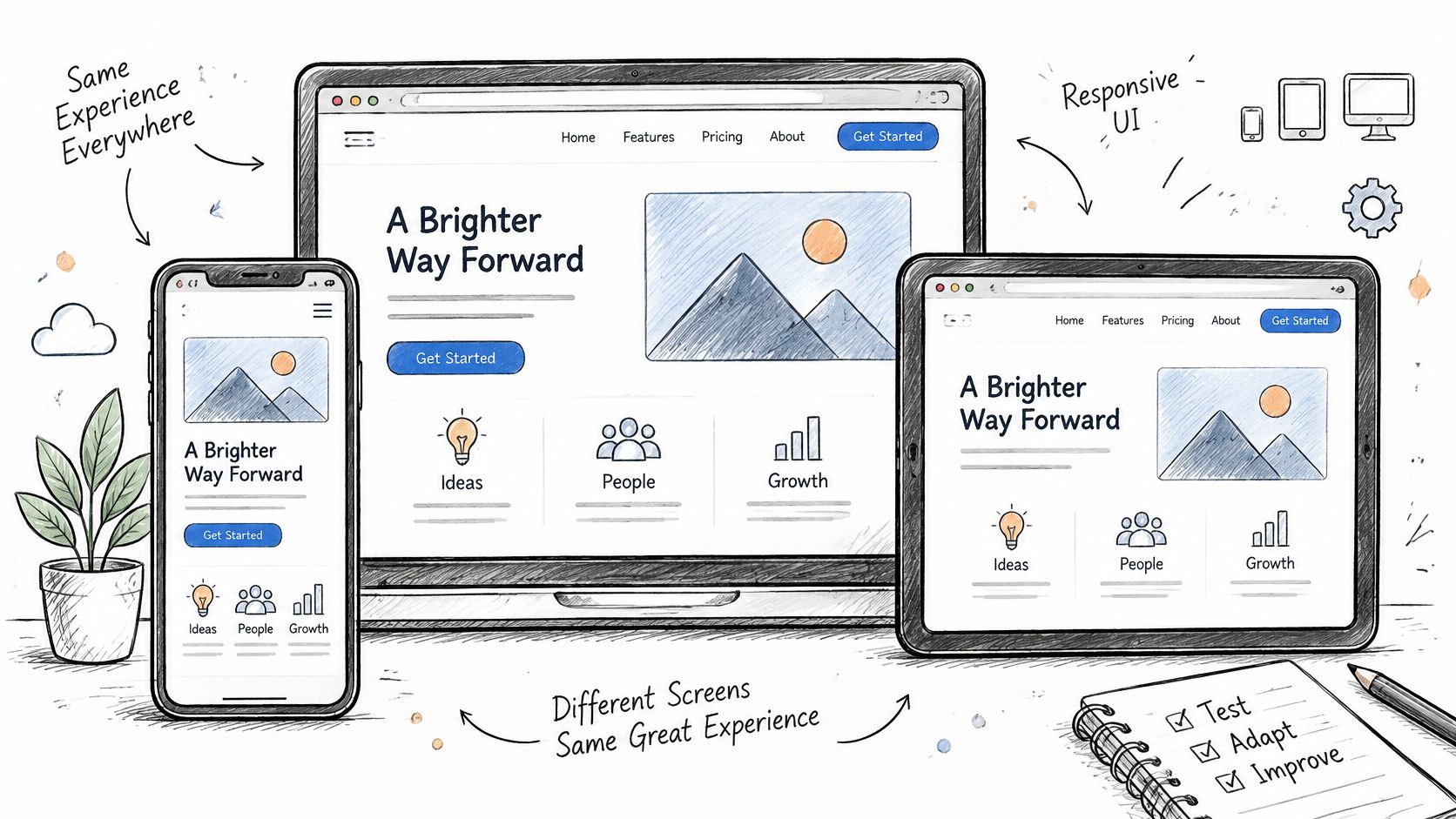
A checkout button that exists below an unreachable screen edge is functionally unavailable. Test small displays, supported orientations, large system text, keyboard visibility, dark mode, and translated content while completing actual tasks.
For web applications, add browser and desktop OS targets explicitly. Native-app coverage doesn't establish that a date picker works in Safari on macOS or that keyboard navigation works in Edge on Windows.
Include complete assistive-technology journeys
ArcTouch's mobile app accessibility assessment found barriers in 72% of evaluated user journeys. That finding supports testing task completion rather than treating acceptable labels and contrast as sufficient evidence.
Run onboarding, login, search, checkout, permission denial, and error correction with TalkBack and VoiceOver on the relevant platforms. Record focus behavior, announcements, validation feedback, and whether the user can finish without sight.
- Layout: Look for clipping, overlap, inaccessible controls, and keyboard obstruction.
- Localization: Exercise supported Hindi or other Indic-language content for wrapping, rendering, and formatting.
- Accessibility: Verify focus movement through dialogs, dynamic updates, and error messages.
- Browser behavior: Test controls and submissions on each declared browser target.
A shopping app might pass visual inspection yet trap screen-reader focus inside a discount dialog. Mark that journey failed even if every underlying checkout API works correctly.
9. Defect Reporting, Reproduction, and Severity Grading
A useful defect report lets a developer reconstruct the failure without guessing which build, account state, or network condition the tester used. Link it to the failed coverage cell and preserve the original observation.
Require the app build, device model, OS version, preconditions, reproduction steps, expected result, actual result, and supporting evidence. Add logs or request identifiers when available, but redact credentials and personal data.
Grade impact separately from reproducibility
Publish the severity rubric before testing starts. A critical-journey crash, duplicate charge, or loss of important data should receive different treatment from a cosmetic alignment defect.
Google Play's crash-quality guidance sets poor-behavior thresholds for user-perceived crashes at 1.09% of daily active users overall and 8% for a single phone model. These are production measures, not acceptable manual-test failure quotas.
- Reproduction: Repeat on the original configuration and attempt another relevant device.
- Scope: Record whether the defect is device-specific, widespread, or still uncertain.
- Severity: Grade user impact, data risk, and critical-task interruption.
- Priority: Assign an owner and a fix or documented acceptance decision.
A failure doesn't become harmless because another device can't reproduce it.
For example, a checkout crash confined to a popular budget handset may block release while a typo doesn't. Merge duplicate reports without discarding device evidence, and keep intermittent failures open with their observed conditions rather than labelling them confirmed fixes prematurely.
Mobile App Testing Checklist Areas at a Glance
| Checklist Area | Primary Risk Covered | Key Evidence Produced | Best Run When |
|---|---|---|---|
| Device and OS Coverage: Matrix and Real Devices | Device-, OS-, or hardware-specific failures | Coverage results by device and OS, including unrun reasons | During planning, regression, and before release |
| Installation, Upgrade, and Update Testing | Failed installs, data loss, or broken migrations | Fresh-install and upgrade results, including migration checks | Before distributing a new build |
| Network Condition and Connectivity Testing | Lost data, duplicate actions, or failures on unstable networks | Results for throttled, offline, and switching-network scenarios | During connectivity-focused testing and before release |
| Performance Testing on Budget and Low-End Devices | Slowdowns, crashes, or excessive resource use on low-end phones | Startup, memory, CPU, battery, and frame-rate measurements | During performance testing and regression |
| Functional Test Execution, Traceability, and Regression Testing | Undetected defects, coverage gaps, or regressions | Case results, requirement links, and build-by-build comparisons | On each build and after code changes |
| Interruption and Lifecycle Testing | Lost state or failures after interruptions or app resumption | Interruption outcomes and state-restoration results | During critical-flow testing and before release |
| Permissions, Privacy, and Security Testing | Permission failures, data exposure, or insecure handling | Permission-state results and security checks | During feature testing and before release or store submission |
| Responsive UI, Layout, and Cross-Browser Verification | Clipped or unreadable layouts and browser-specific failures | Results by screen, display setting, language, and browser | During UI verification and before release |
| Defect Reporting, Reproduction, and Severity Grading | Unreproducible defects and inconsistent prioritization | Reproduction steps, environment details, evidence, and severity | Throughout testing as defects are found |
Turn the Checklist Into Evidence, Not a Checkbox
Your release meeting shouldn't revolve around whether everyone feels comfortable shipping. It should establish which required coverage cells passed, which failed, and what remains blocked or unrun.
That doesn't mean pretending every possible device combination can be tested. It means defining a defensible scope, executing it thoroughly, and documenting the risks outside it.
Make the release gate explicit
Use a shared report that connects cases, environments, results, and defects. Keep historical runs intact so reviewers can distinguish a verified fix from an issue that was not encountered again.
- Required coverage: Identify the critical journeys and configurations that must pass.
- Failure decisions: Give unresolved defects an owner and a recorded release decision.
- Incomplete execution: Explain blocked and unrun cells, including what's needed to finish them.
- Build integrity: Confirm that evidence belongs to the exact candidate being submitted.
- Operational readiness: Assign responsibility for monitoring crashes, reviewing feedback, and handling a hotfix.
An aggregate pass rate can hide a completely untested device or a failed payment journey. Review results by device and workflow before looking at the overall summary.
Teams without an in-house device wall can outsource execution while retaining ownership of scope and acceptance criteria. At 99tests, we run customer-supplied cases on testers' own Redmi, Realme, Galaxy, Vivo, and iPhone devices across Jio, Airtel, and Vi networks, never emulators.
We also turn AI-generated cases into device-specific sessions and return human-verified pass/fail reports with failure screenshots and device details. Starter and Standard packages specify reporting within three business days; deeper execution has its own reporting schedule.
Outsourcing doesn't remove the need for clear expected outcomes, accessible test accounts, or a severity rubric. It provides execution capacity and evidence, while your release owner remains responsible for deciding whether the remaining risk is acceptable.
Start with your top five user devices. Run the smoke suite against this build on those phones, record passed, failed, blocked, or unrun for every case, and investigate the critical gaps before submission. Sign off only when every planned cell has a recorded status and every release-blocking issue has a verified resolution.
We turn customer-supplied mobile and web test cases, including AI-generated cases, into real-device and browser sessions with verified results, reproducible findings, and documented coverage gaps. Visit 99tests with your build link, smoke suite, and target devices to arrange an evidence-based release check.