How to Execute Test Cases Manually: A Step-by-Step Guide
How to execute test cases manually, step by step: prepare the build, run each step, compare actual with expected, and record evidence on real devices.
In this article
- Run Order and Pre-Run Validation
- Why a flat checklist wastes your day
- What to do when a case has no testable oracle
- The five-item run sheet
- A checkout case on a budget Android phone
- Pick the Devices and Browsers Worth Your Time
- Execute Each Step and Judge the Actual Result
- Blocked and failed are different words
- Record Each Status and the Evidence Behind It
- Triage Anomalies Before You File a Defect
- After the fix
- Decide Between In-House Testing and an Outside Provider
You've been handed a spreadsheet with 140 rows, a build link, and a release date at the end of the week. Row 37 reads "verify discount applies" and says nothing else. Row 52 assumes an account someone deleted last sprint. The rest look fine until you open the app and realize the build isn't the one the cases were written against.
Manual execution still carries most release decisions. 82% of QA professionals surveyed by Katalon in 2025 reported using manual testing in their day-to-day work (Katalon's test automation statistics for 2025). That volume is exactly why careless execution does real damage. A pass rate assembled from ambiguous cases, untested devices and skipped rows looks like evidence and isn't.
The fix is a shift in how you think about the work. Every case you run is an evidence record: what you did, on which build, on which device, and what you saw. A "pass" is a claim someone will make a shipping decision on, so it has to survive a question six weeks later.
Run Order and Pre-Run Validation
Every case follows the same six steps, whether it takes ninety seconds or twenty minutes.
- Confirm the identifiers. Test item, build or version, environment, and test-case ID. A result missing any of the four can't be traced back to anything once the sprint ends.
- Prepare the prerequisites and the data. A logged-in account with the right role and permissions, a fresh order record, an unexpired coupon, a file of known size. If the case doesn't say what those are, the case is incomplete and you should say so before execution starts.
- Sequence by risk. Smoke and installation checks, then critical user journeys, then business rules and data-loss paths, then compatibility combinations, then exploratory variations. Log blocked and skipped cases with the reason as you go, rather than waiting until later.
- Follow the documented procedure exactly, one action at a time. Not the faster path you remember from the last release.
- Compare actual against expected at each step, rather than judging the screen as a whole at the end.
- Assign an explicit status and preserve evidence for anything that isn't a pass. When a fix lands, rerun the failed case and the regression set around it.
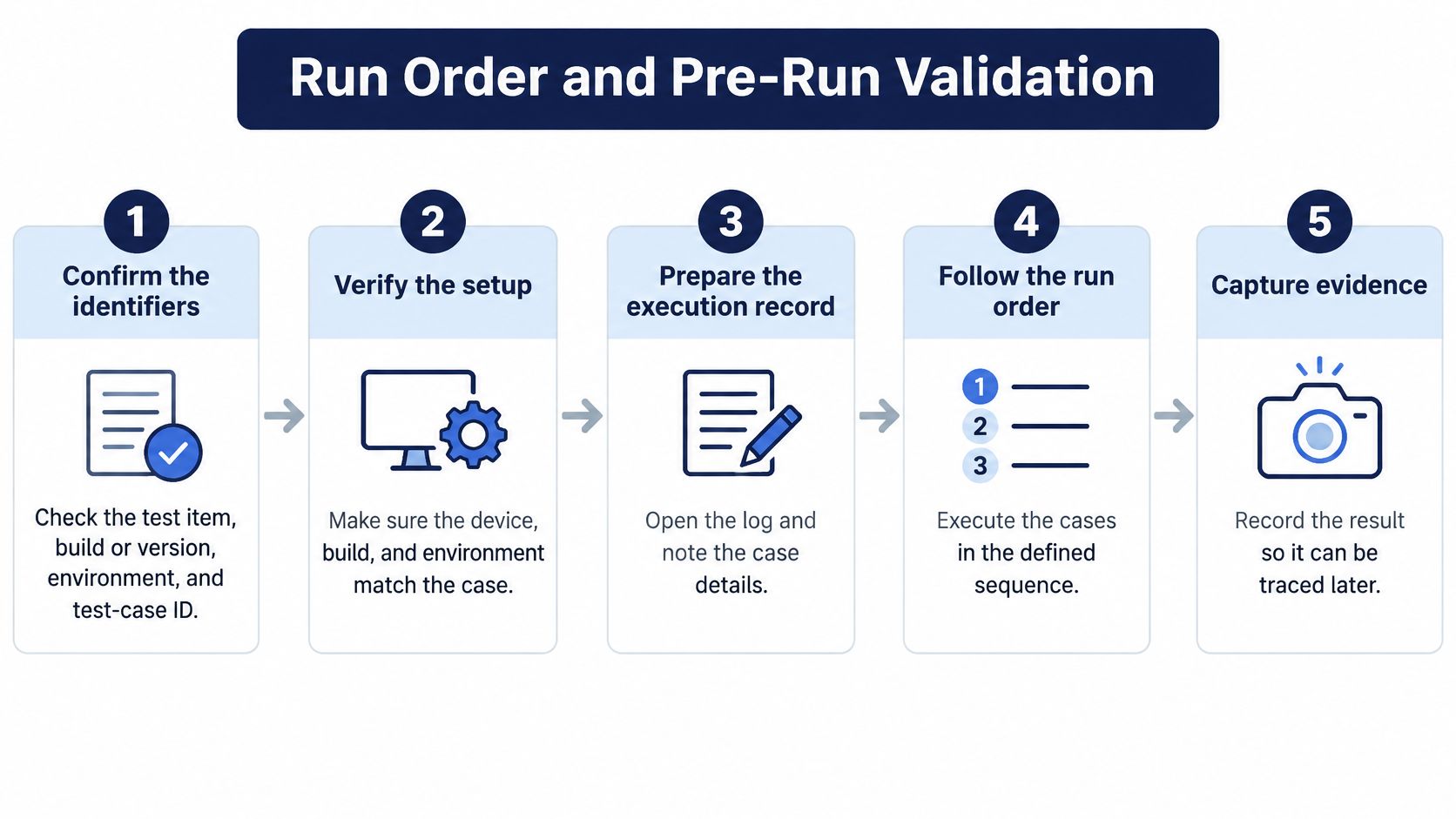
Most failed runs don't start with a missing button. They start before the first tap. A case that needs a paid-plan account with a saved card gets run against a free account, the tester hits the paywall at step four, and the case goes into the sheet as "checkout broken". Two days of developer time disappear into a defect that was really a missing precondition. Write the prerequisites down at the top of your run notes and check them off before you start.
Why a flat checklist wastes your day
Prioritising the set is what separates a reliable run from an undifferentiated march down the sheet. Group cases by risk and dependency first, and record the exact coverage matrix so an untested combination can't be mistaken for a pass. The temptation is to expand every case across every parameter, which eats the day without proportional assurance. Pairwise or t-way selection across configuration factors can cut manual test volume substantially while holding fault detection steady, so apply it to device, browser and locale combinations and reserve the full explicit sweep for safety-critical interactions. Where cases share a fixed step structure, the keyword-driven format standardised in ISO/IEC/IEEE 29119-5 keeps a step meaning the same thing to whoever runs it.
Timebox each session. When it runs over, stop and log what's left as not run with a reason. Missing evidence, ambiguous expected results and unrecorded environment details are coverage defects in their own right, and they belong in the report rather than in a silent pass.
What to do when a case has no testable oracle
Cases rarely arrive well formed, and generated ones are worse. A 2025 global survey of more than 2,100 development and testing professionals found that 60% of organizations use AI in testing and 70% use it to develop test cases, yet 80% reported lacking in-house AI-testing expertise (Applause's State of Digital Quality report). A generated case that says "verify the page loads correctly" gives you nothing to compare against, no matter how cleanly it's phrased.
Run every generated case through a validation protocol before execution: prerequisites, test data, permissions, environment, expected behaviour, and whether the case reflects a genuine user risk rather than superficial activity. If the expected outcome is missing, don't improvise one. Mark the case ambiguous, send a clarification request to the product owner, and keep it out of your pass-rate figures. A case that asks you to verify a discount without stating its value is not a test. It is a question.
Where your team writes its own cases, creating test cases for product teams covers the anatomy of one that can be executed: a stated precondition, a numbered action, and a result you can compare against.
Working rule: A case you can't judge is not a passing case. Invalid, ambiguous, not executable and blocked are separate statuses, and mixing them into the pass column is how a release ships with holes in it.
The five-item run sheet
Before you execute anything, the sheet in front of you should answer these five:
- Which build. A build number, an APK link, a TestFlight reference or an environment URL.
- Which environment and data set. Staging versus production-like, and the account or record you'll use.
- Which device and network. Model, OS version, browser, connection.
- Which expected result, per step. Not one line at the bottom of the page.
- What counts as blocked. The specific dependency that stops the case, so it isn't logged as a failure.
A checkout case on a budget Android phone
Say a case covers checkout with a coupon on a 2 GB RAM Android handset on a throttled connection. Expected result: subtotal minus coupon, tax applied after the discount, total displayed in the local currency. You add the item, apply the coupon, and the total comes back higher than the subtotal. Everything else looks right: the confirmation screen renders, the order appears in history.
That's a failed case, not a blocked one, and it's a failed case with a precise evidence trail. Screenshot at the moment the total rendered, the coupon code you typed, the cart contents, device model and build, the network condition, and steps 1 through 7. That record lets a developer reproduce the arithmetic in one read. A note saying "coupon broken on Android" doesn't.
Pick the Devices and Browsers Worth Your Time
Which environment each case runs on is a design decision, not an afterthought. Record the same dimensions for every executed case, then decide which combinations the release earns.
| Dimension | What to record | Example | Why it matters |
|---|---|---|---|
| Device model and OS version | Make, model and OS build | Redmi on Android 14 | Hardware and OS behaviour differs by vendor skin |
| Browser and version | Browser name and exact version | Safari 17 on iOS | Rendering and input handling differ |
| Desktop OS and browser | OS version, browser, viewport width | Windows 11, Chrome, 1280 px viewport | Layout breaks at narrow widths |
| Network condition | Connection type and speed | Throttled 3G on Jio | Timeouts appear only on weak signal |
| Locale and input method | Language, keyboard, date format | Hindi keyboard input | Validation can fail on Devanagari text |
| Account state | Role, plan, login status | Expired subscription | The paywall path changes |
| Build version | Exact build number or link | Build 4.2.1 via APK link | Results mean nothing without the build |
Which rows matter depends on the release in front of you. A consumer app for Indian users lives or dies on the mobile device, network and locale rows. A B2B admin console lives on the desktop OS and browser rows. Weight combinations by user-market exposure first, then by features that have broken before, then by hardware-dependent behaviour such as camera, GPS and biometrics, then by release risk. Testers running cases on their own Redmi, Realme, Galaxy, Vivo and iPhone handsets, on Jio, Airtel and Vi networks, surface behaviour that emulators routinely miss, which is why choosing devices for mobile app testing is worth reading as a prioritisation exercise rather than a shopping list. Our own testers run customer cases on exactly those phones and networks, on equipment they own.
Coverage and repetition are not the same thing. Running the same login flow on a second Samsung with the same OS version and the same browser tells you almost nothing new. Adding a low-end Android handset with 2 GB of RAM adds a condition you haven't tested: memory pressure, slower rendering, a keyboard that takes two seconds to appear. The second run is repetition. The second device is coverage.
Many teams overestimate themselves. Only 14% of organizations reported more than 80% end-to-end test coverage in 2025, even as test-case generation rose to 47% from 38% the year before (Mabl's Testing in DevOps 2025). Generating more cases doesn't close that gap if execution stays on one emulator and the default network.
Log untested combinations as not run, with the reason. An empty cell in a coverage matrix is a gap; a cell someone assumed was covered is a lie the release inherits.
For a rule of thumb: build a matrix of two to four core devices and two browsers per release, widen it only where a defect has already appeared, and report passed, failed, blocked and unrun counts per environment instead of one aggregate percentage that hides everything.
Execute Each Step and Judge the Actual Result
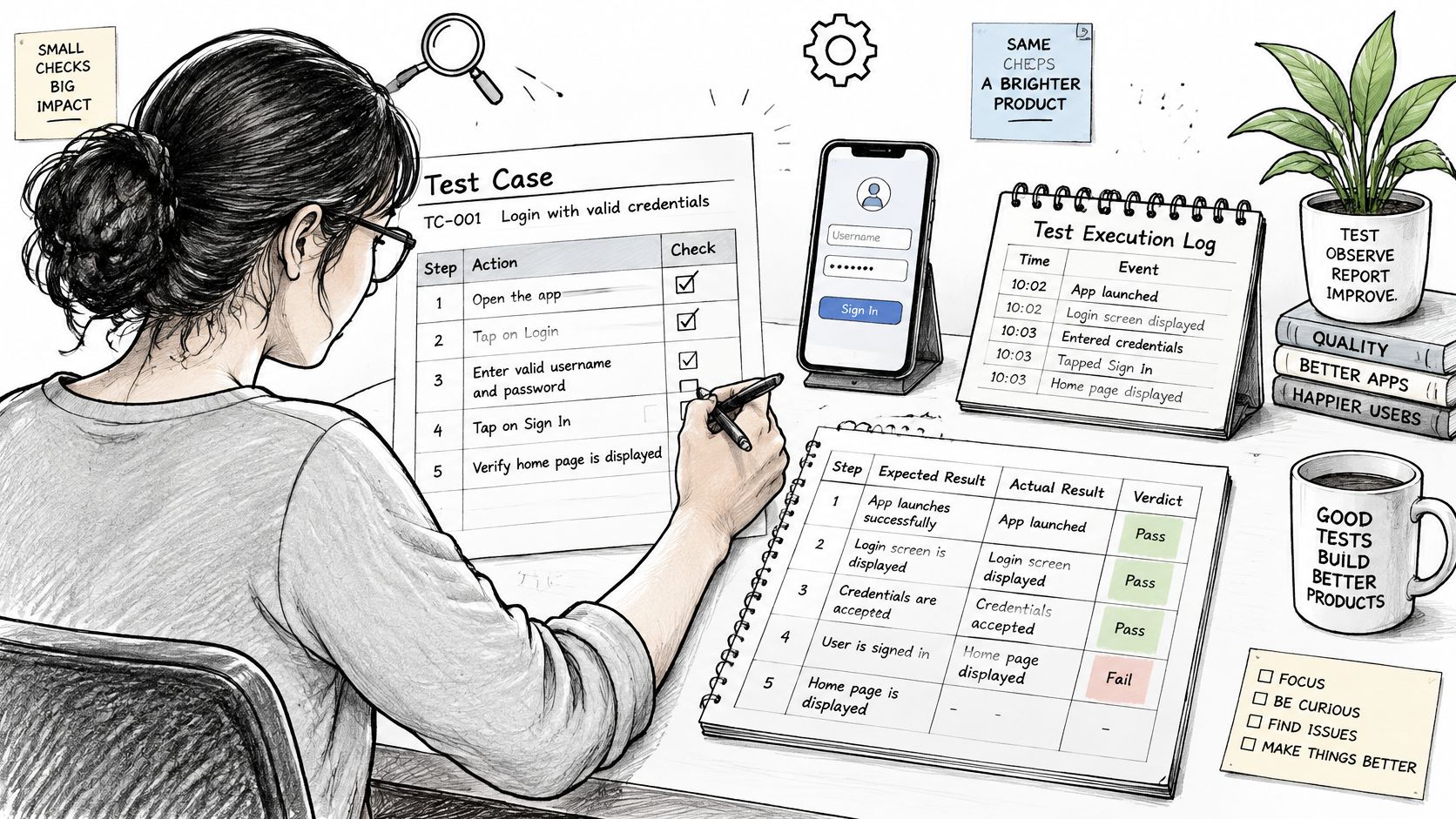
Execution is mechanical on purpose. Follow the documented procedure exactly, one action at a time, and write down each meaningful action with a timestamp and the exact input you used: the coupon code, the file size, the search string, the phone number format. "Entered a value" is not a record. "Entered SAVE200 in the coupon field at 14:32" is.
The judgement is where testers go wrong. Compare against the written expected result, not against whether the screen looks finished. A spinner that disappears and a confirmation banner that appears can both sit on top of a wrong total. ISO/IEC/IEEE 29119-2 defines a test case as preconditions, inputs and actions, plus expected results, which is a reminder that the expected result is part of the case, not something you supply from intuition at the keyboard.
Blocked and failed are different words
A step you cannot perform because a button is missing, a feature flag is off, or an earlier case left the account in the wrong state is blocked or not executable. A step that runs and produces the wrong outcome is failed. Collapsing the two corrupts your defect queue and your pass rate at the same time.
The distinction gets tested by timing. Say a password reset on an iPhone sends the email, and it lands nine minutes later. That's either a product failure or a mail-provider delay, and you can't tell from one run. Repeat with a second account on a different mail domain before you file anything.
A reasonable mechanic: I'd timebox a standard flow at around ten minutes in the run plan. When it runs over, stop, log where you got to, and mark the case blocked with the reason. A case that ate forty minutes has produced one data point and cost you three others.
Here's how the same discipline looks in a recorded walkthrough.
For each step in your notes, capture four things: the action you took, the actual result you observed, the expected result from the case, and a marker for any screenshot or recording tied to that moment. That's enough for a developer to reproduce the path without asking you a question.
Record Each Status and the Evidence Behind It
A result is only useful if someone else can act on it months later. Seven statuses cover everything you'll meet, and each one carries a record.
| Status | Use when | Record |
|---|---|---|
| Passed | Every step matches the expected result | Build, device, timestamp and step notes |
| Failed | Actual result differs from expected on a reproducible run | Screenshot or recording, logs and the exact reproduction sequence |
| Blocked | A dependency or prerequisite stops the case from running | The blocker, time lost and the owner |
| Not run | Planned but skipped for time or a missing device | The reason and the coverage gap it leaves |
| Invalid | The case is wrong, duplicated or out of scope | Why it is invalid and a suggested fix |
| Ambiguous | The expected result is missing or unclear | The clarification request and who received it |
| Not executable | A step cannot be performed as written | The exact step that could not be performed |
For anything that isn't a pass, preserve the evidence immediately: screenshot or screen recording taken at the moment of failure, timestamps, device, browser and OS details, network condition, input data, and the exact reproduction sequence. A relaunch, a reinstall or a data reset can wipe the state that caused the failure, and then you're left describing a bug you can no longer see.
Keep observation and suspicion apart in the write-up. The status field states what happened. The notes field can carry your hypothesis, clearly labelled as one, because a tester's hunch about caching is useful and shouldn't be mistaken for a confirmed cause.
The contrast is stark. "Cart broken" gives a developer nothing to work with. "Cart total shows Rs 1,499 after applying a Rs 200 coupon, Redmi Note 12, Android 14, Jio 4G, steps 1 to 5 attached with screenshot" gets fixed on the first read. If your team uses a fixed format, a software testing report template keeps those fields from drifting between testers.
Never mark a case passed because the other cases in the run passed. Adjacent green cells are not evidence about the one you skipped.
Triage Anomalies Before You File a Defect
The most common anomaly in manual execution isn't a bug at all. It's an environment or data problem wearing a bug's clothes, and it costs a developer half a day before anyone realizes the account had a stale cached session.
| Observation | Likely cause | Next action |
|---|---|---|
| Fails on one phone only | Device or OS-specific behaviour | Retest on two more devices with the same OS, then file with device details |
| Fails only after a data reset | Stale or missing test data | Rebuild the data set and rerun once before filing |
| Fails on weak signal, passes on Wi-Fi | Network condition | Record the connection and test both conditions |
| Step cannot be reached | Blocked by login, a feature flag or an earlier case | Mark blocked, name the blocker and rerun when it clears |
| Screen looks right, value is wrong | Expected-result mismatch | Compare with the specification and mark failed with proof |
| Passes only after reinstall | Build or cache state | Record the build and state, then flag the case as flaky |
The order matters more than the table. Repeat the failure once on the same setup to confirm it isn't a one-off. Then vary one factor at a time, the device, the network, the account, the data set, so you know which variable moved the result. Only then file, with the variation isolated.
After the fix
Confirmation testing has three parts, and skipping the third is common. Rerun the failed case on the original device and build. Run the relevant regression set across the environment matrix you defined earlier, since a fix in coupon arithmetic can move totals elsewhere. Then update the traceability record and the execution summary so the report reflects the new state rather than the old one.
Flaky results deserve their own line. A case that passes only after a reinstall should be recorded with the build, the cache state and a flag, not counted as clean. A pass that depends on clearing state is a pass on a condition your users don't meet.
Ownership is simple and worth defending. The tester records observed behaviour and evidence. The triage owner sets severity. The product owner settles whether an ambiguous expected result is a defect or a gap in the specification. When those three roles collapse into one person under deadline pressure, ambiguous cases get resolved by guesswork and land in the pass column.
Decide Between In-House Testing and an Outside Provider
One decision test before the next pass: can your team cover the core device matrix, with testers who own those devices and record evidence to the standard above, inside the release window?
If yes, keep it in-house. It's cheaper and the context stays with the people who built the feature. If the matrix needs phones and networks nobody on the team has, or the window is too short for a full run, split the work.
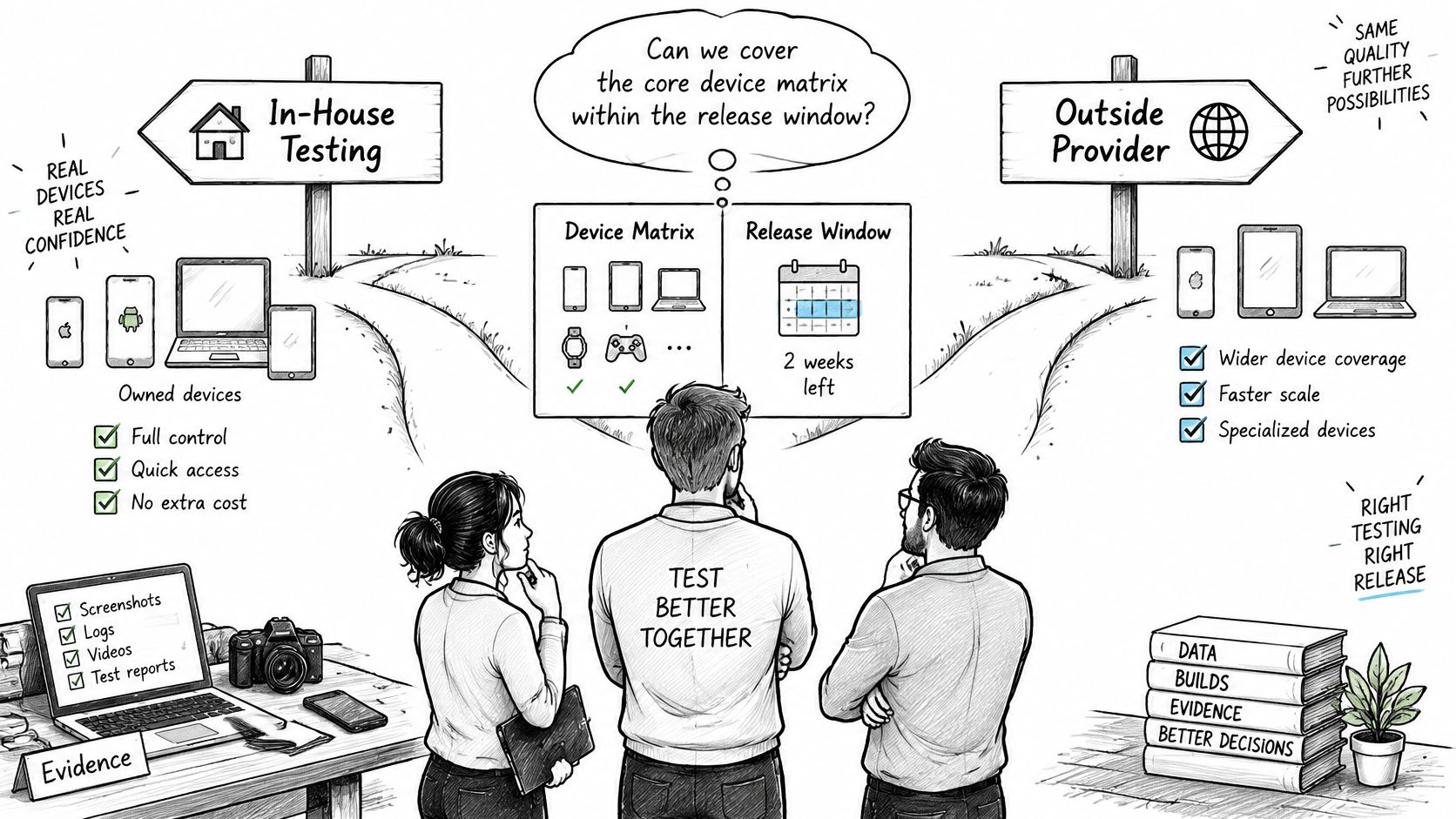
99tests runs your test cases with human testers on their own phones, laptops and browsers, and delivers human-verified pass or fail reports with step-by-step reproduction within three business days. You supply a build link (APK, Play internal testing, TestFlight or a web URL) plus your test cases, and setup needs no account or sales call. If your team is weighing that split, this guide to outsourcing quality assurance services covers the handover details that usually go wrong.
A one-week plan that keeps control where it belongs:
- List the cases by risk, top tier first.
- Fix the device matrix for this release only, two to four devices and two browsers.
- Run the top tier in-house, on the devices your team owns.
- Send the device-specific remainder out, with the run sheet, data set and expected results attached.
If your next release needs evidence rather than a count, 99tests puts human testers on your cases, on their own Android phones, iPhones and laptops, on Jio, Airtel and Vi networks, and returns a pass or fail status for every case with a screenshot behind each failure and the unrun cases named rather than buried. You upload a build link and your test cases, and the report comes back within three business days, with the ambiguous and blocked cases kept separate from the passes. Visit 99tests to see the plans and start a run.